
Optimal TV screen size and mounting distance is defined as the relationship between your screen’s diagonal measurement, your seating position, and the height at which the TV is fixed to the wall. Get this combination right and you get a comfortable, immersive picture. Get it wrong and you end up with neck strain, eye fatigue, and a setup that looks awkward in your room. SMPTE guidelines recommend your screen fill at least 30 degrees of your field of view, which translates to specific distance ranges for every common TV size. This guide covers the full picture: screen size selection, mounting height, mount types, and practical measurement steps for your home.
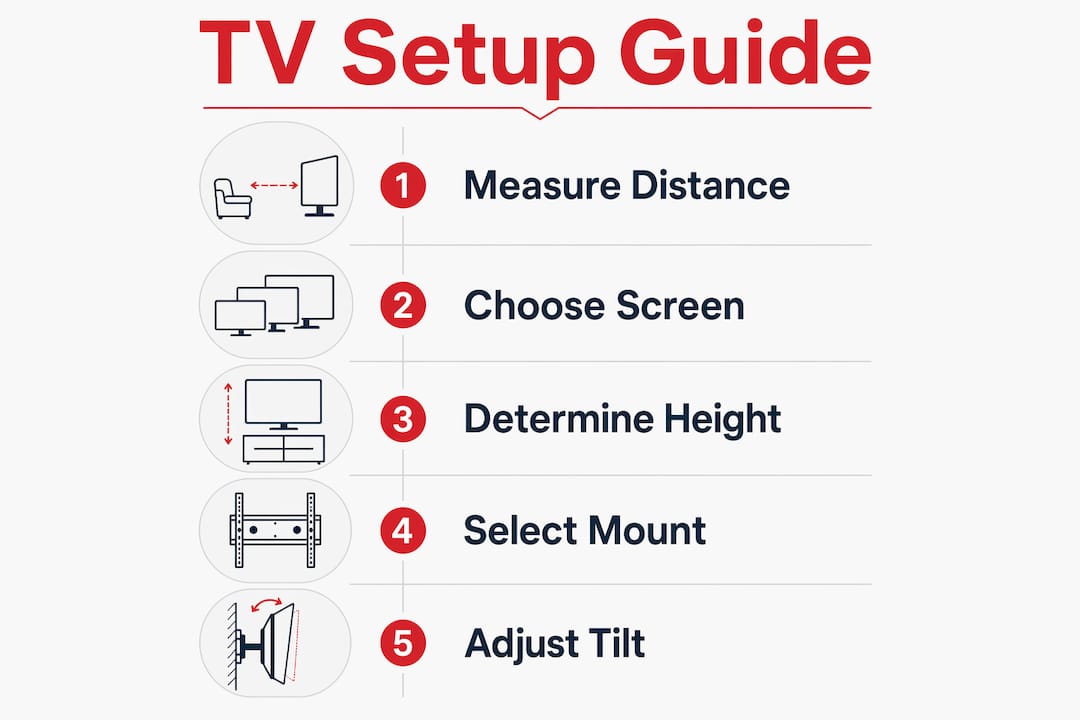
How to determine the right TV screen size based on viewing distance
The most reliable starting point for TV size selection is your seating distance. A widely used rule of thumb is to multiply your screen size by 1.2 to 2.5 to get your ideal distance range in inches. That means a 65-inch TV works best when your sofa sits roughly 78 to 163 inches away, or about 6.5 to 13.5 feet.
The table below matches common TV sizes to their recommended viewing distances, based on SMPTE guidelines and standard industry practice.
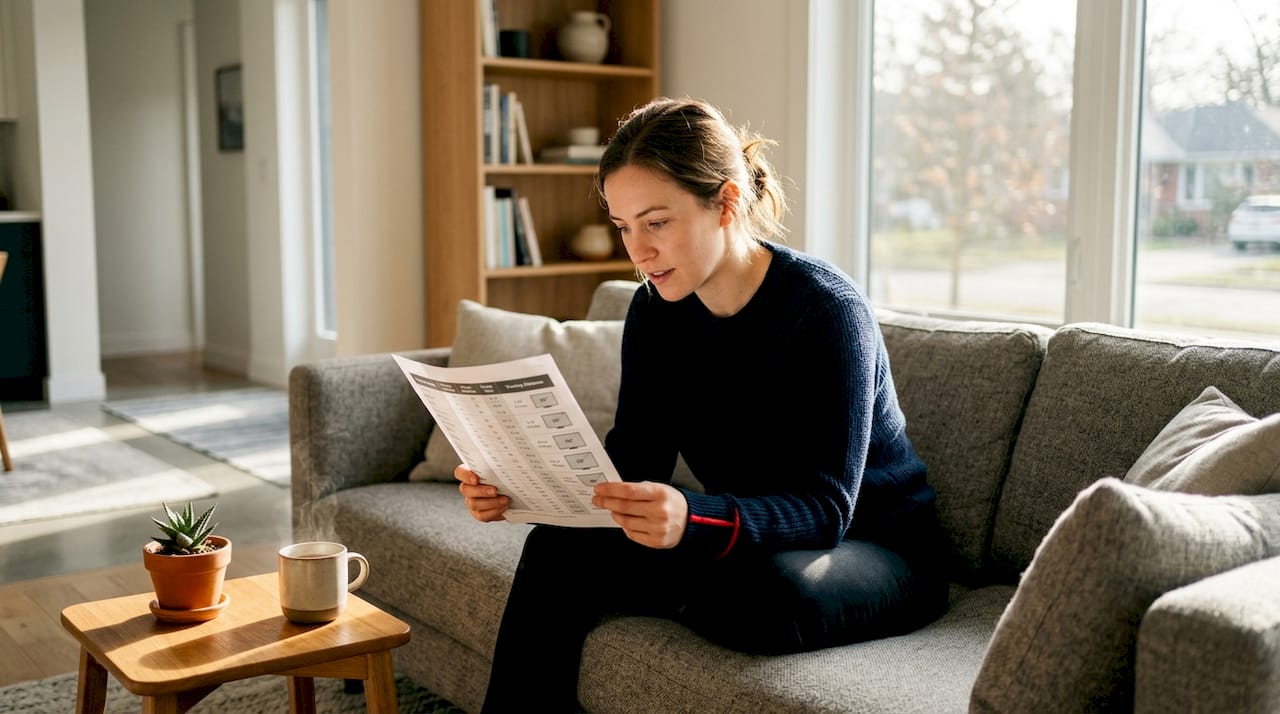
| TV screen size | Recommended viewing distance |
|---|---|
| 32 inches | 4–6 feet |
| 55 inches | 7–11.5 feet |
| 65 inches | 8–13.5 feet |
| 75 inches | 9.5–15.5 feet |
Resolution changes the equation. 4K TVs allow closer seating than HD models without any loss in picture quality. A 65-inch 4K set can comfortably seat viewers at 8 feet, while the same size in HD would show visible pixels at that range. This gives you more flexibility when your room is compact.
Room usage matters as much as the numbers. A dedicated home theatre with a single sofa row calls for a different size than a multi-purpose living room where people sit at varying distances. Think about your typical seating layout before you commit to a screen size.
Pro Tip: Measure your actual seating distance with a tape measure before you shop. Sit in your usual spot, measure to the wall where the TV will hang, and use the table above to confirm your size choice.
What is the ideal mounting height for your TV?
The standard baseline for mounting height is 42 inches from the floor to the centre of the screen. This figure reflects the average seated eye level for adults and gives most viewers a natural, comfortable sightline. It is a starting point, not a fixed rule.
Screen size shifts the centre point upward. A 55-inch TV centres roughly 13.5 inches from its bottom edge, a 65-inch centres about 16 inches up, and a 75-inch centres around 18.5 inches from the bottom. That means the bottom of a 75-inch screen mounted at 42 inches centre height would sit only about 23.5 inches off the floor. Adjust your mount height to account for the actual screen dimensions of your specific model.
Here is a step-by-step process to find your correct mounting height:
- Sit in your usual viewing position with relaxed posture, not your best posture.
- Have someone measure from the floor to your eyes. This is your seated eye level.
- Note the distance from the bottom edge to the centre of your TV screen.
- Subtract that centre-to-bottom measurement from your eye level measurement.
- The result is the height at which the bottom of your TV should sit on the wall.
- Mark that point on the wall before drilling anything.
Fireplaces complicate this calculation. Mounting above a fireplace often pushes the screen well above the 42-inch baseline, sometimes to 60 inches or higher. In those cases, a tilting mount is the right call. Tilting mounts reduce glare and angle the screen downward so your sightline stays natural even when the TV sits high.
Pro Tip: Measure your eye level in the chair or sofa you actually use most, not while standing. Seated eye level is almost always lower than people expect, and that difference changes your mounting height by several inches.
How do viewing distance and mounting height work together?
Viewing distance and mounting height are not independent decisions. Treating them separately is the most common setup mistake homeowners make. Ignoring the relationship between these two factors leads to setups where the screen is technically the right size but still feels wrong to watch.
The reason is geometry. When you sit close to a large screen, even a small upward tilt of the TV creates a steep viewing angle that strains your neck over time. When you sit far away, a screen mounted too low forces you to look down, which is equally uncomfortable. The two measurements must be calibrated together.
Raising the TV slightly above eye level by an inch or two, combined with a downward tilt, creates the most natural viewing angle for most adults. This approach works especially well in living rooms where the sofa is 10 feet or more from the wall. The slight elevation keeps the screen visible over coffee tables and other furniture without forcing your neck upward.
4K screens add another layer to this. Because 4K technology supports closer viewing, sitting nearer to a large screen becomes comfortable. But closer seating also means the vertical angle to a high-mounted TV becomes steeper. If you plan to sit close to a large 4K set, keep the mounting height conservative and close to your actual eye level.
Here are the key principles for aligning height and distance effectively:
- Measure both your seated eye level and your seating distance before choosing a mount position.
- Never mount above a fireplace without a tilting mount to compensate for the elevation.
- If your seating distance is under 8 feet, keep the screen centre within 2 inches of your eye level.
- For rooms with multiple seating rows, aim for the eye level of the front row.
- Recheck your comfort by sitting in position and looking at a piece of tape on the wall at your planned screen centre height before you drill.
Choosing the right mount type for your room
Mount type is the final variable that ties screen size, viewing distance, and mounting height together. There are three main categories: fixed, tilting, and full-motion.
Fixed mounts hold the TV flat against the wall with no adjustment. They work well when your seating is directly in front of the TV and the mounting height is close to eye level. They are the most stable option and keep the TV sitting closest to the wall for a clean look.
Tilting mounts allow you to angle the screen downward by roughly 5 to 15 degrees. They are the right choice when the TV must be mounted higher than ideal, such as above a fireplace or on a wall where studs only allow a higher position. Professional installers recommend tilting mounts for any elevated installation to preserve natural sightlines and reduce glare from overhead lighting.
Full-motion mounts extend, swivel, and tilt. They suit rooms where seating angles vary, such as open-plan spaces where the TV serves both a dining area and a living room. They add the most flexibility but require the most careful installation because the arm creates leverage that stresses the wall anchor points.
- Check the mount’s weight capacity against your TV’s actual weight, not the maximum screen size listed on the box.
- Verify the VESA pattern on your TV matches the mount before purchasing.
- For full-motion mounts, always anchor into wall studs, not just drywall.
- Avoid mounting over a fireplace with a fixed mount. The heat and the angle will both cause problems over time.
Pro Tip: Look up your TV’s VESA measurement in the owner’s manual before buying a mount. VESA is the standard bolt-hole pattern on the back of the screen, measured in millimetres, and not every mount fits every TV.
Practical steps to measure your space and set up your TV
Good setup starts with measurement, not guesswork. Follow these steps before you put a single hole in the wall.
- Measure your seating distance from the wall where the TV will hang to your usual seat.
- Use the distance-to-size table to confirm your screen size choice fits the room.
- Sit in your usual spot and measure your seated eye level from the floor.
- Calculate your ideal screen centre height using the eye level and screen dimension method described earlier.
- Mark the planned screen centre on the wall with a piece of painter’s tape.
- Sit back down and look at the tape. If it feels natural, proceed. If it feels high or low, adjust before drilling.
- Locate wall studs with a stud finder and confirm they align with your planned mount position.
- For rooms with multiple seating areas, identify the primary viewing position and prioritise that sightline.
Special situations need extra thought. Mounting above a fireplace in a Toronto home or a Vancouver condo often means working around heat vents, brick, or tile surfaces that require specific anchors. Multi-purpose rooms where the TV serves both a home office and a living area benefit from a full-motion mount so the screen can face different zones. When the wall structure or room layout makes the process complicated, a professional installer saves you time and prevents costly errors.
Key takeaways
The right TV setup requires matching screen size, viewing distance, and mounting height as a single integrated decision rather than three separate choices.
| Point | Details |
|---|---|
| Screen size follows distance | Multiply your screen size by 1.2 to 2.5 to find your ideal seating distance range in inches. |
| 42 inches is a baseline | Mount the screen centre at 42 inches from the floor as a starting point, then adjust for your actual eye level. |
| Screen size shifts the centre | Larger TVs have higher centre points, so recalculate mount height for each specific model. |
| 4K allows closer seating | 4K resolution lets you sit nearer to the screen without visible pixel loss, which affects both size and height decisions. |
| Mount type must match placement | Use tilting mounts for elevated positions and full-motion mounts for rooms with variable seating angles. |
Why most homeowners get this wrong, and how to fix it
Most people pick a TV size based on what looks impressive in the store, then mount it at whatever height feels convenient on the day. That approach almost always produces a setup that is either too high, too large for the room, or both. After seeing hundreds of installations, the pattern is clear: the mistake is not ignorance of the numbers. It is skipping the measurement step entirely.
The 42-inch centre height baseline is genuinely useful, but only as a starting point. Your actual seated eye level may be 38 inches or 46 inches depending on your sofa height and how you sit. A two-inch difference in mount height sounds trivial. Over a two-hour film, that two inches translates to real neck fatigue.
The other underrated factor is the interaction between screen size and mounting height in 4K setups. Homeowners who upgrade from a 55-inch HD set to a 75-inch 4K screen often keep the same mount position. That is a mistake. The larger screen’s centre point is higher, the resolution invites closer seating, and the steeper vertical angle from a closer seat to a high mount creates exactly the discomfort they were trying to avoid.
The fix is straightforward: measure first, mount second. Tape marks on the wall cost nothing and take five minutes. They prevent a permanent hole in the wrong place and a viewing experience that never quite feels right.
— Pixlcanada
Pixlcanada’s professional TV mounting service
Getting the measurements right on paper is one thing. Executing a clean, secure installation on your actual wall is another. Pixlcanada’s technicians handle TV mounting across Canada with a focus on getting the height, distance, and mount type right for your specific room.

Whether you need a tilting mount above a fireplace or a full-motion setup in an open-plan space, Pixlcanada’s team brings the tools, the expertise, and the attention to detail that turns a good plan into a great result. Homeowners in Hamilton can book with the Hamilton mounting team directly, and those in Calgary can connect with the Calgary installation service for a consultation. Every job comes backed by Pixlcanada’s 5-star service commitment and a focus on leaving your space looking exactly as it should.
FAQ
What is the recommended viewing distance for a 65-inch TV?
A 65-inch TV suits a seating distance of 8 to 13.5 feet, based on SMPTE guidelines that recommend the screen fill at least 30 degrees of your field of view. A 4K model allows you to sit toward the closer end of that range without any loss in picture quality.
How high should I mount my TV on the wall?
Mount the centre of your TV screen at 42 inches from the floor as a baseline, then adjust up or down to match your actual seated eye level. Measure your eye level while sitting in your usual spot with relaxed posture for the most accurate result.
Does TV resolution affect how far I should sit?
Yes. 4K TVs support closer viewing distances than HD models because the higher pixel density eliminates visible pixelation at shorter ranges. This gives you more flexibility in smaller rooms where seating distance is limited.
When should I use a tilting mount instead of a fixed mount?
Use a tilting mount whenever the TV must be installed above your ideal eye level, such as over a fireplace or on a high wall. The downward tilt corrects the viewing angle and reduces glare from ceiling lights.
Can I mount a TV above a fireplace safely?
You can mount a TV above a fireplace with the right mount and proper heat management, but the position almost always requires a tilting mount to bring the viewing angle down to a comfortable level. Check that the wall surface and heat output from the fireplace are compatible with your chosen mount and TV model before proceeding.