
To factory reset a Nest Mini, Nest Audio or Google Home Speaker, switch the mic off, hold the top centre for 5 seconds, then keep holding about 10 more seconds until a sound confirms it. A Nest Hub resets with both volume buttons held about 10 seconds. A reset erases the device and cannot be undone, so reboot first.
PCBy the Pixl Canada install team. Checked November 1, 2026. 7 min read.
- Speakers and displays: button steps by model
- Nest Wifi, Google Wifi and Chromecast
- Nest thermostat menus by model
- What a reset erases, and when not to reset
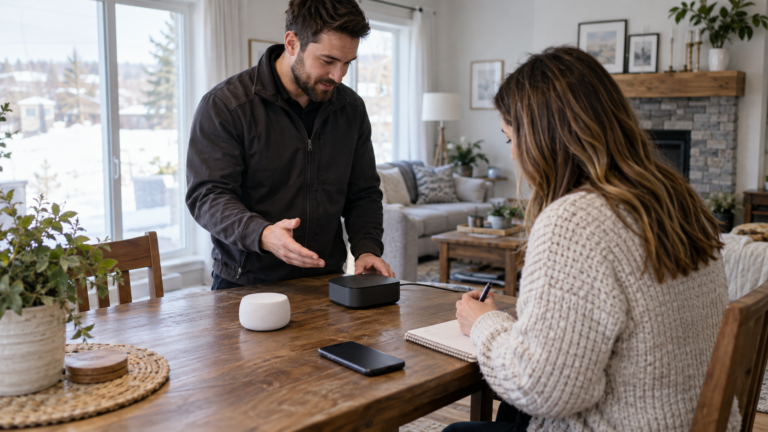
- Try a reboot before a factory reset. A reboot keeps your settings.
- Speakers and displays cannot be reset by voice or in the Google Home app.
- A reset cannot be undone. Remove a device in the app first if you are giving it away.
- Menu names change, so check Google’s support page for your model.
Do you need a reboot or a factory reset?
Google advises troubleshooting and a reboot before a reset. Menu names and button positions change by model and app version, so check Google’s support page for your device if what you see differs.
| Action | What it does | How, for a speaker or display |
|---|---|---|
| Reboot | Keeps all settings; fixes many glitches | Unplug for one minute, or in the Google Home app: Home, All devices, touch and hold the tile, Settings, More, Reboot |
| Factory reset | Clears the device, disconnects it from the home, cannot be undone | Physical buttons for speakers and displays. Not by voice or in the app |
What should you do before you reset?
- Reboot and troubleshoot first. Google lists fixes to try first.
- Giving it away? Remove it in the app first. Touch and hold the tile, then Settings, Remove device, then reset.
- Save what you need. Hub Max video clips; Hub (2nd gen) Sleep Sensing data.
- Note your WiFi settings. Network name, password, guest network and port forwarding for a Nest Wifi or Google Wifi.
- Note thermostat wiring. Settings, then Equipment, before you reset.
Reset left your WiFi or thermostat needing setup?
Send a photo for a fixed price. Pay after the job.
How do you factory reset a Nest or Google speaker or display?
Speakers and displays reset only with their physical controls. Check your model name in the Google Home app if you are unsure.
| Device | Where to hold | Hold time |
|---|---|---|
| Google Home Speaker (2026) | Switch mic off on the bottom (lights turn orange), then press and hold the top centre | 5 seconds to start, then about 10 more until a sound confirms |
| Nest Audio | Switch mic off on the back, then hold the centre near the top | 5 seconds, then about 10 more until a sound |
| Nest Mini (2nd gen) | Switch mic off on the side, then hold the centre where the lights are | 5 seconds, then about 10 more until a sound |
| Google Home Mini (1st gen) | Factory reset button below the power cord, on the circle etched in the base | 5 seconds, then about 10 more until a sound |
| Google Home Max | Factory reset button near the power cord on the back | About 12 seconds |
| Google Home (original) | Microphone mute button on the back | About 15 seconds |
| Nest Hub, Nest Hub (2nd gen), Nest Hub Max | Both volume buttons together on the back | About 10 seconds |
Nest cameras and doorbells have their own Google page, and our camera and doorbell reset guide covers other brands.
How do you reset Nest Wifi or Google Wifi?
Google recommends the Google Home app: Home, All devices, touch and hold the tile, then Settings, then Factory reset network or Factory reset Wifi point. A reset interrupts your internet and takes several minutes, so do not unplug it. If the app cannot reach the device, use the button on the bottom.
| Device | Hold | Light, then wait |
|---|---|---|
| Nest Wifi Pro router | 12 seconds | Yellow, solid yellow, release. Up to 5 minutes. Ready when white, then blue |
| Nest Wifi router | 10 seconds | Yellow, solid yellow, release. Up to 10 minutes. Ready when pulsing white |
| Nest Wifi point | About 5 seconds, then about 10 more | Sound confirms. Remove it in the app to clear the old network |
| Google Wifi point | 10 seconds | Orange, then solid blue, release. Up to 10 minutes. Ready when pulsing blue |
For any other router brand, see how to reset a router. After a reset you set up the router and points again, and WiFi installation can do that for you.
How do you reset a Chromecast or Google TV Streamer?
Google lists two ways for the Chromecast with Google TV and the Google TV Streamer. With the voice remote, select your profile at the top right of the TV, then All settings, System, About, Factory Reset. Without it, hold the button on the back of the powered-on device until the LED blinks yellow, and release when it turns solid white. Older Chromecasts also reset in the Google Home app, on the network used for setup.
What does a factory reset erase?
| Device family | What goes | What can remain |
|---|---|---|
| Speakers and displays | Data on the device, and it is disconnected from all home members | Some basic device data may remain connected to the home |
| Nest Wifi, Google Wifi | App reset: settings and data, plus cloud data. Button reset: device settings only | After a button reset, app and cloud data stay until deleted, up to six months |
| Nest thermostats | Personal settings, back to default | Linked Nest Temperature Sensors stay linked |
| Chromecast, Google TV | All data on the device | Nothing can be recovered |
How do you reset a Nest thermostat?
| Model | Menu | Note |
|---|---|---|
| Nest Thermostat, Nest Learning Thermostat (4th gen) | Settings, then Restart or Factory Reset | A factory reset removes personal settings; set it up and add it to your home again |
| Nest Thermostat E, Learning Thermostat (3rd gen or earlier) | Settings, then Reset: Restart, Schedule, Home/Away, Account connection, Network or All Settings | Remove it from your account first for All Settings |
Write down the wire setup first, under Settings, Equipment. If it is time for a replacement, read choosing a smart thermostat.
How do you add it back to the Google Home app?
- Plug the device in. If it has been used before, factory reset it first.
- Open the Google Home app. Tap Add at the top right, then Device.
- Scan the QR code on the device. If you cannot, use the setup code or Add a different way.
- Wait for Connected. Then follow the in-app steps.
If setup fails, try a 2.4 GHz network and read how to change your WiFi name and channel and how to change your WiFi password.
Where does Pixl fit?
Pixl does not reset or repair Google devices. We install WiFi from $129 and smart thermostats for $129 (+$50 only if a C-wire adapter step is needed). Pay after the job. See smart home installation and smart thermostat installation.
Resetting Google Home and Nest: frequently asked questions
How do I reset Google Home?
It depends on the model. For a Nest Mini, Nest Audio or Google Home Speaker, switch the mic off, hold the top centre for 5 seconds, then about 10 more until a sound confirms. Other models use a button. Google says you cannot do it by voice or in the app.
How do I factory reset a Nest Hub?
On the back, hold both volume buttons together for about 10 seconds, until it says it is resetting. For a Nest Hub Max, remove it from the Google Home app first.
What is the difference between a reboot and a factory reset?
A reboot keeps your settings. A factory reset returns the device to defaults, clears its data, disconnects it from everyone in the home and cannot be undone. Google says to try a reboot first.
How do I reset Nest Wifi or Google Wifi?
Use the Google Home app where you can: touch and hold the tile, then Settings, then Factory reset network or Factory reset Wifi point. If the app cannot reach it, hold the reset button on the bottom; times differ by model.
How do I factory reset a Chromecast with Google TV?
With the voice remote: profile, All settings, System, About, Factory Reset. Or hold the button on the back until the LED blinks yellow and release when it turns solid white.
How do I reset a Nest thermostat?
On a Nest Thermostat or Learning Thermostat (4th gen): Settings, then Restart or Factory Reset. On a Nest Thermostat E or 3rd-gen or earlier: Settings, then Reset. Write down your wiring first.
Does Pixl reset or repair Google devices?
No. Pixl installs devices and WiFi. For a repair, use Google’s support pages. If a reset leaves you needing WiFi set up again or a thermostat refitted, posted prices are from $129 for WiFi or mesh setup and $129 for a smart thermostat.
Need WiFi or a thermostat set up after a reset?
Send a photo for a fixed price before you book. Pay after the job.
WiFi installation service
How to reset a router
Reset a camera or doorbell
Smart thermostat installation
Installation price list
All installation services
All installation guides
Connect Alexa and Google Home to WiFi
Sources and method. All reset steps are taken from Google’s own support pages, read on November 1, 2026: Factory reset your Google smart speaker or display, Reboot Google smart speaker or display, Factory reset your Wifi device, How to factory reset your Chromecast or Google TV Streamer, Restart or reset a Nest thermostat, the Google Home moving guide and Set up your Google smart speaker or display. Google changes menu names and button instructions by model and app version, so check Google’s support page for your device before you start. Pixl prices are the posted prices on the installation price list.
About Pixl Canada. Pixl Canada is an installation company based in Edmonton, Alberta, serving cities across Canada with TV mounting, security cameras, appliance installation and smart home setup. Call or text (587) 899-7495. Open Monday to Saturday 8am to 8pm and Sunday 9am to 7pm.