
Choose a home projector by four numbers: brightness, resolution, throw ratio and room light. Epson Canada advises at least 1,500 rated lumens for a dark room and 2,500 for a room with windows, and a 100 in. screen needs about 475 lumens at the screen to reach the 16 ft-L cinema target in the dark. Pixl installs the projector and screen you buy. We quote from a photo of the room, with no installation price posted, and you pay after the job.
PCBy the Pixl Canada install team. Calculated October 31, 2026. 9 min read.
- Lumens needed by screen size and room light
- Throw distance table by ratio
- What the resolution label really means
- What a Pixl projector visit covers
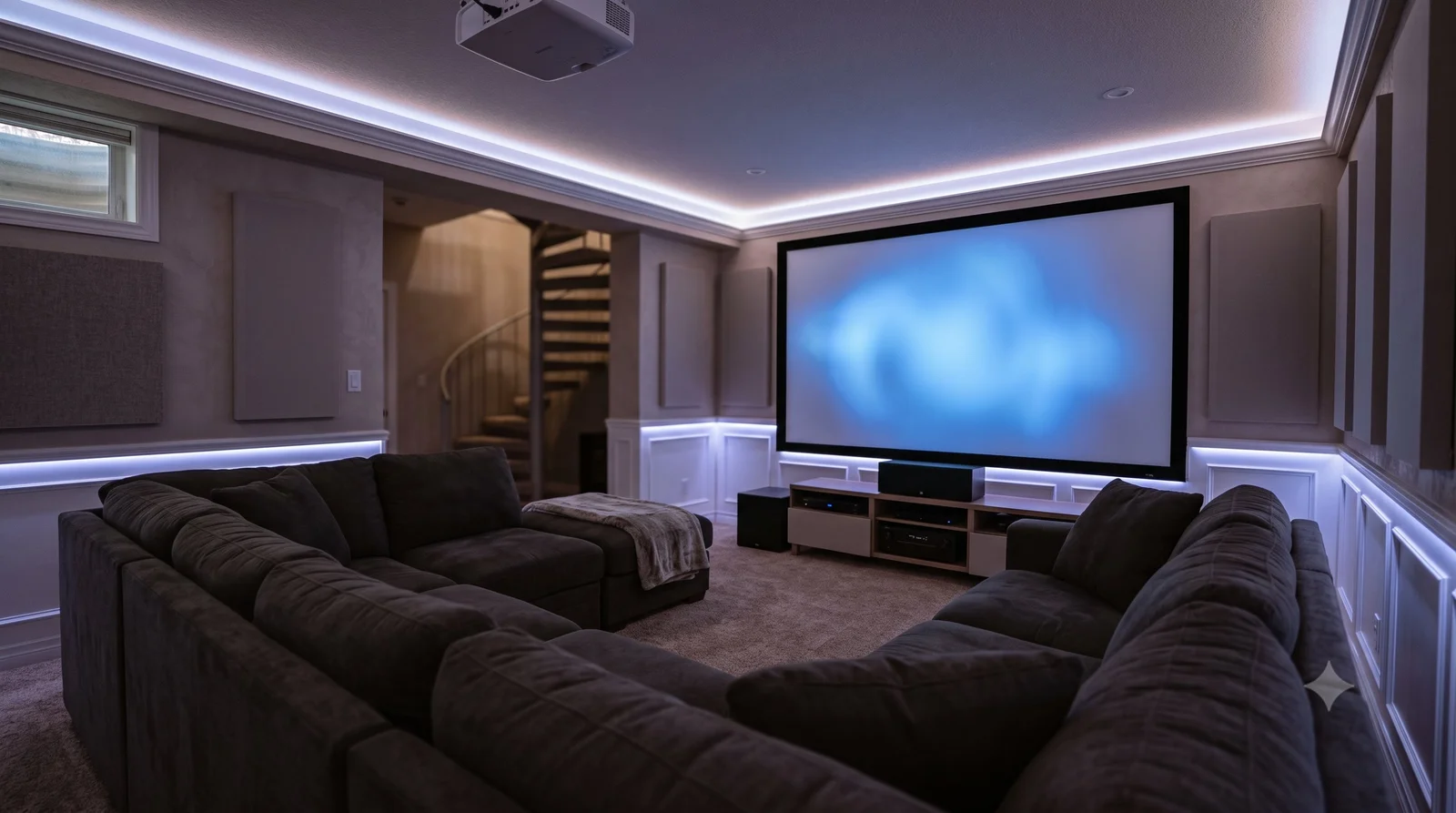
- Rated lumens are a ceiling; colour brightness can be as little as one-third of them (Epson Canada).
- A 100 in. screen needs about 475 lumens at the screen in the dark and about 1,190 with some room light (calculated).
- Throw ratio is distance divided by image width: a 1.5 ratio on a 100 in. screen is about 10.9 ft.
- Check whether 4K means native 4K or a Full HD chip with pixel shifting.
You are choosing a projector for a basement, den or living room and want numbers you can compare on spec sheets.
You have not decided between a projector and a TV yet. Read projector vs TV for a home theatre first.
How many lumens do you need?
Screen brightness in foot-lamberts (ft-L) is lumens divided by screen area in square feet, times screen gain. For a dark room, SMPTE 196M sets a cinema target of 16 ft-L. Digital Projection suggests about 40 ft-L with some room light and 60 ft-L with a lot (as reported by Acoustic Frontiers). The table works out the lumens that must reach the screen.
| Screen | Screen area | Dark room, 16 ft-L | Some room light, 40 ft-L | Bright room, 60 ft-L |
|---|---|---|---|---|
| 100 in. | 29.7 sq ft | 475 | 1,187 | 1,780 |
| 120 in. | 42.7 sq ft | 684 | 1,709 | 2,564 |
| 150 in. | 66.8 sq ft | 1,068 | 2,671 | 4,006 |
Rated lumens are a ceiling. Epson Canada warns that colour brightness may be as little as one-third of the stated lumens, and bulb-based projectors can lose 25% to 50% of their brightness over their life. That is why makers advise more than the math.
How bright for your room?
| Room | Light | Rated lumens to look for | Also check |
|---|---|---|---|
| Dark basement or dedicated theatre | Controlled; ambient light kept to a minimum | 1,500 or more | Throw distance and screen size |
| Living room with windows | Daylight or lamps on at times | 2,500 or more | Blinds, and colour brightness |
| Sunlit room watched by day | Strong daylight | Epson gives no figure above 2,500; compare with a TV | See projector vs TV |
Want the screen and projector placed right?
Send photos of the room and the models. Fixed price before you book. You pay after the job.
What throw ratio do you need?
Throw ratio is the distance from the lens to the screen divided by the image width. A 100 in. 16:9 image is 87.2 in. wide, so a 1.5 ratio puts the projector about 10.9 ft away. A zoom lens gives a range: 1.3 to 1.6 on a 120 in. screen is 11.3 to 13.9 ft.
| Throw ratio | 100 in. screen | 120 in. screen | 150 in. screen |
|---|---|---|---|
| 0.4 | 2.9 ft | 3.5 ft | 4.4 ft |
| 0.8 | 5.8 ft | 7.0 ft | 8.7 ft |
| 1.2 | 8.7 ft | 10.5 ft | 13.1 ft |
| 1.5 | 10.9 ft | 13.1 ft | 16.3 ft |
| 2.0 | 14.5 ft | 17.4 ft | 21.8 ft |
Which resolution should you pick?
| Label | What it usually means | What to check |
|---|---|---|
| 1080p or Full HD | A 1920 × 1080 chip, one pixel per image pixel | Native resolution on the spec sheet |
| 4K with pixel shifting | A Full HD chip that shifts the image to produce 4K detail. Epson describes shifting each pixel diagonally by 0.5 pixels | The exact model’s spec sheet; shifting may switch off in 3D mode |
| Native 4K | A chip with 3840 × 2160 pixels | The native resolution line on the spec sheet |
What else should you check?
| Check | Why it matters | Where to find it |
|---|---|---|
| Light source and rated hours | Bulb-based projectors can lose 25% to 50% of brightness over their life | Spec sheet: lamp, laser or LED, and rated hours |
| Fan noise | You hear it in a quiet room | Spec sheet: noise in dB |
| Lens shift and zoom | Gives placement flexibility without distorting the picture | Spec sheet: optical or digital shift, zoom range |
| HDMI inputs | One input per source: streamer, console, laptop | Spec sheet: number and version of HDMI ports |
| Built-in sound | Built-in speakers vary; many people add a soundbar | See soundbar installation |
How do you choose in five steps?
- Measure the room and the seat distance. Note where the projector can sit and how far the screen wall is.
- Pick the screen size. See the seat-distance table in projector vs TV.
- Pick lumens for the light. Use the lumen table and the room table.
- Pick a throw ratio that fits. Use the distance table with your measurements.
- Check native resolution, noise and inputs. Then add a screen. See fixed vs motorized screens.
Not sure which projector fits your room?
Tell us the room size and light. We tell you what to look for and the install price before you book.
What does Pixl do for a projector?
Pixl installs the projector and screen you bought: we mount the projector or place it on a shelf, hang or fix the screen, align and focus, and connect your sources. We do not add outlets, so plan power at the ceiling or place the projector near an outlet. See projector installation.
- Send photos of the room and the projector and screen models to (587) 899-7495, or use quote from photos.
- We confirm a fixed price for your room before you book. Pixl does not post a projector installation price.
- Pick a time. Open Monday to Saturday 8am to 8pm and Sunday 9am to 7pm.
- We mount the projector, set up the screen, align and focus, connect your sources and test the picture.
- You pay after the job. By card, e-transfer or cash.
Best projector in Canada: frequently asked questions
What is the best projector for a home?
One with enough lumens for your room light, the right throw ratio for where it sits and a native resolution that suits your screen. Compare specs, not logos.
How many lumens do I need for a projector?
Epson Canada advises at least 1,500 lumens for a dark home theatre and at least 2,500 for a room with windows.
What throw ratio do I need?
Divide your distance by the image width. For a 100 in. screen (87.2 in. wide) at 10 ft, the ratio is about 1.4.
Is a 4K projector worth it?
Check whether it is native 4K or Full HD with pixel shifting, then match the choice to your screen size and budget.
Do I need a projector screen?
A screen controls colour and brightness. See fixed vs motorized projector screens for the options.
Can a projector replace a TV?
In a dark room, yes. In a bright room a TV is simpler. See projector vs TV for a home theatre.
How much does projector installation cost?
Pixl does not post a projector installation price. Send photos of the room and we confirm a fixed price before you book. You pay after the job.
How do I connect a projector to a laptop?
Usually by HDMI or USB-C. See how to connect a projector to a laptop.
Get your projector installed
Send photos of the room and the projector and screen models. Fixed price before you book. You pay after the job.
Projector installation
Installation price list
Quote from photos
All installation services
Installation by project
Installation guides
Projector vs TV for a home theatre
Fixed vs motorized projector screens
How to connect a projector to a laptop
Basement and condo home theatre
Sources and method. Screen area = (diagonal × 16 ÷ √337) × (diagonal × 9 ÷ √337) ÷ 144; lumens needed = target ft-L × area ÷ gain (100 in.: 29.7 sq ft × 16 = 475; × 40 = 1,187). Throw distance = ratio × image width ÷ 12 (1.5 × 87.2 ÷ 12 = 10.9 ft). Targets: SMPTE 196M 16 ft-L and Digital Projection ambient-light suggestions, as reported by Acoustic Frontiers; throw ratio definition from BenQ; lumen guidance and colour brightness warning from the Epson Canada projector guide; pixel shifting from Epson Europe; all checked October 31, 2026. No model is recommended because specifications change; check the maker’s spec sheet.
About Pixl Canada. Pixl Canada is an installation company based in Edmonton, Alberta, serving cities across Canada with TV mounting, security cameras, appliance installation and smart home setup. Call or text (587) 899-7495. Open Monday to Saturday 8am to 8pm and Sunday 9am to 7pm.