
eero, NETGEAR Orbi, TP-Link Deco and Google Nest Wifi Pro differ on price, Wi-Fi generation, optional plans and warranty. On the pages read on November 12, 2026, a three-unit kit runs from $419.99 (eero 6+) to $1,139.99 (eero Pro 7). Warranties run from 1 to 3 years. Pixl sets up any of them from $129.
PCBy the Pixl Canada install team. Maker and retailer pages read November 12, 2026. 9 min read.
- Eight mesh systems, priced by pack size
- Coverage, ports and device limits as each maker lists them
- Optional plans: eero Plus, NETGEAR Armor, Deco HomeShield
- Totals calculated with Pixl’s posted setup price
Pixl Canada publishes this comparison and installs the products it discusses.
- Price depends on pack size. A three-unit kit is $419.99 to $1,139.99 on the pages read, and the Wi-Fi 7 kits start at $449.99.
- Optional plans differ: eero Plus is $12.99 a month or $129.99 a year, NETGEAR Armor is $99.99 a year, and TP-Link’s paid HomeShield price is not shown on its Canadian page. Nest Wifi Pro lists no plan.
- Warranty: eero 1 year (3 years on its 7 line), NETGEAR 1 year, TP-Link 2 years, Google 1 year.
- Coverage figures are each maker’s claim and are measured differently. Your walls decide, so count units for your floors, not for the box.
- Pixl sets up any of them from $129. Pixl does not sell mesh kits.
How much does each mesh system cost in Canada?
Prices below come from each maker’s Canadian store where one exists, and from Best Buy Canada where the maker does not publish a price. They were read on November 12, 2026 and change in sale seasons. eero’s Canadian pages and the Orbi, Deco and Google pages do not all label tax the same way, so treat every figure as before tax unless a page says otherwise.
| System | Wi-Fi | 1-pack | 2-pack | 3-pack | Source |
|---|---|---|---|---|---|
| eero 6+ | Wi-Fi 6 | $189.99 | $329.99 | $419.99 | eero.com/en-CA |
| eero 7 | Wi-Fi 7 | $249.99 | $409.99 | $569.99 | eero.com/en-CA |
| eero Pro 7 | Wi-Fi 7 | $429.99 | $799.99 | $1,139.99 | eero.com/en-CA |
| NETGEAR Orbi 370 | Wi-Fi 7 | Not listed | $349.99 | $499.99 | Best Buy Canada |
| NETGEAR Orbi 770 | Wi-Fi 7 | Not listed | $749.99 | $999.99 | Best Buy Canada |
| TP-Link Deco BE25 | Wi-Fi 7 | $179.99 | $239.99 (regular $309.99) | $449.99, shown sold out on TP-Link’s store; Best Buy Canada lists $449.99 | TP-Link Canada store, Best Buy Canada |
| TP-Link Deco BE65 | Wi-Fi 7 | $349.99 | $459.99 (regular $649.99) | $659.99 (regular $849.99) | TP-Link Canada store, tax excluded |
| Google Nest Wifi Pro | Wi-Fi 6E | CA$269.99 | Not listed | CA$529.99 | Google Store Canada |
NETGEAR’s Canadian Orbi pages show no price and send you to a retailer, which is why Orbi is priced from Best Buy Canada. For the choice between mesh and an extender, see mesh WiFi vs WiFi extender, and for what the generations mean, WiFi 6 vs 6E vs 7.
Already bought one of these, or about to?
Text the brand, the number of floors and a photo of your modem. We give you a fixed price for the setup before you book, and you pay after the job. Same-day service is available when we have an opening.
What do the makers list for coverage, ports and devices?
These are each maker’s own claims. Coverage depends on walls, floors and where the units sit, so use them to compare sizes, not to promise a result in your house. eero lists 190 m² for the eero 7 and Pro 7, which is about 2,045 sq ft (calculated), and the pages read do not say whether that is per unit or per pack.
| System | Coverage listed | Wired ports | Devices listed | Smart home |
|---|---|---|---|---|
| eero 6+ | Gigabit speeds; coverage not listed in the text read | Not read | Not read | Built-in hub for Thread and Zigbee devices with Alexa |
| eero 7 | 190 m² (7.7 m radius) | Two 2.5 GbE | 120+ | Not listed on the page read |
| eero Pro 7 | 190 m² (7.7 m radius) | Two 5 GbE | 200+ | Not listed on the page read |
| Orbi 370 | 2-pack up to 4,000 sq ft; 3-pack up to 6,000 sq ft | 2.5 Gig internet port; dual-band | Up to 70 concurrent | Not listed on the page read |
| Orbi 770 | 2-pack up to 5,500 sq ft; 3-pack up to 8,000 sq ft | 2.5 Gig internet port; tri-band | Up to 100 concurrent | Not listed on the page read |
| Deco BE25 | 3-pack up to 6,600 sq ft | Two 2.5G ports; dual-band | Over 150 | Control by Alexa or Google Assistant devices |
| Deco BE65 | 3-pack up to 7,600 sq ft | Four 2.5G ports; tri-band | Up to 200 | Not listed on the page read |
| Nest Wifi Pro | Up to 2,200 sq ft per router; 3-pack up to 6,600 sq ft | Two 1 Gbps Ethernet ports per router | Up to 100 per point | Matter, built-in Thread border router, works as a Google Home hub |
A 1 Gbps port is fine for most internet plans, but a 2.5 Gig plan needs a 2.5 Gig port on the unit that connects to the modem. Check your plan first with how to choose a WiFi router. To size a kit for your home, use how many mesh nodes you need.

What about plans, warranty and security?
| System | Optional plan | Warranty |
|---|---|---|
| eero | eero Plus: $12.99 a month (one-month trial) or $129.99 a year (two-month trial). Currency not labelled on the page | 1 year. 3 years for the eero 7, eero Pro 7, eero Max 7, Outdoor 7, Signal and PoE 7 |
| NETGEAR Orbi | Armor: $99.99 a year. Armor Plus: $149.99 a year. Trial included on compatible routers | 1 year hardware warranty for US and Canada. Armor extends it to 2 years, up to 3 from purchase. The warranty applies when bought from an authorized reseller and registered |
| TP-Link Deco | HomeShield Basic is free. Security+ has a 30-day trial. TP-Link’s Canadian page shows no price for paid tiers | 2 years, as listed on TP-Link’s Canadian store |
| Google Nest Wifi Pro | No plan listed on its page | 1-year limited warranty |
The plans are optional. A mesh system routes your traffic without one. What you buy with a plan is extra filtering, parental controls or security features, so decide whether you would use them before adding a yearly fee. Since the router sits between every device and the internet, also read guest WiFi and an IoT network.
What does a three-unit kit cost over three years?
Add the kit, Pixl’s posted setup and, if you want it, three years of the maker’s plan. This is a planning estimate calculated from the prices above, not a quote.
| System | 3-pack | With Pixl setup from $129 | Plus 3 years of the plan |
|---|---|---|---|
| eero 6+ | $419.99 | $548.99 | $938.96 (eero Plus, 3 x $129.99) |
| eero 7 | $569.99 | $698.99 | $1,088.96 (eero Plus) |
| Orbi 370 | $499.99 | $628.99 | $928.96 (Armor, 3 x $99.99) |
| Deco BE25 | $449.99 | $578.99 | HomeShield paid price not shown |
| Deco BE65 | $659.99 | $788.99 | HomeShield paid price not shown |
| Nest Wifi Pro | $529.99 | $658.99 | No plan listed |
Pixl’s setup is a “from” price, because several floors or many devices can take longer. We confirm the total before you book. Larger homes may need more units, so see the mesh, extender and router guide.
Which one fits your situation?
| Your situation | Check first | Why |
|---|---|---|
| The lowest kit price for a mid-size home | eero 6+ or Deco BE25 (3-pack) | $419.99 and $449.99 on the pages read. eero 6+ is Wi-Fi 6, the Deco is Wi-Fi 7 |
| A 2.5 Gig internet plan | A model with a 2.5 Gig internet port | eero 7 and Pro 7, Orbi 370 and 770 and the Decos list one. Nest Wifi Pro lists 1 Gbps ports |
| Smart home with Thread or Matter devices | Nest Wifi Pro, or eero 6+ | Google lists Matter and a Thread border router. eero 6+ lists a hub for Thread and Zigbee with Alexa |
| You want no yearly fee | Nest Wifi Pro, or any system without the plan | No plan is listed for Nest Wifi Pro. The other plans are optional |
| The longest warranty | Deco (2 years), eero 7 line (3 years) | eero 6+, Orbi and Nest Wifi Pro list 1 year |
| A large two-storey house with a basement | The 3-pack coverage claims, then count units | Orbi 770 lists 8,000 sq ft and Deco BE65 7,600 sq ft for three units |
| A condo | One good router first | Mesh can be more than you need. See WiFi in a condo |
How do you decide in five steps?
- Check your internet plan speed and the port on the unit that connects to your modem.
- Count your floors and walls. Use the nodes guide before you trust a coverage claim.
- Pick the Wi-Fi generation your devices can use. Wi-Fi 7 helps only if your devices support it.
- Decide on the optional plan. If you will not use it, the system works without it.
- Add the setup price and ask whether your provider’s modem needs bridge mode.
Pixl sets up any of them from $129
Pixl does not sell mesh kits. You buy from any store, including eero.com, Amazon, Best Buy or a local shop, and we set it up. We connect the first unit to your modem, place the other units, set the network name and password, move your devices over and test the rooms that matter. Pixl carries $5M general liability insurance and has the permits needed for this work.
| Item | Price | Note |
|---|---|---|
| Home WiFi or mesh setup | From $129 | The kit is bought separately. New cable runs are not in the price |
| WiFi camera added to the visit | $89 each | The camera is separate |
| Battery video doorbell | $99 | The doorbell is separate |
| Smart thermostat | $129 | +$50 if the adapter step is needed. See the ecobee and Nest installs |
If your provider’s box is also a router, two routers can end up in a row. Read bridge mode and your ISP modem. See also the eero, Orbi and Deco setup service and the WiFi installation service.
Free photo consultation: send three things, get a fixed price
What to send: the brand and model, the number of floors, and a photo of your modem. Already have another company’s quote? Send it too. We give you our own fixed price. We do not promise to match it.
- We look at what you sent. We confirm the setup, and tell you if your home may need more units or if bridge mode is likely.
- You get a fixed price before you book. You pay after the job.
- You pick the time. Same-day service is available when we have an opening.
You are choosing between eero, Orbi, Deco and Nest Wifi Pro for a Canadian house, and want prices, plans and warranty side by side.
You need new network cable run through the walls, or one weak room that an extender may fix. Read the mesh vs extender guide first, then send a plan.
Mesh WiFi in Canada: frequently asked questions
Which mesh WiFi system gives the most for the price in Canada?
It depends on your home and plan. On the pages read, the lowest three-unit price is $419.99 for the eero 6+, which is Wi-Fi 6, and the lowest Wi-Fi 7 three-pack is $449.99 for the Deco BE25. Compare coverage, ports, optional plans and warranty, then add the setup cost.
Is eero or Orbi better?
Neither wins every point. eero lists a 3-year warranty on its 7 line and an optional plan at $12.99 a month. NETGEAR lists a 1-year warranty and Armor at $99.99 a year. Orbi prices come from Best Buy Canada because NETGEAR shows none. Check coverage claims against your floors.
eero vs Deco: which is cheaper?
On November 12, 2026 the Deco BE25 2-pack was $239.99 and the eero 7 2-pack $409.99, and the Deco BE25 is a dual-band system. TP-Link lists a 2-year warranty, while eero lists 1 year, or 3 years on the eero 7. Prices move with sales.
Do I need a subscription for mesh WiFi?
No. eero Plus, NETGEAR Armor and TP-Link HomeShield paid tiers are optional, and Nest Wifi Pro lists no plan. A plan adds extra filtering and security features. If you will not use them, skip the fee.
How many mesh units do I need?
It depends on floors, wall material and layout, not on the box. The makers list coverage for packs, such as 4,000 sq ft for an Orbi 370 2-pack, but walls reduce it. Use our nodes guide and plan on the router plus one or two units for a typical two-storey home.
Does Wi-Fi 7 matter for a home in Canada?
Only if your phones, laptops and TV support it, and your internet plan is fast enough to use it. A Wi-Fi 6 or 6E system works with newer devices. Read our WiFi 6 vs 6E vs 7 guide, and match the internet port speed to your plan.
Will a mesh system work with my provider’s modem?
Usually, but if the modem is also a router you may need bridge mode, or to turn off its WiFi. Steps vary by provider. We check which mode your plan needs during the visit. Call your provider if bridge mode must be switched on at their end.
Does Pixl set up eero, Orbi, Deco and Nest Wifi Pro?
Yes, from $129 before tax, whichever brand you bought. Pixl does not sell the kit. We place the units, name the network, move your devices over and test the rooms you use. You get a fixed price before you book and pay after the job.
Chosen your mesh system?
Send the brand, the number of floors and a photo of your modem. You get a fixed price before you book, and you pay after the job. Same-day service is available when we have an opening.
WiFi installation service
How many mesh nodes do I need
WiFi 6 vs 6E vs 7
Mesh, extender and router guide
Installation price list
All installation services
All installation guides
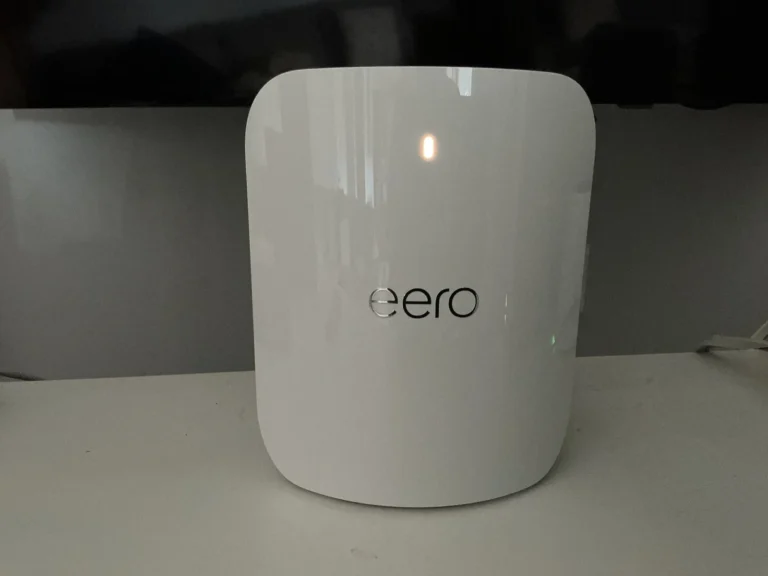
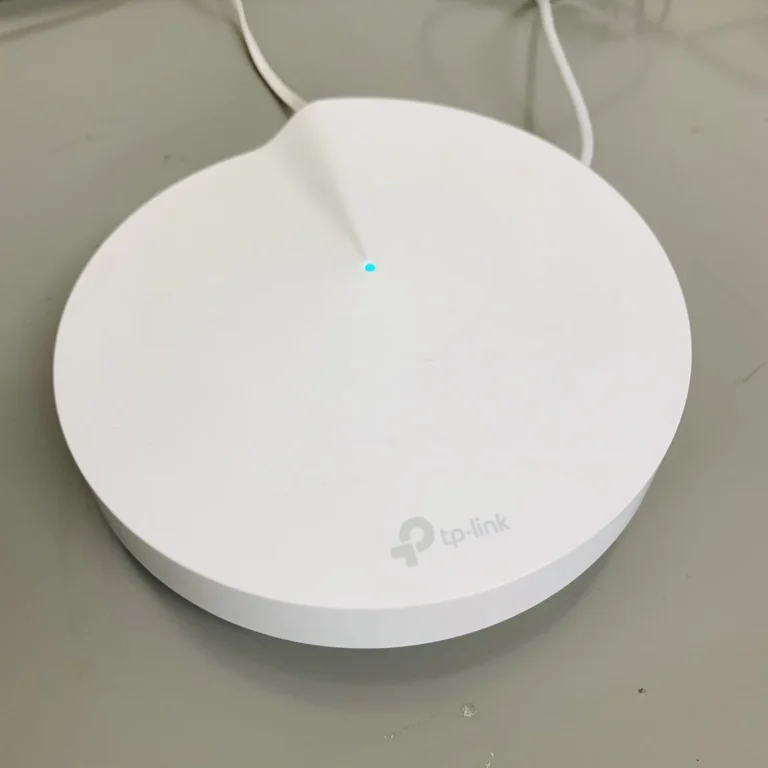
Sources and method. Read November 12, 2026: eero Canada pages for the eero 6+, eero 7 and eero Pro 7, eero Plus and the eero limited warranty; NETGEAR Canada pages for the Orbi 370, Orbi 770 and Armor, and NETGEAR’s warranty and support article; the TP-Link Canada store and TP-Link Canada’s HomeShield page; the Google Store Canada page for Nest Wifi Pro; and Best Buy Canada’s public product search for Orbi and Deco BE25 prices. Pixl prices come from our WiFi and mesh setup pages. Totals add listed prices to Pixl’s posted “from” price and the plan fee for three years, and are planning estimates, not quotes. Coverage and device figures are each maker’s claim. Left out because we could not verify them: the eero 6+ coverage and device limit, TP-Link’s paid HomeShield price, a smart home hub statement for Orbi, Deco BE65 and the eero 7 line, and any Orbi warranty beyond the 1 year in NETGEAR’s article. Pixl is not affiliated with these makers and does not rank brands. To correct a fact, email info@pixlcanada.ca. Photos from Wikimedia Commons: eero Pro 7 by DogandPerson85910 (CC0), Google Nest Wifi by TaurusEmerald (CC BY-SA 4.0), TP-Link Deco by Project Kei (CC BY-SA 4.0).
About Pixl Canada. Pixl Canada is an installation company based in Edmonton, Alberta, serving cities across Canada with TV mounting, security cameras, appliance installation and smart home setup. Call or text (587) 899-7495. Open Monday to Saturday 8am to 8pm and Sunday 9am to 7pm.