
Why TV mounts fail: the dangers of using the wrong drywall anchors
- Pay after the job
- Open 7 days
- $5M liability insurance
A TV mount almost never fails randomly. In practice, it’s nearly always one of four specific mistakes made at install time, quietly working against the wall until something finally gives. Here’s each one, in the order we see them most often, and how to check whether your own install is at risk.
The 4 failure modes we see most often
An anchor placed in drywall instead of a stud
Drywall alone, without a stud behind it, can’t support a TV’s ongoing weight long-term. It often holds for weeks or months before the anchor slowly works itself loose — drywall fatigues under sustained load in a way a solid stud simply doesn’t.
Hardware rated below the TV's actual weight
Buying a mount rated exactly at a TV’s weight removes any safety margin. Real-world factors — a slightly uneven wall, minor vibration, temperature swings affecting materials — all eat into that margin. Rating above the TV’s weight, not just at it, is what actually protects against this.
A missed stud entirely
This is the single most common failure we see traced back to a DIY install: a stud finder reading interpreted incorrectly, or no stud finder used at all. The anchor looks secure on install day because the TV’s own weight hasn’t fully tested it yet.
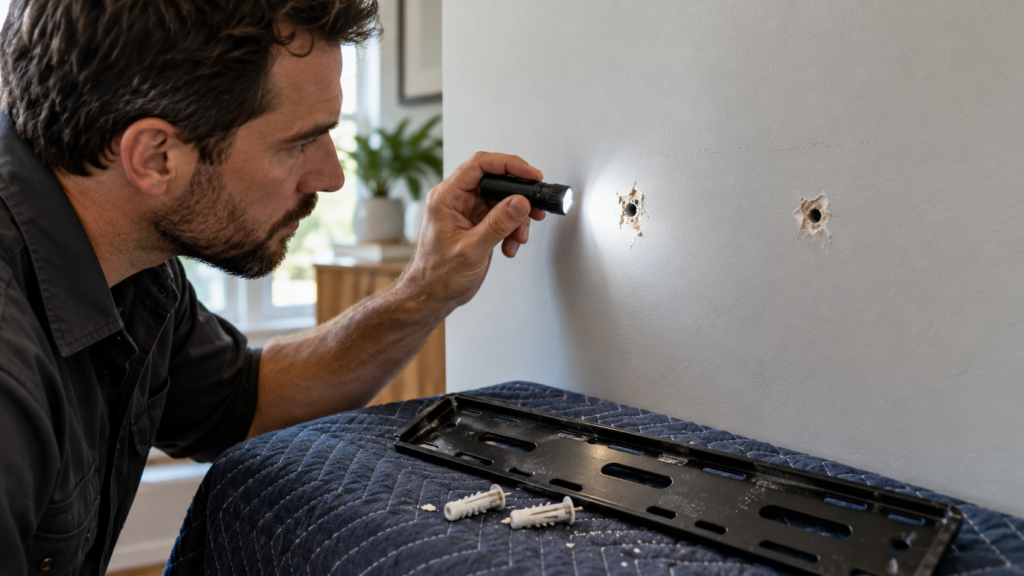
Reused or stripped anchor holes
Remounting into a hole that previously held a different anchor, especially after a small amount of drywall crumbling, gives the new anchor less material to grip than a fresh hole would. It’s an easy mistake when repositioning a TV slightly, and an easy one to avoid by moving the mount even a couple of inches to fresh material.
How to tell if your existing mount is at risk
A few signs worth checking on an existing mount, especially one installed more than a year ago or by a previous owner:
Gentle wobble test — grip the bottom corners of the TV and apply light pressure side to side. Real movement at the wall, not just the mount’s hinge, is a warning sign. Visible gap behind the bracket plate — daylight or a growing gap between the wall plate and the wall itself suggests an anchor pulling loose. Cracking or crumbling drywall around the anchor points, visible with the TV removed or from behind if accessible.
What a proper install actually looks like
A properly installed mount uses lag bolts anchored directly into studs wherever possible, hardware rated meaningfully above the TV’s actual weight, and anchor points confirmed with a stud finder before any hole is drilled — not assumed from wall spacing conventions. For plaster, metal stud, or masonry walls, the hardware changes entirely; our full TV mounting guide covers wall type in detail.
Not sure if your current mount is safe? We can check it.
Frequently asked questions
Try a gentle wobble test at the bottom corners, check for a visible gap behind the wall plate, and look for cracking drywall around the anchor points.
It can appear sudden, but it’s usually the end point of a slow process — an anchor that’s been fatiguing for weeks or months before finally letting go.
Not ideal, especially if the hole shows any crumbling. Shifting the mount slightly to fresh drywall or a different stud gives the new anchor full holding strength.
Missing the stud entirely and relying on drywall alone — it’s the most common issue we see traced back to DIY installs.
If you notice any of the warning signs above, or simply aren’t sure how the original install was done, a quick professional check is inexpensive relative to the cost of a fall.