
TV wall mounting · 7 min read · updated oct 2026
VESA Pattern Explained: TV Mount Size and Weight Chart
By the Pixl Canada install team
Quick answer
The VESA pattern is the square or rectangle of four screw holes on the back of your TV, measured in millimetres between hole centres. A mount fits if it supports your TV’s VESA pattern and its maximum weight. Look it up in your TV manual, or measure the holes yourself. The screen size alone does not tell you which mount to buy.
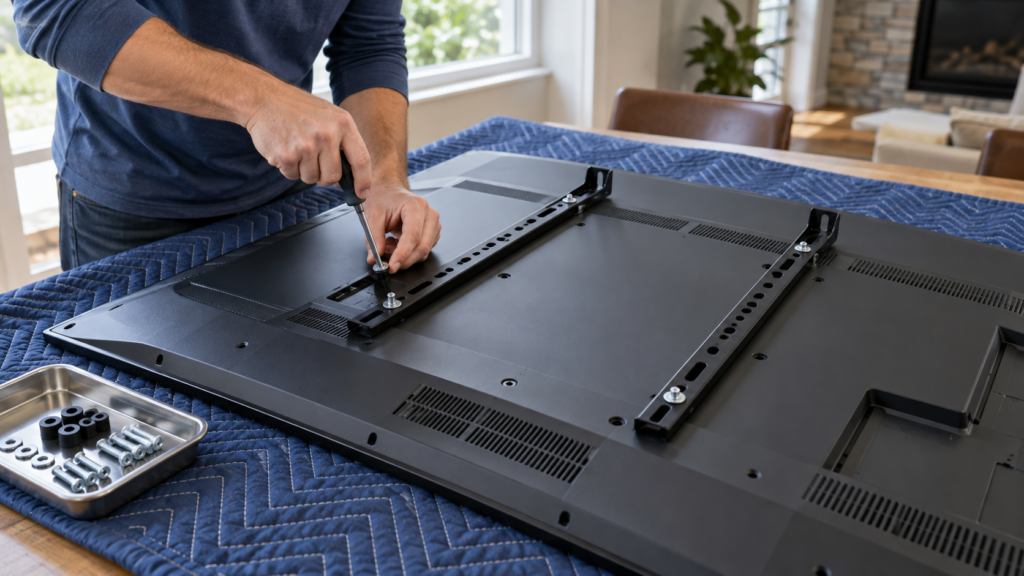
Rather not check weights and screw sizes? A fixed mount is $70, tilting $80 and full-motion $125, installed and levelled. You pay after the job. See TV mounting prices
On this page
What VESA means on a TV
VESA is the mounting standard (also called FDMI) that lets different TV and mount brands fit together. The number is written as width by height in millimetres, for example 400 x 400 or 200 x 100. Larger or heavier TVs generally use larger patterns, and the standard defines classes with their own screw sizes and weight limits. Ergotron publishes a VESA standard overview with the classes and screw sizes.
| VESA class | Common hole patterns | Screw size | Typical use |
|---|---|---|---|
| MIS-D | 75 x 75, 100 x 100 | M4 | Small TVs and monitors |
| MIS-E | 200 x 100 | M4 | Mid-size displays |
| MIS-F | 200 x 200, 300 x 300, 400 x 400 and larger | M6 or M8 | Most mid-size to large TVs |
Some TVs use patterns outside these tables, such as 600 x 400, and a few have a unique bracket instead of VESA holes. Always confirm in the TV manual.
How to find your TV’s VESA pattern
- Check the manual or spec sheet. Search for “VESA” or “wall mount” and your exact model number.
- Look at the back of the TV. The four threaded holes form a square or rectangle.
- Measure from centre to centre. Measure the distance between the two top holes, then between a top and a bottom hole. The numbers in millimetres are your pattern.
- Write down the screw thread. Check the manual for the screw size. Use only the screws that fit your TV, with the right length.
Do not guess from the diagonal screen size. Two 55 inch TVs can have different patterns, and a mount that fits one may not fit the other.
Typical weights by TV size
Weight depends on the model and the panel type. These are common ranges, not guarantees. Check your TV’s spec sheet before you buy a mount.
| Screen size | Typical weight range | Mount type that usually suits it |
|---|---|---|
| 32 inch | About 4 to 7 kg (9 to 15 lb) | Fixed or tilting |
| 43 inch | About 7 to 11 kg (15 to 24 lb) | Fixed, tilting or full-motion |
| 55 inch | About 12 to 20 kg (26 to 44 lb) | Tilting or full-motion |
| 65 inch | About 18 to 30 kg (40 to 66 lb) | Tilting or full-motion rated for the weight |
| 75 inch | About 25 to 45 kg (55 to 99 lb) | Heavy-duty tilting or full-motion |
| 85 inch and up | About 35 kg (77 lb) and up | Heavy-duty, two people to lift |
Compare your TV’s weight, with its stand removed, to the mount’s maximum load. Pick a mount rated well above the TV’s weight, not exactly at it. See fixed vs full-motion TV mounts for how to choose the type.
Rather not check weights and screw sizes? A fixed mount is $70, tilting $80 and full-motion $125, installed and levelled. You pay after the job.
Match the mount to the TV in four checks
| Check | What to confirm |
|---|---|
| VESA pattern | The mount lists your pattern (or a range that includes it) |
| Weight | The mount’s maximum load is higher than your TV’s weight |
| Screen size range | The mount’s stated size range includes your TV |
| Wall | The wall can hold the load: studs, masonry or the right anchors |
Special cases that catch people out
- Recessed VESA holes. Some TVs have holes deep inside the back panel. You may need spacers or longer screws.
- Curved or thin TVs. Some need extra clearance or special brackets.
- Frame and gallery TVs. They often have a special mount or a flush bracket. See Samsung Frame TV wall mount.
- Soundbars. The soundbar may add weight or need its own bracket. See how to connect a soundbar to a TV.
- Studs. Heavier TVs need the plate fixed into studs or the correct masonry anchors. See how to mount a TV on brick or concrete.
Three worked examples
These examples show how the four checks work in practice. The numbers are illustrations, so use your own TV’s manual.
| TV | Pattern and weight | Mount to look for | Result |
|---|---|---|---|
| 43 inch TV, 100 x 100 pattern, 8 kg | MIS-D, M4 screws | Fixed or tilting mount listing 100 x 100 and a load well above 8 kg | Almost any small-TV mount fits |
| 55 inch TV, 300 x 300 pattern, 15 kg | MIS-F, M6 screws | Tilting mount listing 300 x 300 and a load above 15 kg | Check that the plate spans two studs |
| 75 inch TV, 600 x 400 pattern, 35 kg | Large pattern, heavier load | Heavy-duty mount listing 600 x 400 and a rating well above 35 kg | Two people to lift; confirm the wall can carry it |
Spacers and screw length
If the screws that came with the mount bottom out before the bracket is tight, the screws are too long, and if they barely catch the threads, they are too short. Use the screws that match your TV’s thread, and add spacers only when the TV’s back is uneven or the holes are recessed. Never force a screw. A stripped insert in a TV is hard to repair.
Many mounts include several screw lengths and spacers in a hardware pack. Keep the ones you do not use, since a future TV may need them.
Check the wall before you buy the mount
A correct VESA match does not help if the wall cannot hold the TV. Wood studs in Canadian homes are commonly spaced about 16 inches on centre, and a plate that spans two studs spreads the load. Metal studs, plaster and masonry each need different fasteners. Our guides on how to mount a TV on the wall, metal studs in a condo and why TV mounts fail explain the options.
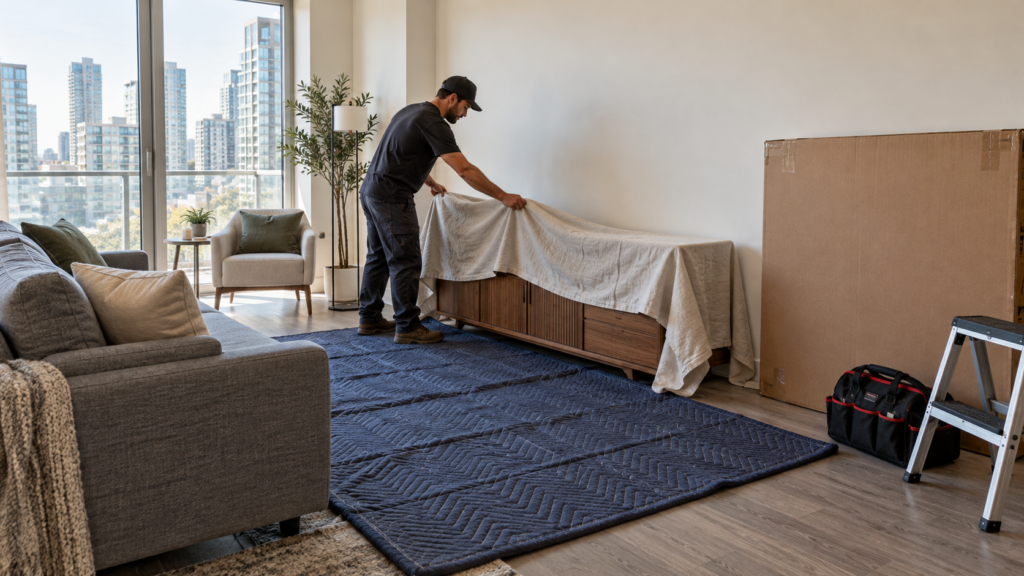
Pick the height before you drill. See how high to mount a TV.
Buying checklist
- Write down your TV’s model number, VESA pattern, weight and screen size.
- Choose the mount type: fixed, tilting or full-motion.
- Confirm the mount lists your VESA pattern, screen size and weight.
- Check that the mount’s maximum load is comfortably above your TV’s weight.
- Decide the wall fasteners (studs, masonry or hollow-wall anchors).
- Keep the receipt and the manual in case you need to change TVs later.
Want it done for you?
If you would rather not check weights and screw sizes, we can supply and install the mount. At Pixl Canada, a fixed mount is $70, a tilting mount $80 and a full-motion mount $125, added to the labour rate for your city. Hiding wires starts at $25. You see the full price on the quote form, and you pay after the job. See TV mounting prices and TV mounting prices by city.
Frequently asked questions
What does VESA mean on a TV?
VESA is the standard that defines the pattern of four screw holes on the back of a TV, so mounts from different brands can fit. It is written as width by height in millimetres, such as 400 x 400.
How do I know which VESA mount I need?
Find your TV’s VESA pattern and weight in the manual or on the spec sheet, then buy a mount that lists that pattern and a maximum load above your TV’s weight.
Does a bigger TV always have a bigger VESA pattern?
Often, but not always. The pattern depends on the model. Always check the manual instead of guessing from the screen size.
Can I use a VESA mount on any TV?
Not every TV is VESA compatible. Some use unique brackets, and some have recessed holes that need spacers. Check your model first.
What size screws do I need for a TV mount?
VESA classes use M4, M6 or M8 screws, and the length depends on the TV. Use the screws in the mount’s hardware bag that match your TV’s manual.
What if my TV is heavier than the mount's rating?
Do not use it. Choose a mount with a higher maximum load, and mount it into studs or masonry anchors suited to the weight.
Weights and patterns vary by model. This is general guidance, so always follow your TV and mount manuals.
Ready to book? Rather not check weights and screw sizes? A fixed mount is $70, tilting $80 and full-motion $125, installed and levelled. You pay after the job.
Part of our complete TV wall mounting guide. Written by the Pixl Canada install team: licensed technicians with $5 million liability insurance, installing TVs, security cameras, smart home devices and appliances across Canada.
Keep reading
Fixed vs full-motion TV mounts
Which type to buy
How high to mount a TV
Height chart
How to mount a TV on brick or concrete
Masonry walls