
To secure IP security cameras, change every default password to a unique long one, update the firmware, keep cameras and the recorder off the open internet (no port forwarding or UPnP), put them on a separate network or VLAN from computers and phones, turn on two-factor authentication for any cloud account, and remove unused features. Most camera break-ins use default or reused passwords, outdated firmware or exposed ports. A business system should also have named user accounts, access logs and a backup of the recorder’s settings. This checklist covers a home setup and a business setup.
PCBy the Pixl Canada install team. Updated October 26, 2026. 7 min read. General guidance.
- Ten fixes in priority order
- Home vs business checklist
- What to avoid when enabling remote viewing
- Questions for your installer
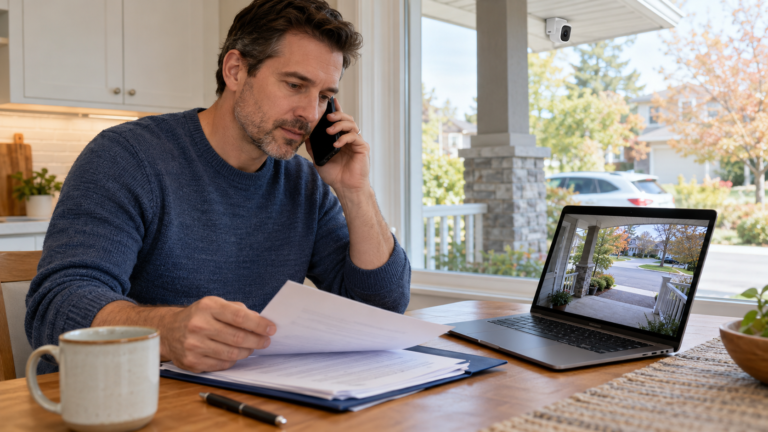
- Change default passwords on every camera and the recorder first.
- Never expose cameras to the internet with port forwarding. Use the maker’s secure remote access or a VPN.
- Keep firmware updated and put cameras on their own network.
- A camera system you cannot trust is a privacy risk, not protection.
What are the ten most important fixes?
| # | Fix | Why |
|---|---|---|
| 1 | Change every default password to a unique, long one | Default logins are the easiest way in |
| 2 | Create named accounts instead of sharing one admin login | You can see who did what and remove access |
| 3 | Update the camera and recorder firmware | Patches known security holes |
| 4 | Do not use port forwarding or UPnP to reach cameras from the internet | Exposed ports are scanned and attacked constantly |
| 5 | Put cameras and the recorder on a separate network or VLAN | A compromised camera cannot reach your computers |
| 6 | Turn on two-factor authentication for cloud accounts and apps | Stops stolen passwords from working |
| 7 | Disable features you do not use (telnet, FTP, old protocols) | Fewer ways in |
| 8 | Use HTTPS or encrypted streams where supported | Prevents eavesdropping on the network |
| 9 | Keep the recorder in a locked, ventilated place | Physical access defeats software security |
| 10 | Back up the recorder’s configuration | You can restore after a failure or reset |
How should you set up remote viewing safely?
| Method | Safety | Note |
|---|---|---|
| Maker’s secure cloud or P2P service with 2FA | Good if the account is secured | Easiest for most homes |
| VPN into your home or office network | Very good | Best for businesses with IT support |
| Port forwarding straight to the recorder | Poor | Avoid. It exposes the recorder to the internet |
See cloud storage vs local NVR and cameras without internet.
What should a business add?
| Step | Detail |
|---|---|
| Named user accounts and roles | Staff view only; managers export; one admin |
| Access logs | Review who viewed or exported footage |
| Retention policy | Set a fixed period. See how long cameras keep footage |
| Privacy compliance | See the privacy checklist for businesses |
| UPS and network switch security | See PoE switch and UPS sizing |
| A yearly review | Passwords, accounts, firmware and camera aim |
What should you ask your installer about security?
| Ask | Good answer |
|---|---|
| Do you change the default passwords? | Yes, and you hand over the admin login |
| How will I view cameras remotely? | A secure cloud service or VPN, not open ports |
| Who updates the firmware? | A plan for updates, with access given to you |
| Do I own the logins? | Yes, in writing. See warranty and support |
Securing IP cameras: frequently asked questions
Can security cameras be hacked?
Yes, mostly through default or reused passwords, outdated firmware and cameras exposed to the internet.
How do I make my security cameras more secure?
Change default passwords, update firmware, avoid port forwarding, use a separate network and turn on two-factor authentication.
Is port forwarding safe for cameras?
No. It exposes the recorder to the internet. Use a secure cloud service or a VPN.
Should cameras be on the same network as my computers?
It is safer to put them on a separate network or VLAN.
How often should I update camera firmware?
Check at least every few months and after any security notice from the maker.
Does Pixl change default passwords?
Ask us to set up secure access when you request a quote. Wired CCTV gets a free written quote. You pay after the job.
Get a secure setup from day one
Tell us how you want to view the cameras. Free written quote for wired CCTV. You pay after the job.
Cloud vs local NVR
Is Hikvision banned in Canada?
Privacy checklist for businesses
Maintenance checklist
Set up an NVR
AI person and vehicle detection
Guest WiFi and camera network setup
Sources and method. General cybersecurity practice for network cameras. Exact settings differ by manufacturer, so follow your device’s manual and the maker’s security advice.
About Pixl Canada. Pixl Canada is an installation company based in Edmonton, Alberta, serving cities across Canada with TV mounting, security cameras, appliance installation and smart home setup. Call or text (587) 899-7495. Open Monday to Saturday 8am to 8pm and Sunday 9am to 7pm.