
To add cameras to an existing security system, check four things first: a free channel on the recorder, enough recorder throughput, enough storage for the extra video, and compatibility between the new camera and the recorder (same brand or ONVIF support). For example, adding four 4 MP cameras to an 8-camera system adds about 12 Mbps of throughput and raises 30-day storage from about 7.8 TB to about 11.7 TB. If the recorder is full, you can replace it, add a second recorder, or use a separate standalone camera. This page gives the checks, a worked example and the cable and power points.
PCBy the Pixl Canada install team. Calculated October 26, 2026. 7 min read.
- Four checks before you buy
- A worked example: 8 to 12 cameras
- What to do if the recorder is full
- Free written quote, pay after the job
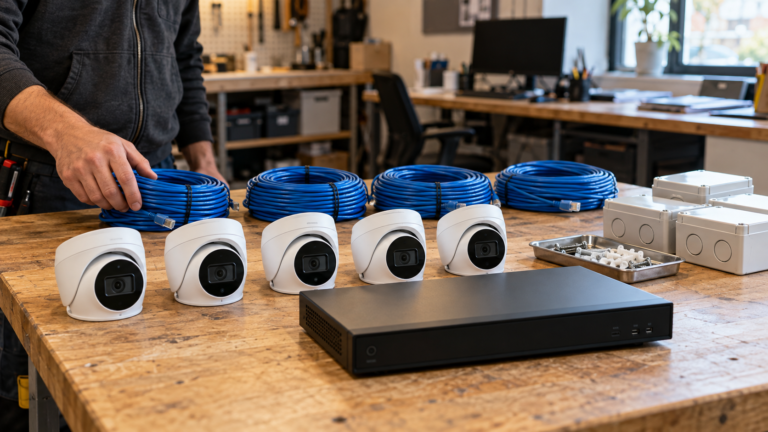
- Check free channels, throughput, storage and compatibility before buying cameras.
- More cameras mean more storage. Recalculate your retention.
- Same brand is the safest match. ONVIF improves compatibility across brands.
- If the recorder is full, add a second recorder or replace it.
What should you check before adding a camera?
| Check | How | If it fails |
|---|---|---|
| Free channel | Count unused inputs on the NVR | Replace the recorder or add a second one |
| Throughput | Add the new cameras’ bitrate to the current total | Lower the stream quality or upgrade the recorder |
| Storage | Recalculate with the storage calculator | Add drives or reduce retention |
| Compatibility | Same brand, or ONVIF on both | Choose a compatible camera or a standalone one |
What does adding four cameras change?
| Item | Before (8 cameras) | After (12 cameras) |
|---|---|---|
| Throughput at 3 Mbps each | 24 Mbps | 36 Mbps |
| Storage, 30 days, continuous | 7.8 TB | 11.7 TB |
| PoE load at about 7 W each | 56 W | 84 W |
| NVR channels needed | 8 (full) | 16-channel recorder |
An 8-channel recorder cannot take the four extra cameras. See the NVR buying guide, storage calculator and PoE switch sizing.
What if the recorder is full?
| Option | Strength | Weakness |
|---|---|---|
| Replace with a larger NVR | One system, one app | Cost of a new recorder and re-adding cameras |
| Add a second NVR | Keeps the old system | Two systems to manage |
| Add standalone cameras (memory card or cloud) | Quick and cheap | Separate app and less reliable recording |
What about cable and power?
New cameras need a cable run to the recorder or a PoE switch. Check the switch has spare PoE ports and budget. See the cable-running guide and hiding camera wires. If your system is old analog, see upgrading analog CCTV.
Adding cameras to an existing system: frequently asked questions
Can I add any camera to my NVR?
Not always. Same-brand cameras are safest. ONVIF support improves compatibility across brands.
How do I know if my NVR has a free channel?
Check the recorder’s camera list or settings for unused inputs.
Will adding cameras reduce my storage days?
Yes, unless you add drives. More cameras use more space, so recalculate.
Can I mix resolutions?
Yes, if the recorder supports them. Higher resolutions use more throughput and storage.
Can Pixl add cameras to a system I own?
Yes. Send photos and the recorder model. Wired CCTV gets a free written quote and WiFi installs start at $200. You pay after the job.
When do I pay?
After the job.
Want more cameras on your system?
Send the recorder model and photos of the new spots. You pay after the job.
Sources and method. Throughput, storage and power figures are calculated from planning values (3 Mbps and 32.4 GB per day per 4 MP camera, about 7 W per camera). Check your equipment’s real figures.
About Pixl Canada. Pixl Canada is an installation company based in Edmonton, Alberta, serving cities across Canada with TV mounting, security cameras, appliance installation and smart home setup. Call or text (587) 899-7495. Open Monday to Saturday 8am to 8pm and Sunday 9am to 7pm.