
To run a security camera cable through a finished house, drill a small hole in the exterior wall behind the camera, pull the Ethernet cable up through the wall cavity or the soffit into the attic, run it along the joists to a point above the recorder, then drop it down an interior wall to the recorder or PoE switch. You need a fish tape or rods, a drill with a long bit, a stud finder, and outdoor-rated solid-copper Cat6 cable. Seal the hole with exterior caulk, leave a drip loop, and keep the run under 100 m (328 ft). Hire a professional if the wall has fire blocking, plumbing, wiring you cannot see or an attic you cannot safely access.
PCBy the Pixl Canada install team. Updated October 26, 2026. 8 min read. General guidance, not a substitute for local code.
- Four routes compared: soffit, attic, wall, exterior
- Tools and materials list
- Step-by-step pulling and sealing
- When to stop and call a pro
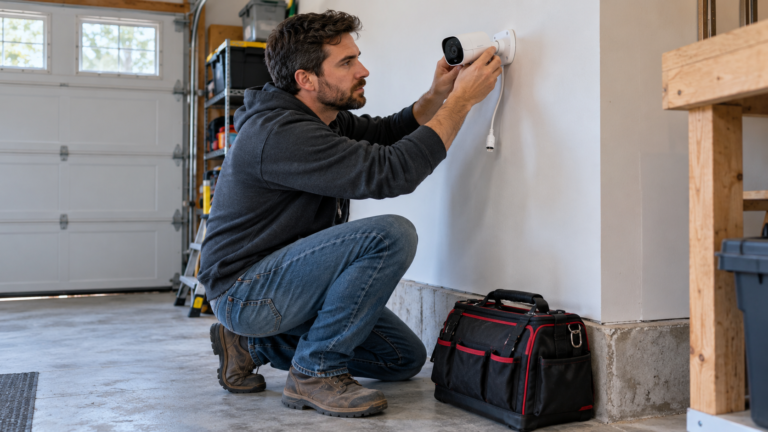
- The cleanest route usually goes through the soffit or the top of the wall into the attic.
- Use outdoor-rated solid-copper Cat6, drill small, and seal every hole.
- Stay away from electrical wiring, plumbing and gas lines inside walls.
- If loose-fill vermiculite insulation is in the attic, do not disturb it. It may contain asbestos.
Which route should the cable take?
| Route | How it works | Best when | Difficulty |
|---|---|---|---|
| Through the soffit into the attic | Drill up through the soffit or fascia, then run along the attic floor | Camera sits under an eave on a house with an accessible attic | Easy to moderate |
| Through the wall cavity | Drill the exterior wall, fish the cable up inside the wall to the attic | The camera is mid-wall and the cavity is clear | Moderate to hard |
| Through the rim joist or basement | Drill through the rim joist, run in the basement ceiling | Recorder is in the basement | Moderate |
| Along the exterior wall in conduit | Surface-mount conduit to the recorder location | No access inside, or a rental where you cannot drill much | Easy, less tidy |
What tools and materials do you need?
| Item | Why |
|---|---|
| Outdoor-rated solid-copper Cat6 cable | Weather-resistant and reliable for PoE. See the CCTV cable guide |
| Fish tape or glow rods | Pull cable through cavities and over obstacles |
| Drill and long auger or flex bit | Hole through framing and plates |
| Stud finder and a flashlight or inspection camera | Avoid framing, wires and pipes |
| Exterior caulk and a drip loop | Keeps water out of the wall |
| Cable ties, clips and a cable tester | Secure the cable and test every run |
| Ladder, safety glasses, gloves, dust mask | Work safely in attics and at height |
How do you pull the cable, step by step?
- Plan the whole route from the camera spot to the recorder or PoE switch. Measure it and add 20% extra. Keep it under 100 m (328 ft).
- Check what is behind the wall. Use a stud finder and look inside the attic. Avoid electrical wiring, plumbing and gas lines.
- Drill the entry hole at an angle slightly upward from outside so water runs away. Use the smallest hole that fits the cable and any connector.
- Feed the cable into the soffit or wall using the fish tape, and pull it into the attic.
- Run along the joists to the recorder location, supporting the cable and keeping it away from power wiring.
- Drop down an interior wall or run in the basement ceiling to the recorder or switch.
- Leave a drip loop outside the entry hole and seal it with exterior caulk.
- Terminate and test the cable before you mount the camera.
When should you stop and call a professional?
| Warning sign | What to do |
|---|---|
| The attic has loose-fill vermiculite insulation | Do not disturb it. It may contain asbestos. Get it tested first |
| You hit resistance, a pipe or a wire in the wall | Stop drilling and check before going further |
| Fire blocking or a fire-rated wall | Seal any opening with an approved firestop. Ask a professional |
| Knob-and-tube or damaged wiring in the attic | Do not work around it. Call an electrician |
| A steep roof or second-storey soffit | Do not work at height without proper equipment |
| The run is over 100 m or crosses several buildings | Needs a switch, repeater or fibre. See PoE switch and UPS sizing |
If you would rather not do it yourself, Pixl runs the cable as part of a wired install. See DIY or professional installation and how to install security cameras.
Running camera cable: frequently asked questions
How do you run a security camera cable through an exterior wall?
Drill a small angled hole, feed the cable into the wall or soffit, pull it into the attic, and seal the hole with exterior caulk with a drip loop.
What cable should I use for outdoor cameras?
Outdoor-rated solid-copper Cat6 for PoE IP cameras, up to 100 m per run.
Can I run camera cable next to electrical wiring?
Keep low-voltage cable separated from mains wiring as the code requires, and cross it at right angles where it must cross.
How do I run a cable if I can’t get into the attic?
Use the rim joist and basement ceiling, or surface-mounted conduit along the exterior wall.
Is vermiculite insulation dangerous?
Loose-fill vermiculite can contain asbestos. Do not disturb it. Get it tested before any work.
Does Pixl run the cable?
Yes. Wired CCTV gets a free written quote that lists the cabling and labour separately. You pay after the job.
Skip the attic. Let us run the cable
Send photos of the spots. Free written quote for wired CCTV. You pay after the job.
PoE camera system for a house
Hide security camera wires
Set up an NVR
Sources and method. General practice for running low-voltage cable in houses. Local codes and building materials vary, and older homes can contain hazards. This is not code advice.
About Pixl Canada. Pixl Canada is an installation company based in Edmonton, Alberta, serving cities across Canada with TV mounting, security cameras, appliance installation and smart home setup. Call or text (587) 899-7495. Open Monday to Saturday 8am to 8pm and Sunday 9am to 7pm.