
AI security cameras use built-in analytics to tell people, vehicles and sometimes animals apart from other movement, so you get fewer false alerts from trees, shadows, rain and insects; the common features are person and vehicle detection, line crossing, intrusion zones and loitering alerts. Face recognition is different: it identifies individuals using biometric data, which raises extra privacy duties in Canada and, in Quebec, specific biometric rules. For most homes and businesses, person and vehicle detection is the useful feature, and face recognition is best avoided unless you have a clear lawful purpose and advice. This page explains what AI features do, where they run (camera or recorder) and what to ask before you buy.
PCBy the Pixl Canada install team. Updated October 26, 2026. 7 min read. General information, not legal advice.
- Features explained in one table
- Camera vs recorder analytics
- How to cut false alerts
- Face recognition: privacy cautions
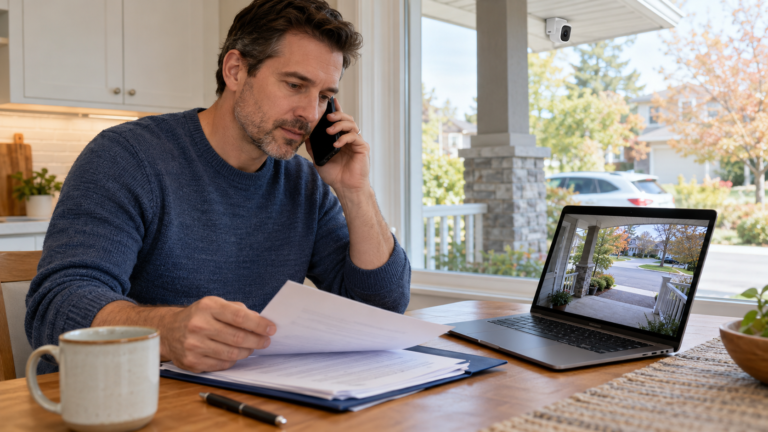
- Person and vehicle detection cuts false alerts the most.
- Check whether the AI runs in the camera, the recorder or the cloud.
- Face recognition triggers extra privacy obligations. Avoid it unless you have advice.
- AI helps but does not replace good aim, lighting and motion zones.
What do AI camera features do?
| Feature | What it does | Useful for |
|---|---|---|
| Person detection | Alerts only when a person is seen | Fewer false alerts at homes and shops |
| Vehicle detection | Alerts for cars and trucks | Driveways and lots |
| Line crossing / intrusion zone | Alerts when something crosses a line or enters an area | Fences, doors and perimeters |
| Loitering | Alerts when someone stays too long | Entrances and back lanes |
| Package or object left | Detects items left or removed | Porches and counters |
| Face detection | Finds a face in the picture, without naming the person | Better framing and snapshots |
| Face recognition | Matches a face to a stored identity | Raises privacy duties. See below |
Where does the AI run?
| Location | Strength | Weakness |
|---|---|---|
| In the camera | Works even if the recorder is basic; alerts are fast | Features depend on the camera model |
| In the NVR | One place to manage many cameras | Needs a recorder that supports analytics. See NVR buying guide |
| In the cloud | No hardware to manage | May need a subscription and sends video off-site |
How do you get fewer false alerts?
- Turn on person or vehicle detection instead of plain motion.
- Draw motion zones that exclude roads, trees and flags.
- Lower sensitivity in busy scenes.
- Aim away from lights and reflections. See picture problems and false alerts.
- Test at night and after rain or snow.
What are the privacy cautions for face recognition?
| Issue | Caution |
|---|---|
| Biometric data | Face templates are sensitive personal information and need a clear lawful purpose |
| Consent and notice | People should know and, in many cases, consent |
| Quebec | Specific rules apply to biometric systems. See Quebec’s Law 25 |
| Retention and security | Keep templates only as long as needed and protect them |
| Accuracy and bias | Errors can cause real harm; do not rely on it alone |
For most properties, person and vehicle detection solves the real problem. See the video surveillance privacy checklist and get legal advice before using face recognition.
AI security cameras: frequently asked questions
What is an AI security camera?
A camera with built-in analytics that distinguishes people, vehicles and sometimes animals from other motion.
Does AI reduce false alerts?
Yes. Person and vehicle detection ignore most trees, shadows, rain and insects.
Do AI cameras need a subscription?
Some do for cloud analytics. Cameras and recorders with built-in analytics may not. Check before buying.
Is face recognition legal in Canada?
It is regulated. It needs a lawful purpose, notice and often consent, and Quebec has specific rules. Get advice.
Is AI detection better than motion detection?
It is more precise, but good aim and zones still matter.
Can Pixl set up AI detection?
Yes, where the equipment supports it. Wired CCTV gets a free written quote. You pay after the job.
Cameras that only alert you when it matters
Tell us about your false alerts. Free written quote for wired CCTV. You pay after the job.
NVR buying guide
Privacy checklist for business cameras
Security camera laws in Canada
Sources and method. General description of common camera analytics. Features differ by manufacturer. Privacy points are general and not legal advice.
About Pixl Canada. Pixl Canada is an installation company based in Edmonton, Alberta, serving cities across Canada with TV mounting, security cameras, appliance installation and smart home setup. Call or text (587) 899-7495. Open Monday to Saturday 8am to 8pm and Sunday 9am to 7pm.