
In a condo or apartment, slow WiFi usually comes from neighbouring networks sharing the same channels, not from weak internet. Fix it by choosing a clean channel and a narrow channel width, moving the router out of the media panel closet, and using the 5 GHz or 6 GHz band for devices close to the router. A one- or two-bedroom suite usually needs one router, or a 2-pack in a 1,100 sq ft suite with many walls. Market cost is about $220 to $750 including setup (planning estimate).
PCBy the Pixl Canada install team. Calculated October 27, 2026. 7 min read.
- Why dense buildings slow WiFi, with channel counts
- Which band to use for which device
- Router placement when the modem is in a closet
- Building rules to check before you change anything
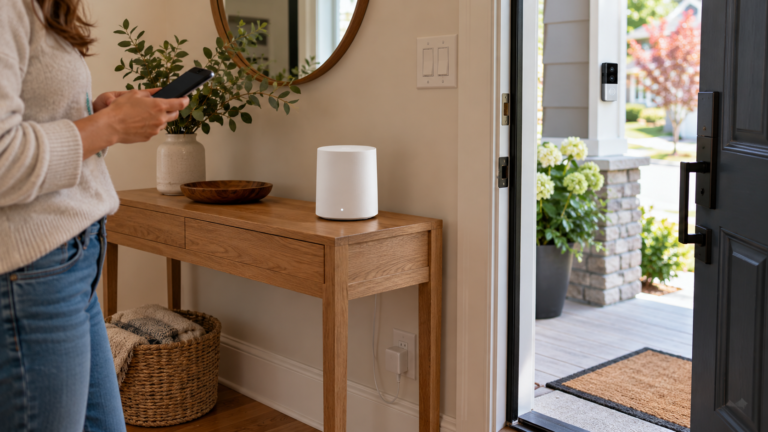
- The 2.4 GHz band has only 3 clean channels. With 30 visible networks, that is about 10 networks per channel.
- In 5 GHz, choose a 40 or 80 MHz channel width. A 160 MHz width has no clear channel without the DFS range.
- A router inside a metal-door media closet loses range. Use a wall jack in the main room to place it in the open.
- Do not mount anything in a hallway or on the balcony without checking your condo rules or your landlord first.
You live in a condo, apartment or townhouse complex with many neighbouring networks and WiFi that slows down at night.
You own a detached house with a basement. See how many mesh nodes you need.
Why is WiFi slow in a condo or apartment?
Dozens of routers share the same few channels, and the walls between suites do not stop the nearest neighbours’ signals. A phone scan in a mid-rise often shows 20 to 40 networks. Each one that shares your channel takes a share of the airtime, even when it is not busy. Concrete floors and demising walls keep signals from travelling far, but they do not stop the nearest neighbours.
| Band and width | Clean channels | Networks per channel |
|---|---|---|
| 2.4 GHz, 20 MHz | 3 (1, 6, 11) | 10 |
| 5 GHz, 20 MHz (non-DFS) | 9 | 3.3 |
| 5 GHz, 40 MHz (non-DFS) | 4 | 7.5 |
| 5 GHz, 80 MHz (non-DFS) | 2 | 15 |
| 5 GHz, 160 MHz | 0 outside DFS | Needs DFS channels |
The non-DFS 5 GHz channels used here are 36 to 48 and 149 to 165. Wider channels carry more data but leave fewer channels, so in a dense building a narrower width is often faster in practice. DFS channels give more room, but the router must leave them when it detects radar, which can cause a short drop. Treat channel counts as planning values and check your router’s list.
Which band and channel width should you use?
| Setting | Suggestion | Why |
|---|---|---|
| 2.4 GHz channel | 1, 6 or 11, whichever scan shows least used | Only these three do not overlap |
| 2.4 GHz width | 20 MHz | Keeps the channel clean |
| 5 GHz channel | 36 to 48 or 149 to 165 if clear | Avoids radar-driven channel changes |
| 5 GHz width | 40 or 80 MHz | More clean channels than 160 MHz |
| 6 GHz (WiFi 6E or 7) | Use for devices near the router | Few neighbours on it yet; shorter range. See WiFi 6 vs 6E vs 7 |
| Auto channel | Fine on mesh kits; re-check if it keeps changing | Auto avoids the busiest channel at the time |
Use a phone WiFi scanner app to see which channels neighbours use, then pick the least used one. Smart plugs, doorbells and many cameras only use 2.4 GHz, so that band stays on.
Where should the router go?
Many suites have a structured media panel in a closet, often behind a metal door, with the modem and router inside. Metal doors and wiring boxes reduce range a lot. If a network jack or coax outlet sits in the living room, move the router there and connect it to the modem through that jack. If your suite does not have one, place the router in the open at chest height or higher, and away from the kitchen and large appliances.
- Find the modem or fibre box and check whether the building put wall jacks in other rooms.
- Move the router to the main room if a jack allows it; leave the modem where it is.
- Scan neighbours, pick a clean channel and a 40 or 80 MHz width.
- Test two rooms that were weak before. Move the router by a metre and test again.
- Add a second unit only if a bedroom or den still drops. See WiFi dead zones for doorbells and cameras.
Pixl does not run new cable inside walls. It places and configures the router or mesh you already have, using the jacks that already exist.
What do you need for your suite size?
| Suite | Open layout | Many walls | Market estimate with setup |
|---|---|---|---|
| Studio or 1-bed, 700 sq ft (65 m²) | 1 router | 1 router | $220 to $570 |
| 2-bed, 1,100 sq ft (102 m²) | 1 router | 2-pack mesh | $220 to $750 |
| 2-bed plus den, 1,500 sq ft (139 m²) | 1 or 2 units | 2-pack mesh | $400 to $750 |
The range for one router is a router at $120 to $350 plus labour of $100 to $220. A 2-pack is $250 to $450 plus labour of $150 to $300. These are market estimates, not a fixed Pixl price. See WiFi installation cost in Canada.
What building rules should you check?
| Question | Why it matters |
|---|---|
| Does the building supply internet? | Some buildings use a shared or bulk service with their own equipment; ask who manages the modem |
| Can you move the modem or router? | The panel and wiring are often building property |
| Can you mount equipment in common areas? | Hallways, balconies and ceilings usually need board or landlord approval |
| Are there noise or drilling hours? | Wall mounts and anchors follow the same rules as TV mounting |
| Is a doorbell or camera allowed? | See doorbell cameras in condos and cameras for apartments and condos |
Condo and apartment WiFi: frequently asked questions
Why is my WiFi slow at night in my condo?
Neighbours are online at the same time and share the same channels. Choose a clean channel, a narrower width and a band your devices handle well.
Is 5 GHz or 2.4 GHz better in an apartment?
5 GHz is faster and has more clean channels. 2.4 GHz reaches further but is crowded. Use 5 GHz for devices near the router and 2.4 GHz for smart plugs and doorbells.
Do I need a mesh system in a condo?
Usually not for a studio or a one-bedroom. A two-bedroom with many walls may need a 2-pack.
Should I use WiFi 6E or 7 in an apartment?
The 6 GHz band is cleaner than 5 GHz in a dense building, but only 6E or 7 devices can use it and it has shorter range.
Can I move the router out of the media closet?
Often yes, if a network jack or coax outlet is in the main room. Ask the building first if the panel is common property.
Can I turn down my neighbours’ WiFi?
No. You can only change your own channel, width and placement.
Does Pixl set up WiFi in condos?
Yes. Pixl places and configures the router or mesh you own, and connects your TV, cameras and smart devices. Send photos and we reply with a fixed quote before booking, and you pay after the job.
Slow WiFi in your suite?
Send a photo of the modem, the panel and the rooms that drop. You pay after the job.
How many mesh nodes you need
Security cameras for apartments and condos
Doorbell cameras in condos
Condo and apartment TV mounting
How to improve WiFi signal
Slow or disconnecting WiFi
Change WiFi name and channel
Sources and method. Networks per channel = 30 visible networks ÷ clean channels, calculated in Python (30 ÷ 3 = 10; ÷ 9 = 3.3; ÷ 4 = 7.5; ÷ 2 = 15). Non-DFS 5 GHz channel counts use channels 36 to 48 and 149 to 165. Suite unit counts come from the planning model in the mesh node guide. Prices are market estimates, not a fixed Pixl price. Check your router’s channel list and your product’s datasheet.
About Pixl Canada. Pixl Canada is an installation company based in Edmonton, Alberta, serving cities across Canada with TV mounting, security cameras, appliance installation and smart home setup. Call or text (587) 899-7495. Open Monday to Saturday 8am to 8pm and Sunday 9am to 7pm.