
To connect Alexa to WiFi, open the Alexa app, tap Devices and add your Echo. To change networks, use Device Settings, then Change or remove a Wi-Fi network. For Google Home, forget the old network under Device information, then add the device again. Echo supports 2.4 and 5 GHz, so try the other band if one fails.
PCBy the Pixl Canada install team. Checked November 1, 2026. 8 min read.
- First-time setup for Alexa, Google speakers and Chromecast
- Changing the network or password
- 2.4 vs 5 GHz and WPA2 or WPA3
- Echo reset steps from Amazon
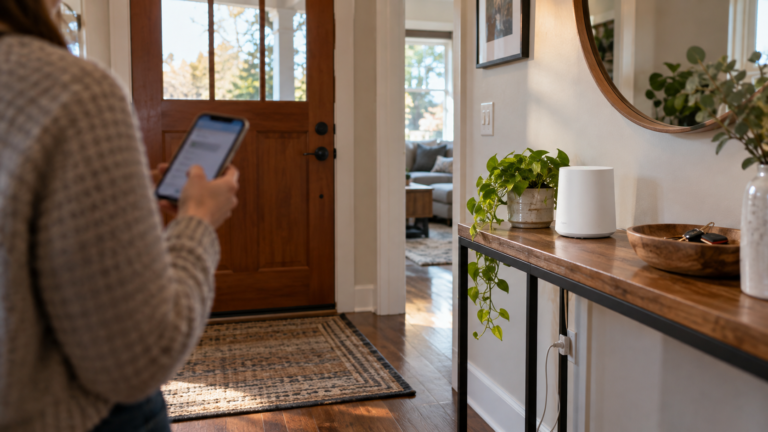
- Alexa and Google both set up through a phone app. Update the app first.
- To change networks, Echo uses the Alexa app or its screen, and Google uses Forget this network.
- Try the other WiFi band if one will not connect.
- Shared, public and sign-in networks are a common reason a speaker will not join.
How do you connect Alexa or Google Home to WiFi for the first time?
Both start in a phone app. Have your WiFi name and password ready and keep the device near the router. Menu names change by app version, so check the manufacturer’s page.
| Device | Steps | Good to know |
|---|---|---|
| Echo, Echo Dot, Echo Pop | Plug in. Alexa app, Devices, plus icon, Add Device, Amazon Echo, then follow the prompts | Update the Alexa app first |
| Google Nest or Home speaker, display | Plug in. Google Home app, Add, Device, scan the QR code or enter the setup code, wait for Connected | Phone needs Android 9 or later, or iOS 17 or later, with Bluetooth on |
| Chromecast (3rd gen or older) | Google Home app, Add, Device, follow the steps | Use a mobile device, not a computer. Try 2.4 GHz if it will not connect |
How do you change the WiFi network or password?
A new router, name or password means each speaker, display and streamer needs the new details. See how to change your WiFi password first.
| Device | Where | Steps |
|---|---|---|
| Echo without a screen | Alexa app | Devices, your device, Device Settings, Change or remove a Wi-Fi network, then join another network |
| Echo Show, Echo Spot | On the device | Settings, Device Options, Network, make sure Wi-Fi is on, pick your network |
| Google speaker or display | Google Home app | Tap and hold the tile, Settings, Device information, Wi-Fi, Forget this network, then Add, Device, Search for device |
| Chromecast with Google TV, Google TV Streamer | The TV | Settings at the top right, Wi-Fi network, the network name, Forget network, then set up again on the new network |
| Chromecast 3rd gen or older | Google Home app | Tile, Settings, Device information, Wi-Fi, Forget this network, then set up again |
Google says to reset and set up again if the forget step shows a could not communicate message. Amazon says you can change the network in the Alexa app for Amazon and Matter devices only; third-party devices use their own app.
Several devices will not join after a router change?
If a new router or mesh needs setting up, Pixl sets up WiFi from $129 before tax. Send a photo for a fixed price. Pay after the job.
What about 2.4 vs 5 GHz and WPA2 or WPA3?
| Device | Bands | Security note |
|---|---|---|
| Echo devices | 2.4 GHz and 5 GHz, 802.11a/b/g/n. Cannot join ad-hoc networks | Amazon’s help pages we read do not list WPA3 support. Use WPA2 or a WPA2/WPA3 mixed mode if a device will not join |
| Google speakers and displays | Google tells you to try both bands on a dual-band router if setup fails | Public, shared or hotspot networks may not work |
| Earlier Chromecast models | Try 2.4 GHz if there are connection issues | Set up from a mobile device |
| Nest Wifi and Google Wifi routers | 2.4 and 5 GHz; Nest Wifi Pro adds 6 GHz | WPA2 by default. WPA3 transition mode lets WPA2 and WPA3 devices join, but some legacy WPA2 devices have issues |
If your router merges both bands under one name, giving the 2.4 GHz band its own name makes setup easier. Our guide on changing your WiFi name and channel shows how, and menu names change by router firmware, so check the maker’s page.
Why do shared networks, ISP gateways and sign-in pages cause problems?
Google lists business, shared apartment, school and dorm networks and phone hotspots as ones a speaker may not join. Amazon’s developer documentation says Alexa-enabled devices cannot be configured through captive portals, which ask you to sign in on a web page. If your condo or residence uses one, ask for a standard network or use your own router. If every device fails, contact your internet provider. See guest WiFi and an IoT network to keep smart devices on their own network.
What should you try when it will not connect?
- Check the network. Confirm other devices work. If not, reboot the router. Google says to unplug it for one minute.
- Move closer. Amazon says within 30 feet (10 metres); Google says within 15 to 20 feet (4 to 6 metres) during setup.
- Check the password. It is case-sensitive. Google says it should be at least 8 characters.
- Restart the device and the app. Unplug the Echo for 30 seconds, or a Google speaker for one minute. Force-close the Google Home app and toggle your phone’s WiFi.
- Try the other band, then a phone hotspot. Both makers suggest it as a test, though Google says hotspots are not fully supported. If it connects, the problem is your router or provider.
How do you reset Alexa (Echo)?
Restart first, then reset. Amazon’s pages say a reset erases your personal information and device connections, and that you can deregister the device from your Amazon account if resetting does not help. For Google devices, see how to reset Google Home and Nest. For your router, see how to reset a router.
| Device | Restart first | Reset |
|---|---|---|
| Echo Dot (2nd to 5th gen) | Unplug for 10 seconds | Hold Action 20 seconds to keep smart home connections. Hold Volume down and Microphone off 20 seconds for a full factory reset. Light ring turns off and on, then setup mode |
| Echo devices with a screen, Echo Spot | Unplug for 15 seconds | Hold Microphones and Camera Disable/Enable and Volume Down until the Amazon logo appears, about 15 seconds. Or Settings, Device Options, About this Device, Reset to Factory Defaults |
Where does Pixl fit?
Pixl sets up home WiFi or mesh from $129 before tax, so the signal reaches the room where a speaker keeps dropping. Pixl has no posted price for setting up speakers; ask for a quote from a photo. See WiFi installation service, how to improve WiFi signal and how to connect a TV to WiFi.
Connecting Alexa and Google Home to WiFi: frequently asked questions
How do I connect Alexa to WiFi?
Plug in the Echo, open the Alexa app, select Devices, tap the plus icon, choose Add Device, then Amazon Echo, and follow the prompts. To change the network later, use Device Settings, then Change or remove a Wi-Fi network.
How do I connect Google Home to WiFi?
Open the Google Home app, tap Add, then Device, scan the QR code and follow the steps. To move to a new network, touch and hold the tile, then Settings, Device information, Wi-Fi, Forget this network, and add the device again.
How do I connect a Chromecast to WiFi?
For a Chromecast with Google TV, use Settings on the TV: Wi-Fi network, the network name, Forget network, then set it up again. A 3rd-gen or older Chromecast is set up in the Google Home app, and Google suggests a 2.4 GHz network if an older model has issues.
Does Alexa use 2.4 GHz or 5 GHz?
Amazon says Echo devices connect to dual-band Wi-Fi networks, 2.4 GHz and 5 GHz, using 802.11a, b, g or n. If your router has separate names for each band, try the other one when one will not connect.
Does Google Home work with WPA3?
Google’s Nest Wifi pages say WPA2 is the default and WPA3 transition mode accepts both kinds of device, with a warning that some legacy WPA2 devices have issues when it is on. Check your speaker’s specifications.
How do I reset Alexa?
Restart first. On an Echo Dot, hold Action 20 seconds to keep smart home connections, or Volume down and Microphone off 20 seconds for a full factory reset. On an Echo with a screen, hold Microphones and Camera Disable and Volume Down until the Amazon logo appears.
Does Pixl set up WiFi for smart speakers?
Pixl sets up home WiFi or mesh from $129 before tax, so the network reaches the room. It has no posted price for speakers; ask for a quote from a photo.
Need your WiFi to reach every speaker?
Send a photo of your router and rooms. You get a fixed price before you book and pay after the job.
WiFi installation service
Change WiFi name and channel
Change your WiFi password
Connect a TV to WiFi
Reset Google Home and Nest
Installation price list
All installation guides
Sources and method. Setup and reset steps come from Amazon’s Alexa help pages (Set Up Your Echo, Update the Wi-Fi Settings for Your Echo Device, Echo Device Is Having Wi-Fi Issues, Reset Your Echo Dot and Reset Your Echo Devices with a Screen) and from Google’s support pages (set up speakers and displays, connect to a new Wi-Fi network, fix Wi-Fi connection issues, Chromecast setup and Nest Wifi security), read on November 1, 2026. Captive-portal wording is from Amazon’s developer networking guidance for business Alexa deployments. Amazon does not state WPA3 support for Echo on the help pages we read, so check your model. Menu names change by app version and router firmware. Pixl prices are the posted prices on the installation price list.
About Pixl Canada. Pixl Canada is an installation company based in Edmonton, Alberta, serving cities across Canada with TV mounting, security cameras, appliance installation and smart home setup. Call or text (587) 899-7495. Open Monday to Saturday 8am to 8pm and Sunday 9am to 7pm.