
Commercial TV installation with Pixl is quoted per project. Before you book, a free walkthrough checks the walls, the cable route and the power at each screen. We mount and connect the TVs and menu screens you choose, one or several, and you pay after the job.
PCPixl Canada, based in Edmonton, Alberta, working in cities across Canada. Updated .
- Free walkthrough and written quote
- TVs and menu screens, one or several; hidden wiring options
- Pay after the job; same-day service available when we have an opening
- Open 7 days: Mon-Sat 8am-8pm, Sun 9am-7pm
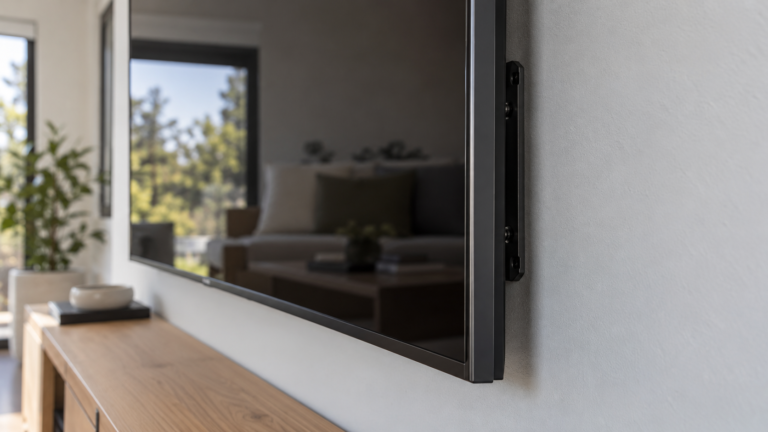
- We mount and connect screens; you choose the screens, so the brand and the budget stay in your hands.
- The price follows the number and size of the screens, the wall types, the mounting heights and the cable routes.
- We do not publish a package price: each project is quoted in writing after a free walkthrough.
- We do not create content or run signage software.
You manage a business space and want screens mounted straight, wired neatly and working before you pay.
You want one TV mounted at home: our TV mounting service shows the price by TV size. Or you need someone to write content or run a signage system.
What do we mount and connect for a business?
We mount TVs and menu screens on drywall, concrete, brick or tile, and we hide the cables when you want a clean look. We also mount players and boxes behind the screen, set up connected devices and fit a soundbar beside it.
| Part of the job | What we do |
|---|---|
| Screen mounting | On drywall, concrete, brick or tile |
| Hidden wiring | Through an existing channel, in a raceway on the wall, or inside the wall |
| Players and boxes | Mounted behind the screen |
| Connected devices | Set up so the screen works when we leave |
| Soundbar | Mounted beside the screen |
| Old screen | Removed, if there is one |
How does a business screen project get quoted?
Each project is quoted in writing after a free walkthrough, because the price follows the number and size of the screens, the wall types, the mounting heights and the cable routes. We do not publish a package price. You pay after the job.
| We check | Why it matters |
|---|---|
| Screen sizes and weights | They decide the mount and the number of people needed to lift |
| Wall construction behind each screen | It decides the anchors and the time |
| Mounting height and the view from where people stand | A screen must be readable from where customers and staff stand |
| The cable route and the hidden-wiring method | Visible, raceway or inside the wall each change the work |
| Power and network points near each screen | A screen needs power, and some need a network cable |
| The devices that sit behind each screen | Players and boxes need space and ventilation |
Single screen or several: what changes?
A single screen is a short visit with one wall to check. Several screens in one room add alignment and one shared cable plan. Screens in different rooms or sites add a separate wall check at each spot.
| Project | What changes |
|---|---|
| One screen | One wall to check: wall type, height, power and cable route |
| Several screens in one room | Alignment across the screens and one planned cable route for the group |
| Screens in different rooms or floors | A separate check of each wall and a longer cable plan between rooms |
| More than one site | One walkthrough per site |
Where do business screens usually go, and what should I check first?
Common spots are behind a counter, on a menu wall, in a waiting area, in a meeting room and in a lobby. Check four things before you choose the spot: glare from windows and lights, power near the wall, a cable route and a clear view from where people stand.
| Check | What to look for |
|---|---|
| Glare | Windows and bright lights wash out a screen. Check the wall when the room is busiest. |
| Power and network | Find the nearest power point and any network cable the screen needs. |
| Cable route | Decide early whether cables stay visible, run in a raceway or go inside the wall. |
| Sightlines | Stand where customers or staff stand and check that nothing blocks the view. |
How does a business screen install work?
A business screen install runs in five steps: walkthrough, written quote, mounting and wiring, testing and handover. Same-day service is available when we have an opening, so call or text to check today. You pay after the job, by card, e-transfer or cash.
- Book the walkthrough. Use the contact page, call or text, and send a photo of each wall.
- Walk the space. We check each wall, the height, the power and the cable route.
- Receive the written quote. It covers the whole project, is free, and is easy to compare with other bids.
- Mount and wire. Screens go up, cables are hidden or tidied as agreed, and devices are connected.
- Test and pay. We power up every screen with you, and you pay once the job is done.
What should I prepare before the walkthrough?
Send the screen sizes or model names, a photo of each wall and a note of where the power and network points sit. Tell us your opening hours. If you rent, check with your landlord before we drill. Text the photos to (587) 899-7495.
Cameras too? See our commercial CCTV installation page, or browse the full list of business installation services.
Commercial screen questions
Do you supply the screens?
No. You choose the screens, which keeps the brand and the budget in your hands. If you are still choosing, send us the model names and we tell you what the install involves.
Can you mount a screen on brick, concrete or tile?
Yes. We mount TVs and menu screens on drywall, concrete, brick and tile. Send a photo of the wall and the screen model, and we confirm the mounting method at the walkthrough.
Can you hide the cables?
Yes. Cables can run through an existing channel, in a raceway on the wall or inside the wall. The walkthrough shows which method suits each wall, and the written quote lists the one you choose.
Can you plan the install around our opening hours?
Tell us your opening hours when you book. We are open seven days a week, so a visit can fall on a quiet day. Same-day service is available when we have an opening, so call or text to check today.
Do I pay before the installation?
No. You pay after the job, by card, e-transfer or cash. The written quote sets out the scope of the project first, so you can compare it with any other bid before you decide.
Do you install at more than one location?
Yes. Each site gets its own walkthrough, and we plan one schedule and one quote across locations, with a single point of contact. Send us the list of addresses and the number of screens at each.
Is there a warranty on a business TV installation?
Our Legal page lists TV mounting at up to 3 years if the TV falls, and 30 days if the mount or TV is crooked, both at no extra cost. Read the full warranty periods by service and ask us before you book if your project is unusual.
Where do you work?
Pixl Canada is based in Edmonton and works in cities across Canada. Service availability varies by location, so text your city to (587) 899-7495 before you book a walkthrough.
Can you install screens for digital signage?
We mount and connect the screens, and we install menu screens. We do not create content or run signage software. Tell us the plan, and we say which part of the job we cover.
Ready to plan your screens?
Tell us your city, how many screens you have and what the walls are made of, or text a photo of the wall. Book it, and pay after the job.
Related services
Pixl for businesses
TV mounting service
TV mounting by wall type
Restaurant and bar TVs
Gym and fitness studio TVs
Conference room and office TVs
Waiting room TVs
Airbnb, hotel and rental TVs
Small business WiFi, camera and TV package
Multi-location TV, camera and WiFi installation
Digital signage and menu board installation
Senior living residence TV installation
Classroom and training room installation
Church and hall AV installation
Property manager installation services
Business installation services
About Pixl Canada. Pixl Canada is an installation company based in Edmonton, Alberta, serving cities across Canada with TV mounting, security cameras, appliance installation and smart home setup. Call or text (587) 899-7495. Open Monday to Saturday 8am to 8pm and Sunday 9am to 7pm. Warranty periods are listed on the Pixl Canada Legal page.