
To find your WiFi password on an iPhone with iOS 16 or later, open Settings, tap Wi-Fi, tap the info button beside your network, tap Password and confirm with Face ID or your passcode. On Android, tap the gear beside your network and choose Share. On Windows and Mac, look in WiFi settings. Anywhere else, check the router label.
PCBy the Pixl Canada install team. Maker instructions read October 31, 2026. 7 min read.
- iPhone, Android, Windows and Mac steps
- How to find it on the router
- How to share it safely
- How strong a password should be
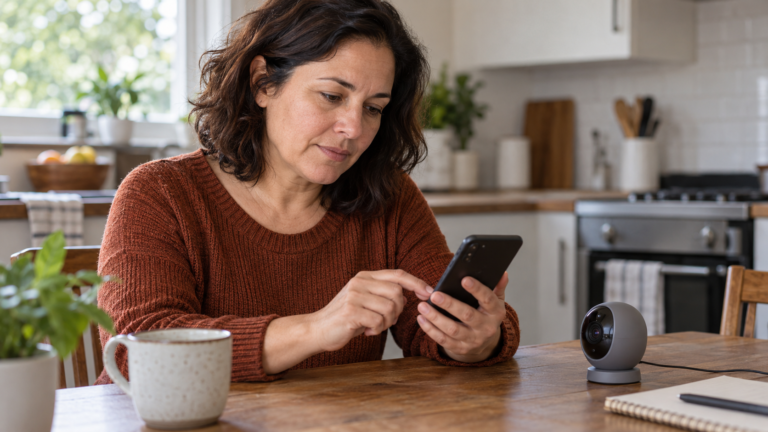
- A phone or computer that joined the network before can show the password. A router label shows the default one.
- iPhone needs iOS 16 or later. Mac needs macOS 13 or later. Android shares by QR code.
- Do not share it in a group chat. Use a QR code, Apple sharing or a guest network.
- Four random words are about 52 bits of strength and eight random characters about 48 (calculated).
Where do you find your WiFi password?
A phone or computer that has already joined the network stores the password. The steps below reveal it. Apple, Google and Microsoft change menus between versions, so if your screen differs, search the maker’s help for your exact version.
| Device | Where to look | What you need |
|---|---|---|
| iPhone or iPad | Settings, Wi-Fi, tap the info (i) button beside your network, tap Password | iOS 16 or iPadOS 16.1 or later, and Face ID, Touch ID or your passcode |
| iPhone on iOS 18 | Passwords app, Wi-Fi, tap the network, tap the Password field | iOS 18 and authentication |
| Mac | System Settings, Network, Wi-Fi, Advanced, the More button beside the network, Copy Password | macOS 13 or later, then paste the password somewhere to read it |
| Android phone | Settings, Network and internet, Internet, the gear beside your network, Share | You must be connected, and may need to verify your identity. The phone shows a QR code |
| Windows PC | Settings, Network and internet, Wi-Fi, Manage known networks, pick the network and choose Show or View | A PC that has joined the network before. Label wording changes by Windows version |
| Router or modem | The label on the unit, or the router’s admin page or app | Physical access, or the admin login |
For Windows, Microsoft also documents a command-line route: netsh wlan show profiles lists saved networks, and netsh wlan export profile name="NETWORK" folder=. key=clear writes the key in plain text to a file when you run it as a local administrator. Use it only on a PC you own.
What if no device has it saved?
Check the router. Apple’s help says to look for a label on the router, its documentation or an information sheet from whoever set it up or from your internet provider. These may show the default password, which might still be in use. If you changed it and cannot remember it, log in to the router’s admin page or app and read or change it there.
- Look at the label. The router or modem has a sticker with the default WiFi name and password.
- Try the app. Provider and mesh apps usually show the WiFi name and password in their settings. Menu names change by firmware.
- Open the admin page. Type the address from the label in your browser’s address bar, and log in with the admin details.
- Reset only as a last resort. A factory reset puts the label defaults back and wipes your other settings.
The admin password and the WiFi password are different. If you have lost both, the last option is a factory reset, which erases the settings, so read how to reset a router first. To set a new password, use how to change your WiFi password.
How do you share your WiFi password?
| Method | How it works | Good for |
|---|---|---|
| Apple password sharing | Their iPhone selects your network, yours shows a Share Password prompt, you tap Share Password then Done | Apple to Apple. Both on the latest software with WiFi and Bluetooth on, and each person saved in the other’s Contacts |
| QR code from an Android phone | Settings, Internet, gear, Share, then the guest scans the code with their camera | Any phone that can scan a QR code |
| Read it out or type it | You tell or type the password | Anyone, but the password stays in their head and chat history |
| Guest network | Give guests a separate network and password | Visitors, short stays and smart devices. The Canadian Centre for Cyber Security recommends it |
For Apple sharing, Apple adds that each person’s Apple Account email or phone number must be in the other’s Contacts and Personal Hotspot must be off. If the setup animation does not appear, restart both devices and try again.
- Pick the method. Apple sharing, a QR code or a guest network, from the table above.
- Keep it private. Share it in person, not in a group chat.
- Name the network clearly. Guests should join the guest network, not the one your computers use.
Guests who stay a while, and smart devices, are better on a guest network, away from your laptops and files. Setup is in guest WiFi and a separate network for cameras and smart devices.
What makes a WiFi password worth sharing?
Length does more than symbols. The Canadian Centre for Cyber Security recommends a passphrase. This table counts the combinations for common password types.
| Password type | Strength | Possible combinations |
|---|---|---|
| 8 lowercase letters | 38 bits | 2.1 x 10¹¹ |
| 8 random letters and digits (upper and lower) | 48 bits | 2.2 x 10¹⁴ |
| 12 random letters and digits (upper and lower) | 71 bits | 3.2 x 10²¹ |
| 4 random words from a 7,776-word list | 52 bits | 3.7 x 10¹⁵ |
| 6 random words from a 7,776-word list | 78 bits | 2.2 x 10²³ |
Four random words give more combinations than eight random characters, and they are easier to read aloud. Do not use your name, address or phone number. Change the password after a contractor or a long guest stay, or if you think someone is using it.
Pixl installs this: your network set up with a password you can share, from $129
Pixl’s posted price for home WiFi or mesh setup is $129 and up, before tax. We set the network name and password with you, move your devices onto it and can add a guest network. The router is not included, and you pay after the job. Same-day service is available when we have an opening.
You need your own WiFi password, or want to give it to a guest or a new device.
You want someone else’s network password you were not given. Ask the owner, or use your mobile data.
Find and share your WiFi password: frequently asked questions
How do I find my WiFi password on iPhone?
On iOS 16 or later, open Settings, tap Wi-Fi, tap the info (i) button beside your network and tap Password. Confirm with Face ID, Touch ID or your passcode. On iOS 18 you can also use the Passwords app and its Wi-Fi category.
How do I share my WiFi password from my iPhone?
Both devices need WiFi and Bluetooth on, each person saved in the other’s Contacts and Personal Hotspot off. They select your network, and your unlocked iPhone offers Share Password. Tap it, then tap Done.
How do I share a WiFi password from Android?
Open Settings, Network and internet, Internet, tap the gear beside your connected network and choose Share. Verify your identity, then let the other person scan the QR code. Menu names vary by phone maker.
How do I find my WiFi password on a Windows PC?
In Settings, open Network and internet, Wi-Fi, then Manage known networks, pick the network and look for a Show or View option. The wording changes by Windows version. The PC must have joined that network before.
How do I find my WiFi password on a Mac?
On macOS 13 or later, open System Settings, Network, Wi-Fi and Advanced. Click the More button beside the network and choose Copy Password, then paste it to read it.
Can I find the WiFi password without being connected?
Only if a device that joined before is within reach, or from the router. Check its label, admin page or app. Otherwise ask the person who set up the network or your internet provider.
Is the WiFi password the same as the router password?
No. The WiFi password lets devices join the network. The router or admin password lets you change the settings. Both are on the label when the router is new, and both should be changed.
Can Pixl set up my network and a guest WiFi?
Yes. Home WiFi and mesh setup starts at $129 before tax. Send your home size and a photo of the modem for a fixed price before you book, and you pay after the job.
Want a network you do not have to think about?
Text your home size and a photo of the modem. You get a fixed price before you book, and you pay after the job. Same-day service is available when we have an opening.
Smart home installation
Installation price list Canada
All installation services
Installation by project
All installation guides
How to change your WiFi password
How to connect a TV to WiFi
Sources and method. Steps come from Apple’s saved WiFi passwords page, its WiFi password help, its sharing page, Google’s Pixel WiFi page and Microsoft’s netsh wlan reference. Guest network and passphrase advice follows the Canadian Centre for Cyber Security. All read October 31, 2026. The Microsoft pages we could read cover only the command line, so the Windows Settings route is described from how Windows 11 behaves and its labels change by version. Menu names change by firmware and software version.
Password strength. Calculated with Python: bits = length x log2(character pool). 8 x log2(26) = 38; 8 x log2(62) = 48; 12 x log2(62) = 71; 4 x log2(7,776) = 52; 6 x log2(7,776) = 77. The 7,776-word list is the one used for dice-based passphrases. Strength figures assume truly random choices. Pixl’s price is the posted price on our WiFi installation page, before tax.
About Pixl Canada. Pixl Canada is an installation company based in Edmonton, Alberta, serving cities across Canada with TV mounting, security cameras, appliance installation and smart home setup. Call or text (587) 899-7495. Open Monday to Saturday 8am to 8pm and Sunday 9am to 7pm.