
To remove a TV from a wall mount, find the lock first (a screw, a sliding bar or a pull cord), have a second person hold the TV, release the lock, lift the TV an inch or two to clear the top lip, then tilt the bottom away from the wall. Do not pull straight out. If the TV will not come free, stop: a missed safety screw, one unreleased spring lock or tight cables are the usual causes, and forcing it is how screens get damaged.
PCBy the Pixl Canada install team. Updated . 5 min read.
- Three lock types and how each releases
- Eight steps, two people
- Why a TV gets stuck
- What to do with the wall holes
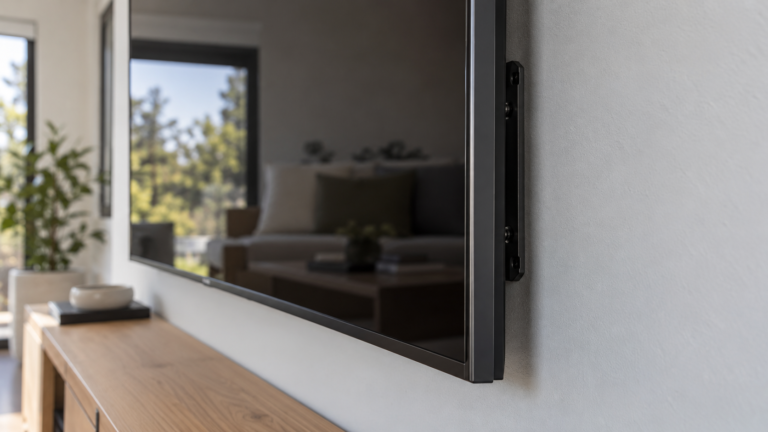
- Identify the lock type before you touch anything. The mount’s manual says which it is.
- Two people, one on each side. Agree on the lift before you start.
- Lift slightly, then tilt the bottom out. Never pull straight off the wall.
- Stop if it sticks. Check for a missed screw or a second lock.
What kind of lock holds your TV on the mount?
Most wall mounts use one of three locks. Guides from Mount-It and MantelMount describe the same set.
| Lock type | Where it is | How it releases |
|---|---|---|
| Safety screw | Usually near the bottom of the bracket | Unscrew it with the right screwdriver |
| Sliding bar or lever | On the wall plate, often at the bottom | Slide it sideways or push it in |
| Pull cord or release strap | Hanging below the plate | Pull down. Some mounts need both sides pulled together |
Some tabs are hidden. One owner reported a small tab that could only be found by feel under the bottom of the TV. Read your mount’s manual if you still have it.
How do you take a TV off a wall mount?
- Get a helper. Each person holds the frame edges on one side. Agree on the lift before you start.
- Power down and unplug the TV from the wall. Leave cables for later if the TV is held up.
- Find the lock using the table above and the manual.
- Release the lock while the TV is supported. Loosen the safety screw, slide the bar or pull both cords.
- Lift the TV an inch or two to clear the top lip of the plate.
- Tilt the bottom away from the wall, then lift the TV off. Do not pull it straight out.
- Disconnect the cables once the TV is safely down. Do not side-load the HDMI ports.
- Lay the TV face up on a soft surface or put it straight into its box.
What if the TV will not come off?
| Cause | What to check |
|---|---|
| A missed safety screw | Look along the bottom edge and behind the frame |
| Only one spring lock released | Some mounts have two. Release both together |
| Cables pulling tight | Check that nothing is stretched behind the TV |
| A bent or worn mount | Do not force it. Stop and get help |
Do not push tools in behind a tight TV: that is how screens get punctured. If you cannot reach the lock safely, text a photo of the mount to (587) 899-7495 and we tell you what we would do. Pixl labour for mounting is priced by TV size, from $79.99 in Calgary and Edmonton, before tax. See TV mounting prices.
What do you do with the holes after taking the mount down?
Lag bolt holes in studs are usually filled or left, and wall plate holes in drywall can be patched and painted. If you plan to hang a TV in a new spot, see how to mount a TV on the wall and how high to mount a TV. Damaged drywall from an old mount is covered in TV mounting by wall type.
Removing a TV from a wall mount: frequently asked questions
How do I take a TV off a wall mount?
Release the lock (screw, bar or cord) while a helper holds the TV, lift it an inch or two, then tilt the bottom away from the wall.
Can one person remove a wall-mounted TV?
Small TVs, maybe. For most sizes use two people, one on each side.
Why will my TV not come off the mount?
Usually a missed safety screw, only one lock released, tight cables or a bent mount.
Do I pull the TV straight out?
No. Lift slightly to clear the top lip, then tilt the bottom away.
Do I need tools?
Often a screwdriver for a safety screw. Some mounts release by lever or cord.
Can Pixl help remove or move a mounted TV?
Text a photo of the mount and TV size to (587) 899-7495 and we tell you what we would do and the price.
Stuck, or moving the TV to a new wall?
Text a photo of the mount and the TV size. No deposit, and you pay after the job.
How to mount a TV on the wall
Fixed vs full-motion mounts
TV wall mounting in Canada
Have it taken down and mounted again: TV re-mount service
TV take-down and reinstall
Sources and method. Mount-It, MantelMount and Angi. General guidance only: follow your mount’s manual. Pixl prices were checked in October 2026, are for Calgary and Edmonton, in Canadian dollars, before tax.
About Pixl Canada. Pixl Canada is an installation company based in Edmonton, Alberta, serving cities across Canada with TV mounting, security cameras, appliance installation and smart home setup. Call or text (587) 899-7495. Open Monday to Saturday 8am to 8pm and Sunday 9am to 7pm.