
Choose a smart lock by your door first and by how it connects second. Many Canadian entry doors take a deadbolt with a 2-1/8 in (54 mm) cross hole, a 1 in (25 mm) edge hole, a 2-3/8 or 2-3/4 in backset and a thickness of 1-3/8 to 1-3/4 in, and some locks accept up to 2 in. Then pick the connection: keypad only, Bluetooth, WiFi, or Z-Wave, Zigbee or Thread through a hub. Over five years a lock and its installation total about $300 to $1,010.
PCBy the Pixl Canada install team. Calculated October 27, 2026. 8 min read.
- Door measurements that decide the fit
- Deadbolt, lever and retrofit locks compared
- WiFi, Bluetooth, Z-Wave, Zigbee, Thread and Matter
- Winter checks and a five-year cost table
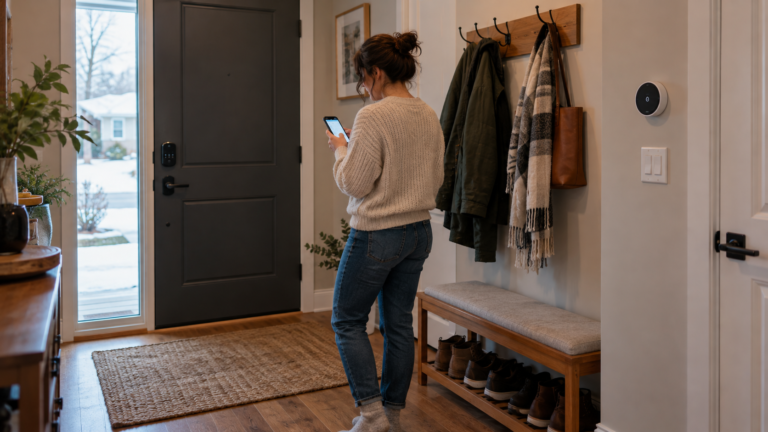
- Measure the door before you shop: hole size, backset and thickness decide which locks fit.
- A retrofit lock keeps your exterior deadbolt, which suits rentals and condos with rules about door hardware.
- WiFi locks are the simplest to start. Z-Wave, Zigbee and Thread locks need a hub or border router but use less battery.
- In winter, read the datasheet for the outside body rating and the battery type, and keep a physical key.
What should you check on your door before buying a smart lock?
Four measurements decide whether a lock fits. Manufacturer install guides for common deadbolts, including Kwikset and Weiser, use the values below, but check the guide for the exact model because limits differ.
| Measurement | Typical lock requirement | How to check | If it does not match |
|---|---|---|---|
| Cross hole | 2-1/8 in (54 mm) | Measure the large hole across the door face | A 1-1/2 in hole may need extra door prep |
| Edge hole | 1 in (25 mm) | Measure the hole in the door edge for the latch | Missing or smaller: drilling is needed |
| Backset | 2-3/8 or 2-3/4 in | Distance from the door edge to the centre of the cross hole | Other sizes need a different latch |
| Door thickness | 1-3/8 to 1-3/4 in; some models to 2 in | Measure with the door open | Thicker doors may need a thick-door kit |
Steel and fibreglass doors with a solid-core skin are harder to drill than wood. If your door is not predrilled for a standard deadbolt, send us a photo. Our smart lock installation page lists the market range for doors that need prep.
Deadbolt, lever or retrofit: which lock type suits your door?
| Type | Fits when | Watch out for |
|---|---|---|
| Smart deadbolt (replaces yours) | Standard predrilled door with an existing deadbolt | You change the exterior hardware, so condos and rentals may need approval |
| Retrofit (interior unit over your thumb turn) | You keep your exterior cylinder and key, or you cannot change the outside | Needs a compatible thumb turn. The interior unit is larger |
| Smart lever or handleset | Your door uses a lever with a built-in latch | Handing (left or right) and latch type must match |
| Mortise lock | Older doors with a rectangular lock body in the edge | Fewer smart options. Ask before you buy |
| Keypad only (no app) | You want codes without WiFi or an account | No remote access or code scheduling |
WiFi, Bluetooth, Z-Wave, Zigbee, Thread or Matter?
The connection decides setup effort, battery life and what happens when the internet drops. For the standards themselves see Matter and Thread explained, and for whether you need a hub see do you need a smart home hub.
| Connection | Needs a hub | Remote access | Good for | Trade-off |
|---|---|---|---|---|
| Keypad only | No | No | Simple codes | No alerts or scheduling |
| Bluetooth | No | Only near the door unless a bridge is added | Phone unlock at the door | Limited range |
| WiFi | No | Yes, through the maker’s cloud | Easiest to start | More battery use. Needs a strong signal at the door |
| Z-Wave or Zigbee | Yes | Through the hub | Larger homes with many devices | Hub cost. Check hub compatibility |
| Thread with Matter | Yes, a Thread border router | Through the home hub | Using one lock across Apple, Google and Alexa | Fewer models. Check support for your app |
Test your signal at the front door before choosing a WiFi lock. See the WiFi dead-zone test checklist.
What should you check for a Canadian winter?
| Check | Why it matters |
|---|---|
| Outside body temperature rating | The outside and inside bodies can have different ratings. One WiFi deadbolt datasheet lists the outside body to about -35 C and the inside body to about -10 C, so read the sheet for your model |
| Battery type | Battery capacity falls in the cold. Check which cells the lock uses and replace them before winter, not after the low-battery alert |
| Physical key | Keep a working key on a keyring you carry. Ice or a dead battery should not lock you out |
| Door movement | Doors swell and shift with frost. A bolt that is slightly off in July can bind in January |
| Keypad with gloves | Check that a code can be entered with thin gloves, or choose a model with physical buttons |
Check your product’s datasheet for the rated temperature range. We do not publish winter ratings for specific models here.
Which smart lock for which situation?
| Situation | Look at | Why |
|---|---|---|
| Detached house, predrilled door | Smart deadbolt, WiFi or Thread | Standard fit, no approval needed |
| Condo | Retrofit or keypad deadbolt after board approval | The corporation may control door hardware |
| Rental | Retrofit, with the landlord’s consent | You keep the original cylinder. See smart home for renters |
| Short-term rental | Keypad with timed codes | Guest codes without key handoffs. See smart home for Airbnb hosts |
| Older door or patio door | Ask first | Mortise and sliding-door hardware has few smart options |
What does a smart lock cost over five years?
| Lock type | Device | Hub | Installation (market) | Batteries, 5 years | Total |
|---|---|---|---|---|---|
| Keypad deadbolt, no app | $100 to $300 | none | $150 to $350 | $50 | $300 to $700 |
| WiFi or Bluetooth lock | $200 to $400 | none | $150 to $350 | $60 | $410 to $810 |
| Z-Wave, Zigbee or Thread lock with a hub | $200 to $450 | $60 to $150 | $150 to $350 | $60 | $470 to $1,010 |
If you install the lock yourself, subtract the installation column. Installation ranges are market estimates, not a fixed Pixl price. We confirm a fixed price from a photo before booking, and you pay after the job.
You are choosing between lock types, connections or a retrofit, and you want the door fit checked before you spend money.
You want a ranked list of brands. We compare by criteria, not by name. If you already have the lock, go straight to smart lock installation.
Smart lock buying: frequently asked questions
Will a smart lock fit my door?
Most fit a standard predrilled door with a 2-1/8 in cross hole, a 1 in edge hole, a 2-3/8 or 2-3/4 in backset and a thickness of 1-3/8 to 1-3/4 in. Check the exact model’s install guide, because some accept up to 2 in.
Do smart locks work in cold Canadian winters?
Many do, but ratings differ by model and by part. The outside body, the inside body and the batteries can have different limits. Check your product’s datasheet for the rated range and keep a physical key.
Is a WiFi lock better than a Bluetooth lock?
WiFi gives remote access without a hub but uses more battery and needs a good signal at the door. Bluetooth is simpler and lasts longer but only works near the door unless you add a bridge.
Does a smart lock work when the internet is down?
The keypad, key and local controls normally still work. Remote unlock and cloud alerts do not. Check how your model handles codes with no connection.
Do I need a Matter lock?
Only if you want one lock to appear in more than one smart home app. A lock without Matter works fine in its own app.
Can I put a smart lock on a condo or rental door?
Ask the board or landlord first, since door hardware is often controlled. A retrofit lock that keeps your exterior cylinder is the easiest to get approved.
How much does smart lock installation cost?
Market labour is about $150 to $350 on a standard door, and more if the door needs drilling. This is a market estimate, not a fixed Pixl price. Send a photo of your door for a fixed quote before booking.
Send a photo of your door
Tell us the lock you chose or are thinking about. Fixed quote from photos before booking. Pay after the job.
Smart home packages by home type
Smart home installation cost
Smart device installation
Home security upgrade checklist
Sources and method. Door dimensions come from the manufacturer install guides for Kwikset 1000 and 1100 series and Weiser SmartCode deadbolts (cross hole 2-1/8 in, edge hole 1 in, backset 2-3/8 or 2-3/4 in, thickness 1-3/8 to 1-3/4 in or to 2 in by model). The winter temperature example is one published datasheet for a WiFi deadbolt. Five-year costs were calculated with Python as device plus hub plus installation plus batteries at rounded market ranges: for example, WiFi lock low = 200 + 0 + 150 + 5 x 12 = $410, high = 400 + 0 + 350 + 60 = $810. Installation and hub prices are market estimates, not fixed Pixl prices. Check your product’s datasheet for ratings.
About Pixl Canada. Pixl Canada is an installation company based in Edmonton, Alberta, serving cities across Canada with TV mounting, security cameras, appliance installation and smart home setup. Call or text (587) 899-7495. Open Monday to Saturday 8am to 8pm and Sunday 9am to 7pm.