
To get WiFi into a basement, garage or patio without new cable, use the first option that fits: move the router, add a mesh node halfway, use existing coax with MoCA adapters, try a powerline kit, or link a detached garage with a wireless bridge. Walls do the damage: a detached garage 15 m away behind two exterior walls loses about 140 dB at 2.4 GHz, roughly 90 times weaker than a clear 10 m path (calculated planning estimate). The tables below compare the options by what each needs and what it costs.
PCBy the Pixl Canada install team. Calculated October 27, 2026. 8 min read.
- Signal loss calculated for five common spots
- Seven options compared, with what each one needs
- Canadian winter limits for outdoor and garage gear
- A walk test to find the right fix first
- 2.4 GHz travels furthest through walls; 5 and 6 GHz are faster but lose 7 to 9 dB more at the same distance.
- A node halfway between the router and the dead spot beats a node placed inside the dead spot.
- If your home has coax outlets, MoCA adapters give a wired-speed link without new cable.
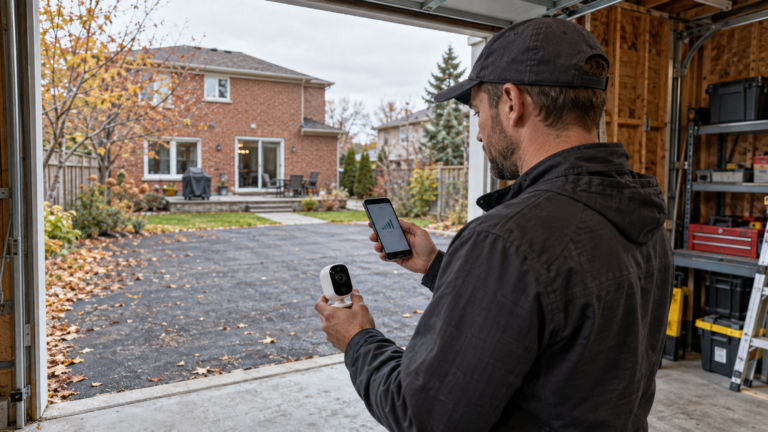
- Most indoor gear lists an operating range that starts near 0 °C. A node in an unheated garage needs a product rated for it.
You have a weak spot in the basement, an attached or detached garage, a shed or a patio and do not want to open walls.
You want the steadiest connection to a detached building. That is a buried or overhead cable run, which a cabling contractor does and Pixl does not.
How much signal do walls and floors cost you?
Signal loss adds up in decibels (dB). The table uses free-space loss for the distance plus planning values of 3 dB per drywall wall, 8 dB per insulated exterior wall or floor assembly and 12 dB per poured-concrete wall. Actual loss varies, so treat these as planning values. Every 10 dB is 10 times less power.
| Spot | Distance | 2.4 GHz | 5.5 GHz | Times weaker than a clear 10 m path (2.4 GHz) |
|---|---|---|---|---|
| Basement under the living room (one floor) | 6 m | 124 | 131 | 2 |
| Patio door area (one exterior wall) | 8 m | 126 | 133 | 4 |
| Attached garage (concrete wall plus drywall) | 10 m | 135 | 142 | 32 |
| Detached garage (two exterior walls) | 15 m | 140 | 147 | 90 |
| Detached garage (two exterior walls) | 25 m | 144 | 151 | 249 |
This is why a basement and a patio often respond to a node, while a garage 15 to 25 m away usually does not. At the longer distances you need a different link, not a stronger signal.
What are the options that need no new cable?
| Option | How it works | Fits | Watch for | Cost |
|---|---|---|---|---|
| Move or lift the router | Place it centrally, in the open | Any weak area | Needs a jack or outlet where you move it | $0 to labour |
| Mesh node halfway | Node on the main floor near the weak area | Basement, patio, attached garage | Node must keep a strong link to the router | $125 to $225 per added node |
| MoCA over existing coax | Adapters carry network data over coax outlets | A basement room or garage with a coax outlet | Needs a point-of-entry filter and splitters rated for MoCA | $150 to $300 per pair |
| Powerline kit | Network over the home’s electrical wiring | Rooms on the same circuit | Speed varies; avoid power strips; may not cross a sub-panel | $80 to $200 per kit |
| Wireless bridge | Two directional radios link buildings | Detached garage or shop in line of sight | Needs a clear path and weatherproof mounting | $200 to $600 per pair |
| Outdoor access point | Weatherproof unit covers a yard | Patio, yard | Needs power and usually a network cable at the mounting point | $150 to $350 |
| Cellular router | Own data plan at the building | Shed or cabin with no link | Monthly data cost | $200 and up plus plan |
MoCA uses the coax already in many Canadian homes. A pair of MoCA 2.5 adapters carries up to 2.5 Gbps over the coax, though each adapter’s Ethernet port may limit speed to 1 Gbps. Check your product’s datasheet. New Ethernet or coax runs are separate: a cabling contractor does them, at roughly $175 to $400 per drop in the market, and Pixl does not run new cable.
Which option fits which place?
| Place | First choice | Second choice |
|---|---|---|
| Basement rec room or home office | Mesh node near the stairs, upper floor | MoCA if a coax outlet is in the room |
| Attached garage | Node in the house at the garage wall | MoCA or powerline to the garage |
| Detached garage or shop | Wireless bridge in line of sight | Powerline if on the same panel, cellular router |
| Patio or deck | Node inside near the patio door | Outdoor access point where a cable already exists |
| Garden shed or cabin | Cellular router | Wireless bridge |
For cameras and doorbells at these spots, see WiFi dead zones for doorbells and cameras, wired vs WiFi cameras and solar and 4G cameras.
What does a Canadian winter change?
| Check | Why |
|---|---|
| Operating temperature on the datasheet | Many indoor units list a range starting near 0 °C; an unheated garage in January goes below it |
| Outdoor rating | Outdoor-rated gear lists a low limit and a weather rating; match it to your climate |
| Snow and ice on a bridge dish | Mount where snow does not collect and the path stays clear |
| Cable strain | Cold stiffens cable; leave slack at outdoor connections |
How do you test before you buy?
- Stand where the device will sit and run a speed test on your phone. Note download, upload and any drops.
- Test halfway between the router and that spot. If the halfway spot reads well, a node there is likely to work.
- Look for coax or network jacks in the room. A coax outlet opens the MoCA option.
- Check the path outdoors: a detached building in line of sight can use a wireless bridge.
- Send Pixl the photos and the readings. We tell you which parts Pixl sets up and which need a contractor.
Basement, garage and patio WiFi: frequently asked questions
How do I get WiFi in my basement without running cable?
Try a node on the main floor near the stairs first. If a coax outlet is in the basement, MoCA adapters give a wired-speed link without new cable.
Will a WiFi extender reach my detached garage?
Usually not at 15 m or more behind two exterior walls. A wireless bridge in line of sight or a cellular router is more likely to work.
Do powerline adapters work in older homes?
Sometimes. Results depend on wiring, circuits and noise from appliances. Avoid power strips and test before relying on one.
What is MoCA?
A standard that carries network data over coax cable. You plug an adapter into a coax outlet at each end, and it needs a filter at the cable entry point.
Is an outdoor WiFi extender worth it?
For a patio near the house, a node inside near the door often does the job. An outdoor unit makes sense when you have power and a cable at the mounting point.
Can WiFi gear stay in an unheated garage in winter?
Only if the datasheet lists an operating range that covers your lowest temperature. Many indoor units start near 0 °C.
Does Pixl set up these links?
Pixl places and configures mesh nodes, access points and the devices on them. It does not run new cable. Send photos and we confirm what Pixl can do, with a fixed quote before booking and payment after the job.
Send photos of the weak spot
Include the router, the weak area and any coax or network jacks. You pay after the job.
WiFi dead zones for doorbells and cameras
How many mesh nodes you need
WiFi installation cost in Canada
How to improve WiFi signal
Slow or disconnecting WiFi
Sources and method. Path loss = 20 log10(distance m) + 20 log10(frequency MHz) + 32.44 + wall loss, calculated in Python. Example: detached garage, 15 m, 2.4 GHz: 123.6 dB + 2 × 8 dB = 139.6 dB. Wall values (drywall 3 dB, exterior wall or floor 8 dB, poured concrete 12 dB) are planning values, not measurements. Times weaker = 10^(dB difference ÷ 10) against a clear 10 m path at 2.4 GHz. MoCA speeds are vendor maximums and depend on wiring quality. Prices are market estimates, not a fixed Pixl price. Check your product’s datasheet.
About Pixl Canada. Pixl Canada is an installation company based in Edmonton, Alberta, serving cities across Canada with TV mounting, security cameras, appliance installation and smart home setup. Call or text (587) 899-7495. Open Monday to Saturday 8am to 8pm and Sunday 9am to 7pm.