
TV wall mounting · 8 min read · updated sep 2026
How to Mount a TV on the Wall: Step-by-Step DIY Guide
By the Pixl Canada install team
Quick answer
How do you mount a TV on the wall? Check your TV’s VESA pattern and weight, pick a mount rated for both, find two wood studs, and mark the height. Then drill pilot holes, bolt the wall plate into the studs with lag bolts, attach the brackets to the TV, lift it on with a helper and lock it in place.
Are TV wall mounts universal?
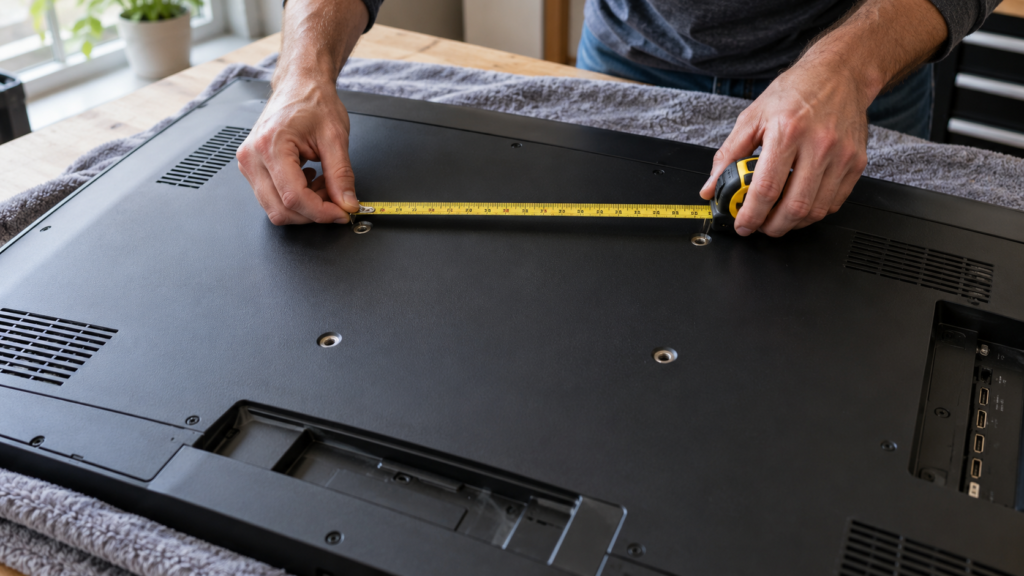
Mostly, yes. Almost every TV uses the VESA standard, a square or rectangle of four threaded holes on the back, and any mount that lists your VESA pattern and weight will fit.
Samsung’s wall mount guide says its TVs work with any VESA compliant mount designed for the TV’s size, and lists patterns from 100 x 100 mm on small TVs up to 600 x 400 mm on 75 inch and larger models. Before you buy, check three things:
- VESA pattern: measure the holes centre to centre in millimetres (width x height), or look it up in the TV’s spec sheet.
- Weight: use the TV’s weight without the stand, and add any soundbar you plan to hang from it.
- Screen size range: the mount’s listed range should include your TV.
Not sure which style to get? Our comparison of fixed vs full-motion TV mounts walks through fixed, tilting and full-motion options room by room.
What tools do you need to mount a TV?
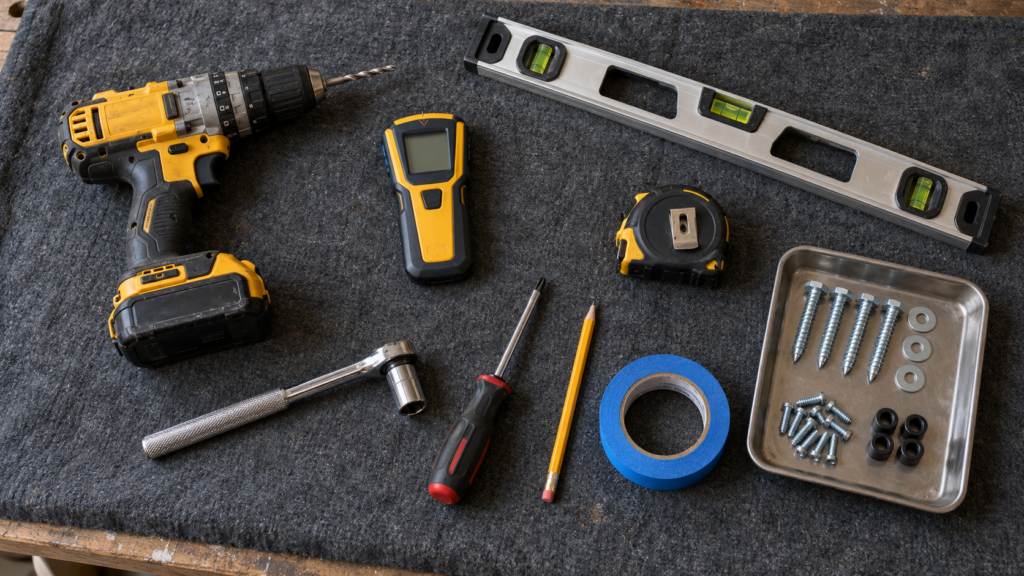
You need a drill, a stud finder, a level, a tape measure and a socket wrench. Mount makers list almost the same kit. The Sanus step-by-step mounting guide adds a Phillips screwdriver, a pencil and the right drill bit.
| Tool | What it is for |
|---|---|
| Stud finder | Locating the edges and centre of each wood stud |
| Drill and wood bit | Pilot holes for the lag bolts (size is in your mount’s manual) |
| Masonry bit and hammer drill | Brick or concrete only |
| Socket wrench | Driving lag bolts snug without stripping them |
| Level (24 inch or longer) | Keeping the wall plate straight |
| Tape measure and pencil | Height and hole marks |
| Phillips screwdriver | Attaching the brackets to the TV |
| Painter’s tape | Marking studs and outlining the TV on the wall |
| A second person | Lifting the TV onto the wall plate |
How to mount a TV on the wall, step by step
Plan on one to two hours for a first DIY install. Read your mount’s manual first, because hole sizes and depths vary by model.
- Confirm the fit. Match the VESA pattern and weight to the mount, as above. Lay the TV face down on a blanket on a table.
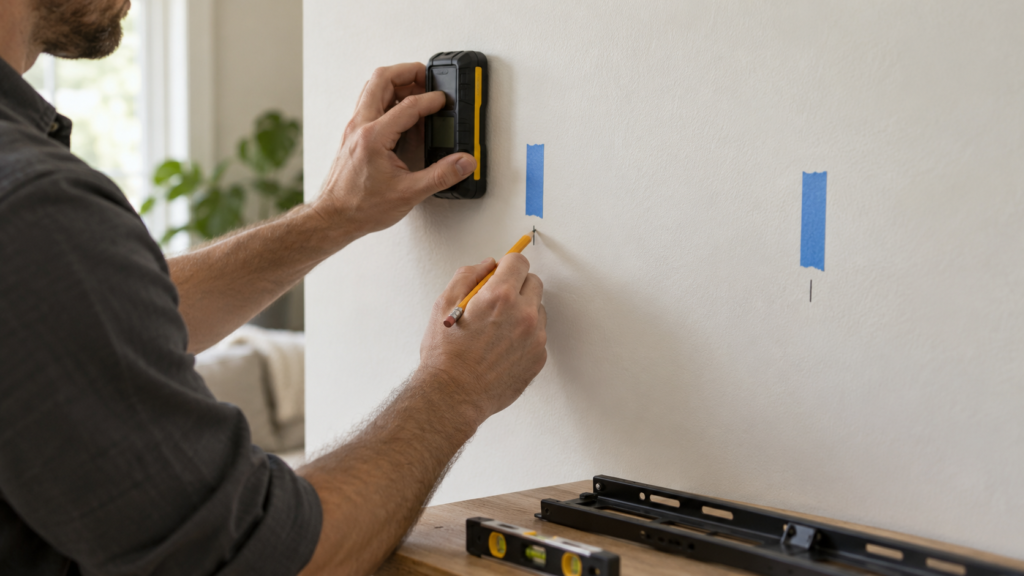
- Find the studs. Use a stud finder to mark both edges of each stud, then mark the centre. Sanus notes studs are usually 16 or 24 inches apart. Confirm with a small finishing nail in the spot the TV will cover.
- Pick the height. A common starting point is the centre of the screen around 42 inches from the floor. Our guide on how high to mount a TV has a chart by screen size.
- Work out the plate position. Measure from the TV’s mounting holes to the top of the TV. The wall plate does not sit at the centre of the screen, so mark the wall from the bracket, not the TV outline.
- Mark and level. Hold the wall plate against the wall, centred on the studs, and level it. Mark the bolt holes in the middle of each stud.
- Drill pilot holes. Drill straight into the centre of each stud. The Sanus VLF613 instruction manual calls for a 7/32 inch (5.5 mm) bit and holes 3 1/2 inches deep. Follow your own mount’s numbers.
- Bolt the wall plate on. Drive the lag bolts with a socket wrench until the washers sit firmly against the plate. Sanus warns not to over-tighten them, which can strip the wood and weaken the hold.
- Attach the brackets to the TV. Use the screws and spacers from the hardware pack. Thread them in by hand first, then snug them. Screws that bottom out or are too tight can damage the TV.
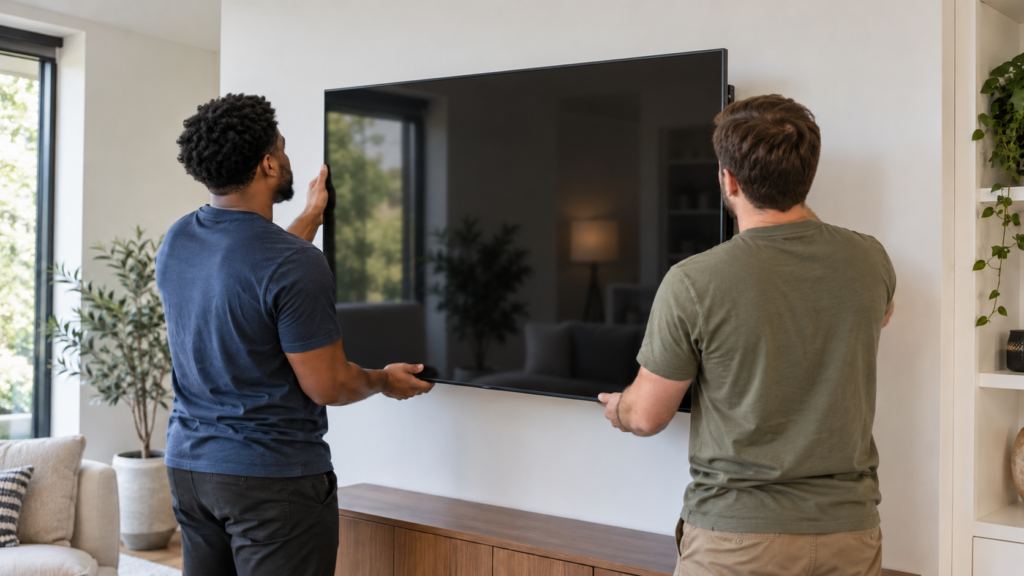
- Lift with two people. Hook the TV brackets onto the wall plate together. Do not try to hang a large TV on your own.
- Level and secure. Adjust the level if your mount allows it, then engage the safety screws or locking tabs. Give the TV a gentle tug to confirm it is locked.
Last step: dress the cables. A paintable raceway or a console under the TV keeps them tidy without opening the wall. See how to hide TV wires without cutting the wall.
Skip the drilling and the two-person lift. TV mounting starts at $80, and most jobs take 45 to 90 minutes.
Can you mount a TV to drywall?
Not to drywall alone. Drywall is crushed gypsum and paper, and it can tear out under the steady pull of a TV, especially a full-motion arm.
The Sanus manual is blunt: its mounts are for wood stud, solid concrete and concrete block walls, and must not go into drywall alone. It also says the wall must be able to support five times the weight of the TV and mount combined. Samsung says your mount should be attached to a stud, and that toggle bolts are only an option if the wall can hold the TV’s weight.
Most mount failures come down to the wrong anchor in the wrong place. We break down the four common ones in why TV mounts fail.
How to mount a TV on the wall without wood studs
You can, but the hardware changes. Metal studs, plaster, brick, concrete and tile each need their own anchors and drilling method.
| Wall type | How to anchor | DIY difficulty | Pixl add-on |
|---|---|---|---|
| Drywall on wood studs | Lag bolts into stud centres | Easy to moderate | Included |
| Plaster and lath | Lag bolts into studs; drill slowly to avoid cracking | Moderate | +$10 |
| Metal studs (condos) | Heavy-duty toggle or snap anchors rated for the load, spread across studs | Hard | +$15 |
| Concrete, tile or stone | Masonry bit and concrete anchors; tile needs a tile bit first | Hard | +$50 |
| Brick | Anchors into solid brick, not the mortar joints | Hard | +$80 |
Metal studs are common in Canadian condos. Lag bolts will not grip thin steel, so you need rated toggles. See our guide to mounting a 75 inch TV on metal studs for the full method.
Brick and concrete hold very well once anchored, but you need a hammer drill and the concrete anchors made for your mount. Drill into the brick itself, since mortar joints can crumble.
Tile cracks easily. Score the glaze with a tile bit at low speed, then switch to a masonry bit for the wall behind it.
Can you mount a TV above a fireplace?
Yes, if the wall stays cool enough and the height works for your neck. Samsung’s guide warns that heat from a fireplace can be a problem for a TV.
Hold your hand on the wall where the TV will go after the fire has run for a while. If it is uncomfortable to touch, it is too hot for the TV. A pull-down mantel mount fixes the height problem. Our TV above fireplace guide covers heat checks, mounts and stone chimneys.
DIY or hire a pro?
DIY is very doable on drywall over wood studs with a mid-size TV. It gets riskier with big screens, metal studs, masonry, fireplaces or hidden wires.
DIY makes sense when:
- Your TV is 55 inches or smaller and you have wood studs where you want it.
- You own a drill, stud finder and level, and have a helper.
- You are fine with visible cords or a stick-on raceway.
Hire a pro when:
- The wall is metal studs, brick, concrete, tile or stone.
- The TV is large, heavy or going on a full-motion arm or above a fireplace.
- You want wires hidden in the wall, which involves electrical rules.
At Pixl Canada, TV mounting starts at $80 for TVs up to 60 inches with your own mount. If you need a mount, fixed is $70, tilting $80 and full-motion $125. Above a fireplace adds $20. Hiding wires costs $25 in an existing channel, $60 for a raceway with material, or $99.50 in-wall with fire-resistant HDMI included. Most mounts take 45 to 90 minutes, our technicians are licensed and carry $5 million in liability insurance, and you pay after the job is done.
Want it done right the first time? Book professional TV mounting with Pixl Canada, or call or text (587) 899-7495. We are open 7 days a week and can come the same day when we have an opening.
Frequently asked questions
Can I wall mount a TV myself?
Yes, if you have wood studs, the right tools and a helper to lift the TV. Follow the mount’s manual for hole size and depth. For masonry, metal studs or very large TVs, a pro is the safer choice.
Can drywall hold a 55 inch TV?
Not on its own. Mount makers like Sanus say not to install into drywall alone, so bolt the mount into wood studs. If there are no studs, use anchors rated for the full weight, such as heavy-duty toggles.
Do you need two studs to mount a TV?
For most mid-size and large TVs, yes. Two studs spread the load and keep the TV from twisting, especially on full-motion arms. Some small mounts are made for a single stud, so check the manual.
What are the rules for mounting a TV on the wall?
Match the mount to the TV’s VESA pattern and weight, anchor into studs or masonry, and follow the mount’s instructions. Never run the TV’s regular power cord inside the wall. Condo owners should also check their building’s rules before drilling.
How do I know my TV's VESA pattern?
Measure the distance between the mounting holes on the back of the TV, side to side and top to bottom, in millimetres. It is also listed in your TV’s manual or spec sheet, for example 300 x 300 or 400 x 300.
Related TV mounting guides: VESA pattern and mount size chart, mounting a TV on brick or concrete and TV mounting prices by city. Part of our complete TV wall mounting guide. Written by the Pixl Canada install team: licensed technicians with $5 million liability insurance, installing TVs, security cameras, smart home devices and appliances across Canada.
Related articles