
TV wall mounting · 8 min read · updated sep 2026
Samsung Frame TV Wall Mount: How to Hang It Flush on the Wall
By the Pixl Canada install team
Quick answer
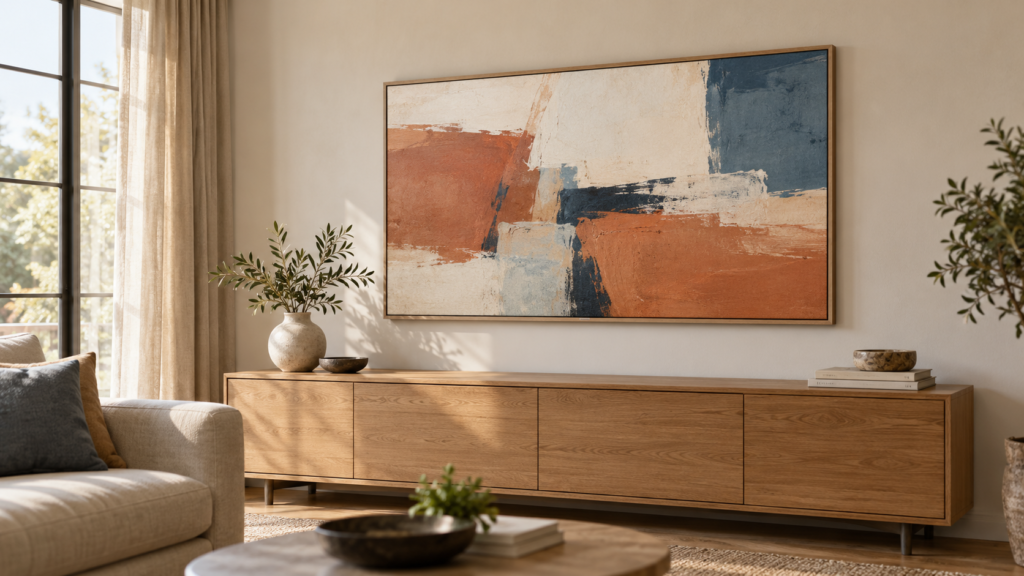
The Samsung Frame TV comes with its own Slim Fit Wall Mount in the box, so most people do not need to buy a mount. It hangs the TV a few millimetres off the wall like a picture. Screw it into wood studs, never bare drywall, and run the single One Connect cable to a box hidden nearby.
Does the Samsung Frame TV need a special wall mount?
No, you do not need to buy anything special. The Frame ships with the Slim Fit Wall Mount, and that mount is what gives it the flat picture frame look.
Samsung Canada’s Slim Fit Wall Mount page says the mount is included with The Frame and sold separately for other models. It fits 43 to 85 inch screens, is made of steel and has a safe working load of 60 kg. It does not tilt or swivel, and it cannot be used to hang the TV vertically.
The Frame is also a standard VESA TV. The 65 inch model, for example, uses a 400 x 300 mm pattern and weighs 22.4 kg without the stand, according to Samsung Canada. That means a regular third-party mount will fit, but you lose the flush look.
Slim Fit mount vs tilting and full-motion mounts
Use the included Slim Fit mount if you want the art look. Pick a tilting or full-motion mount only if you need to angle the screen or reach the back of the TV often.
| Mount type | Gap to wall | Best for | Trade-off |
|---|---|---|---|
| Slim Fit Wall Mount (in the box) | A few millimetres | Art Mode, living rooms, gallery walls | No tilt or swivel; needs precise stud layout |
| Samsung full-motion slim mount (sold separately) | Deeper when pulled out | Corners, open-concept rooms | Costs extra; less like a picture when closed |
| Third-party tilting mount (VESA) | Usually a few centimetres | Higher installs, glare control | Visible gap spoils the frame effect |
| Third-party full-motion arm (VESA) | Several centimetres or more | Swinging the TV between rooms | Looks like a regular TV from the side |
Samsung Canada’s The Frame LS03D page lists it as compatible with its Full Motion Slim Wall Mount and an Auto Rotating accessory. For the pros and cons of each mount style, read our comparison of fixed vs full-motion TV mounts.
How close to the wall does The Frame sit?
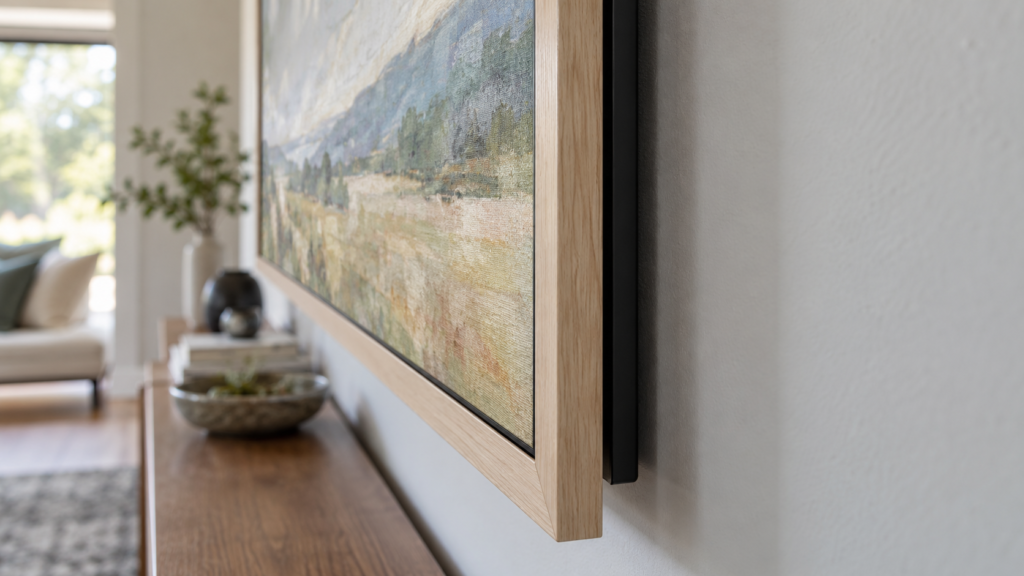
Very close. Samsung’s Canadian listing for the Slim Fit mount quotes a gap of about 3 mm with The Frame, compared with 7.5 mm on other Samsung models.
Samsung also notes the gap is measured from the rear of the TV and may differ based on the installation and wall type. A wall that bows or leans can show a slightly bigger gap at one corner.
Frame TV mounting starts at $80, plus $45 for a Frame or gallery TV, with the One Connect cable hidden from $25.
How does a Samsung Frame TV attach to a wall?
Two hanging brackets screw to the back of the TV, and two mounting brackets screw into the wall studs using a paper template. The TV then lifts onto the wall brackets and clicks into place.
Samsung’s Slim Fit Wall Mount installation guide sets out the key points:
- Prep the TV. Lay it face down on a soft surface, attach the left and right hanging brackets, and fit the protective pads 10 mm below the top edge.
- Plug in the One Connect cable first. Push it into the TV until it clicks, then secure it with the cable holder. It is much harder once the TV is on the wall.
- Tape up the template. Level it and mark the drill holes through it in pencil. Each wall bracket takes three pilot holes.
- Drill into stud centres. Samsung calls for pilot holes 3 mm (1/8 inch) wide, drilled in the centre of each stud so the wood does not split.
- Screw the brackets on and check level before you remove the template.
- Lift with two people. Samsung says at least two people should lift the TV onto the brackets, then confirm it is secure.
Samsung’s US wall mount guide adds that on The Frame the brackets need precise spacing that depends on screen size. Measure twice, because the brackets are two separate pieces and there is little room to adjust after drilling.
Can you mount a Frame TV on drywall without studs?
Not safely on its own. Samsung’s installation guide says not to fix the mount to drywall without reinforcement and to consult an expert for drywall, Sheetrock or gypsum board.
The guide lists a minimum wood stud size of 51 x 102 mm (2 x 4 inch) and supports studs spaced 16, 18 or 24 inches apart. If the brackets do not line up with your studs, the usual fixes are a plywood backer behind the wall or heavy-duty anchors rated for the load. The wrong anchor is the most common reason mounts come down, as we explain in why TV mounts fail. Metal studs, brick, tile and concrete all need different hardware.
Where to put the One Connect box and hide the cable
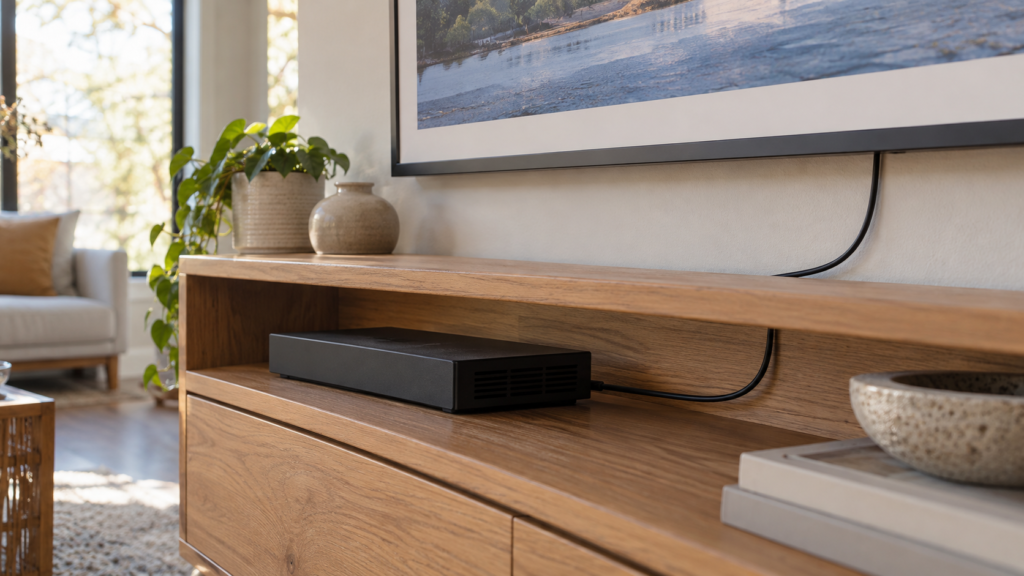
Put the One Connect box in a cabinet, console or media shelf below or beside the TV. Everything plugs into the box, so only one thin cable runs to the screen.
On the Samsung Canada LS03D page, 43 to 85 inch models use the One Invisible Connection cable, while the 32 inch model uses a grey One Connection cable. Cable length varies by model year, so measure the run before you pick a spot. Samsung has sold longer One Invisible Connection cables (such as a 15 m version), but compatibility is model specific, so check your model number first.
Ways to hide the cable:
- Paintable raceway: a slim cover painted to match the wall. No holes in the drywall.
- Behind furniture: drop the cable straight into a console and hide the box inside it.
- In the wall: the cleanest look, but only with cable rated for in-wall use. Never run a regular power cord inside the wall, and check with your local electrical authority if you are unsure.
Our guide on how to hide TV wires without cutting the wall covers raceways and furniture tricks in more detail.
How high to mount a Frame TV for Art Mode
Treat it like a TV first and art second. Samsung’s general guide suggests about 42 inches from the floor to the centre of the screen for a seated viewer.
In a living room, stay near that height. On a gallery wall, a dining room or a hallway where people mostly stand, many owners line the centre up with other framed pieces instead. Our chart on how high to mount a TV gives heights by screen size and seating distance.
The Frame’s magnetic bezels, sold separately, snap on after the TV is hung. Samsung offers Modern and Beveled styles, so leave the bezel off until the TV is level and secure.
Can you mount The Frame above a fireplace?
You can, but check the heat first. Samsung’s wall mount guide discourages fireplace installs and says the TV should never exceed 104°F (40°C).
Run the fire for a while and feel the wall where the TV will go. If it is too warm to keep your hand there, pick another wall. Height is the other problem, since the art look works best near eye level. Our TV above fireplace guide covers heat tests, pull-down mounts and stone chimneys.
DIY or hire a pro?
A Frame install is doable if your studs line up with the template and you have a helper. It gets harder with odd stud spacing, masonry, a fireplace or an in-wall cable run.
DIY makes sense when:
- You have wood studs at 16 or 24 inch centres where the TV goes.
- The One Connect box can sit in a cabinet right under the TV.
- You own a drill, level and stud finder, and have a second person.
Hire a pro when:
- The brackets miss your studs, or the wall is metal stud, brick, tile or stone.
- You want the cable inside the wall or the box in another room.
- The TV is going above a fireplace.
At Pixl Canada, TV mounting starts at $80 for screens up to 60 inches, and a Frame or gallery TV adds $45. You can use the Slim Fit mount from the box. Hiding wires costs $25 in an existing channel, $60 for a raceway with material, or $99.50 in-wall. Above a fireplace adds $20. Our technicians are licensed, carry $5 million in liability insurance, and you pay after the job.
Want your Frame hanging flush the first time? Book professional TV mounting with Pixl Canada, or call or text (587) 899-7495. We are open 7 days a week and can come the same day when we have an opening.
Frequently asked questions
Does the Samsung Frame TV come with a wall mount?
Yes. The Slim Fit Wall Mount is included with The Frame on 43 to 85 inch models, according to Samsung Canada. You only need to buy a mount if you want tilt or full motion.
Can I hang a Samsung Frame TV on the wall like a picture?
Yes, that is the point of the Slim Fit mount. It sits a few millimetres from the wall, and the One Connect design means only one thin cable runs to the screen.
What TV mount is compatible with a Samsung Frame TV?
The included Slim Fit Wall Mount, Samsung’s full-motion slim mount for supported years, or any VESA mount rated for your TV’s pattern and weight. The 65 inch LS03D uses a 400 x 300 mm pattern.
Can you use drywall anchors for a Frame TV?
Samsung says not to fix the mount to drywall without reinforcement and to consult an expert for drywall installs. Screw into wood studs, or add a backer or rated anchors when the studs do not line up.
Where do you put the One Connect box?
Most people put it in a media console, cabinet or shelf near the TV. Measure the cable run first, because cable length depends on the model year.
Related TV mounting guides: VESA pattern and mount size chart and TV mounting prices by city. See also the complete TV wall mounting guide and TV mounting prices by city. Written by the Pixl Canada install team: licensed technicians with $5 million liability insurance, installing TVs, security cameras, smart home devices and appliances across Canada.
Related articles