
Home theatre · 8 min read · updated sep 2026
How to Connect a Soundbar to a TV: HDMI ARC, Optical & Bluetooth
By the Pixl Canada install team
Quick answer
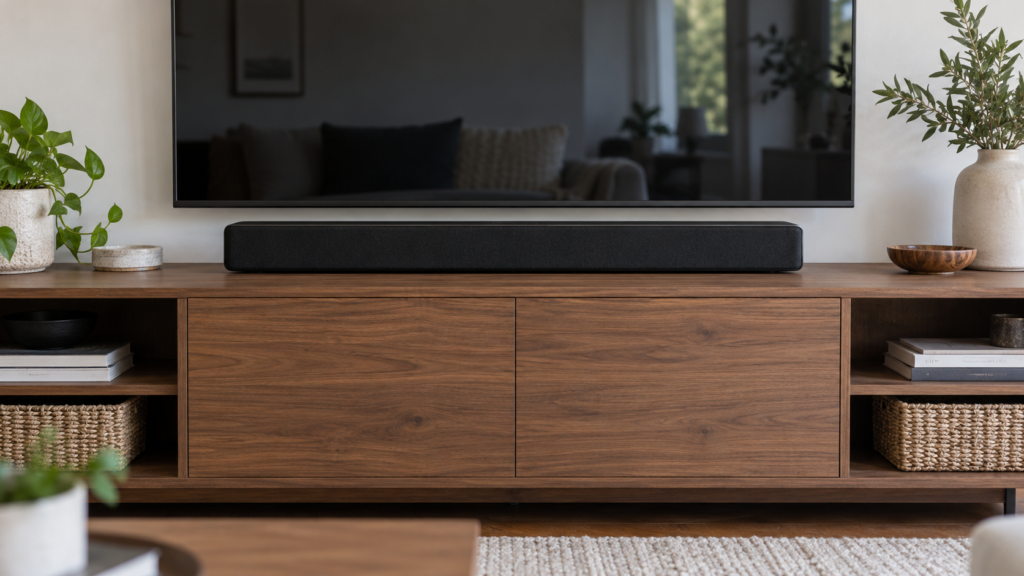
To connect a soundbar to a TV, run an HDMI cable from the TV’s port labelled ARC or eARC to the soundbar’s HDMI (TV ARC/eARC) port. Turn on HDMI-CEC in the TV settings and set the sound output to the soundbar. No ARC port? Use an optical cable. Bluetooth works too, but it is the least stable.
Which connection should you use?
Use HDMI eARC or ARC whenever both devices have it. It gives the best sound and lets your TV remote control the soundbar’s volume.
Samsung Canada’s soundbar setup guide lists four options: HDMI ARC/eARC, optical, Bluetooth and Wi-Fi. It says HDMI gives you the best audio, and that Bluetooth connections can disconnect or become unstable.
| Connection | Sound quality | Dolby Atmos | TV remote controls volume | Best for |
|---|---|---|---|---|
| HDMI eARC | Best, full resolution | Yes, including lossless Dolby TrueHD | Yes, with HDMI-CEC on | Newer TVs and Atmos soundbars |
| HDMI ARC | Very good, compressed | Often, through Dolby Digital Plus | Yes, with HDMI-CEC on | Most TVs from the last decade |
| Optical (TOSLINK) | Good, digital | No | Usually not, you may need to program the remote | Older TVs with no ARC port |
| Bluetooth | Fair | No | Depends on the brands | Quick setups, no cable run |
| Wi-Fi / app (Samsung SmartThings, Sonos) | Good | Depends on the model | Depends on the brands | Matching TV and soundbar brands |
How to connect a soundbar with HDMI eARC or ARC
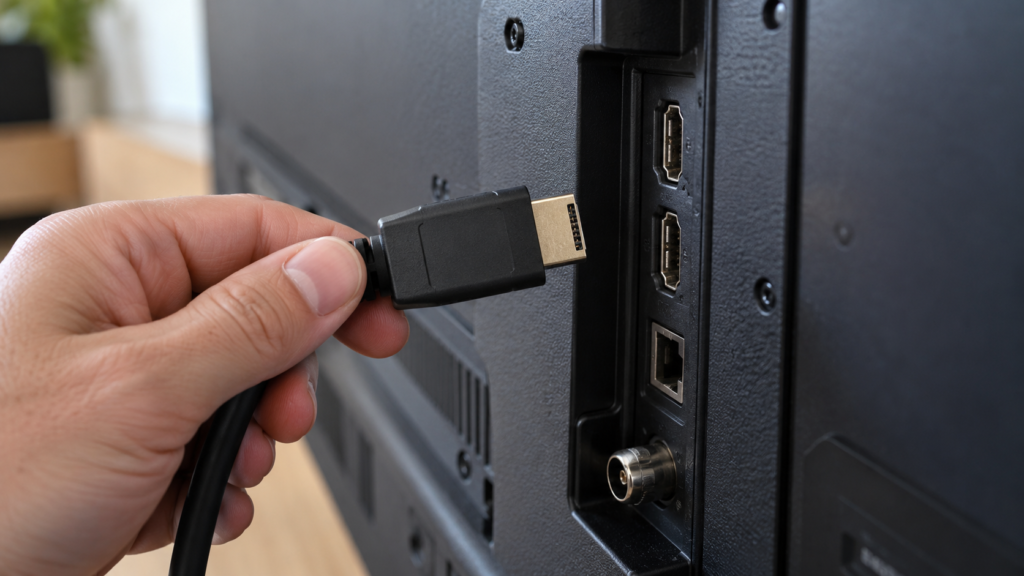
Find the HDMI port on the TV marked ARC or eARC, connect it to the soundbar’s matching port, then switch on HDMI-CEC. That single cable carries sound from the TV and every app on it.
- Find the right ports. On the TV, look for the HDMI input labelled ARC or eARC. On the soundbar, it is usually labelled HDMI OUT (TV-ARC) or HDMI TO TV (eARC/ARC).
- Use a good cable. Samsung recommends a High Speed HDMI cable with Ethernet or a Premium High Speed HDMI cable.
- Turn on HDMI-CEC. Every brand names it differently. Samsung calls it Anynet+ (Settings, All Settings, Connection, External Device Manager). LG calls it SIMPLINK and Sony calls it BRAVIA Sync.
- Turn on eARC if you have it. On Samsung TVs, go to Settings, All Settings, Sound, Expert Settings, HDMI-eARC Mode and set it to Auto. Samsung notes this is off by default.
- Set the TV’s sound output to the soundbar or HDMI ARC instead of the TV speakers.
- Set the soundbar’s source. On a Samsung soundbar, choose D.IN and the display should change to TV ARC or TV eARC. LG soundbars show ARC or E-ARC when connected.
Got a game console or streaming box? Plug it into the TV, not the soundbar, unless your soundbar supports 4K pass-through. The TV then sends the sound back down the ARC cable.
How to connect a soundbar with an optical cable
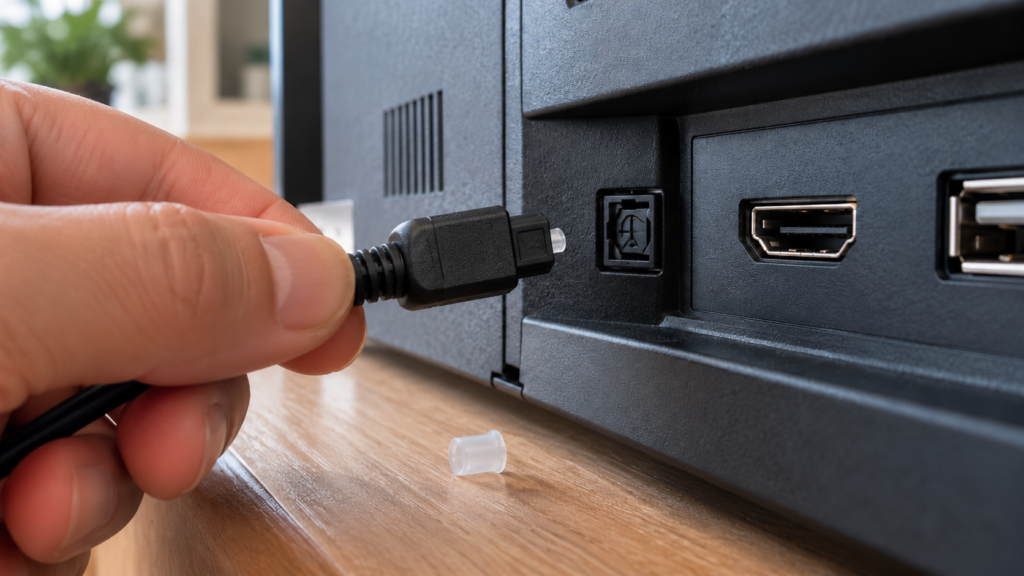
Plug a digital optical (TOSLINK) cable into the TV’s OPTICAL OUT port and the soundbar’s DIGITAL AUDIO IN (OPTICAL) port, then set the TV’s sound output to optical.
Samsung describes optical as a digital connection that still sounds clear. On Samsung TVs the output is under Sound Output, Receiver (Optical). Pull the small plastic caps off both ends first, and do not bend the cable sharply.
The downside is control. Optical carries sound only, so HDMI-CEC does not work over it. Your TV remote may not change the soundbar’s volume unless the soundbar can learn your remote. Optical also cannot carry Dolby Atmos.
We install soundbars for $50 and mount them for $50, connected and tested with your TV.
How to connect a soundbar with Bluetooth or Wi-Fi
Put the soundbar in pairing mode, then pick it from the TV’s Bluetooth list. Wi-Fi setups use the maker’s app and only work between certain brands.
- Bluetooth: on a Samsung soundbar, press Pair on the remote until the display shows BT PAIRING. On a Samsung TV, go to Sound, Sound Output, Bluetooth Speaker List.
- Samsung Wi-Fi: Samsung says Wi-Fi setup through the SmartThings app is only available on Samsung TVs, and both need to be on the same network.
- Samsung Q-Symphony: on supported Samsung TVs and soundbars, Q-Symphony plays sound from the soundbar and the TV speakers at the same time. You set it up under Sound, Q-Symphony Setup.
- Sonos: Sonos soundbars like Arc and Beam connect to the TV by HDMI (or optical on some models), then use Wi-Fi to link to other Sonos speakers.
For movies, wireless is a fallback, not a first choice. Wireless audio can lag behind the picture.
Which connection do you need for Dolby Atmos?
HDMI eARC is the safest bet. Standard ARC can pass some Atmos, and optical and Bluetooth cannot.
Samsung’s eARC guide explains that eARC sends sound at its original resolution, while ARC compresses it first. eARC supports Dolby TrueHD, Dolby Atmos, DTS Master and DTS:X. Sonos’s Dolby Atmos guide adds that most Atmos on streaming apps uses Dolby Digital Plus and can play over ARC, but lossless Atmos in Dolby TrueHD needs eARC. Sonos also lists optical as not supported for Atmos.
Your source matters too. The streaming app, your plan and the device playing it all need to support Atmos, or you will get regular surround.
Soundbar connected but no sound? Troubleshooting tips
Most problems come down to one of four settings: sound output, HDMI-CEC, the soundbar source, or the audio format. Work through them in order.
No sound at all
- Check the TV’s sound output is set to the soundbar, not the TV speaker.
- Make sure the cable is in the ARC or eARC port, not a regular HDMI input.
- Check the soundbar is on the right source (D.IN, ARC, TV or Optical) and is not muted.
- Samsung suggests turning Anynet+ off and on again, and a 30 second power cycle if things still glitch.
TV speakers still playing
- Change the sound output to the soundbar. If you use Samsung Q-Symphony, the TV speakers play along on purpose; set the output back to the soundbar only if you prefer.
TV remote will not change the volume
- Turn on HDMI-CEC (Anynet+, SIMPLINK, BRAVIA Sync) on the TV. It only works over HDMI, not optical.
- Samsung also recommends keeping the soundbar’s firmware up to date.
Lip sync delay
- Sonos’s lip sync guide says to restart the TV and source devices, turn off extra audio processing, and try Stereo or PCM instead of surround.
- If the sound runs ahead of the picture, use the soundbar’s delay setting. On Sonos it is called TV Dialog Sync.
- Use a wired connection. Bluetooth is the most likely to drift.
Where should you put or mount a soundbar?
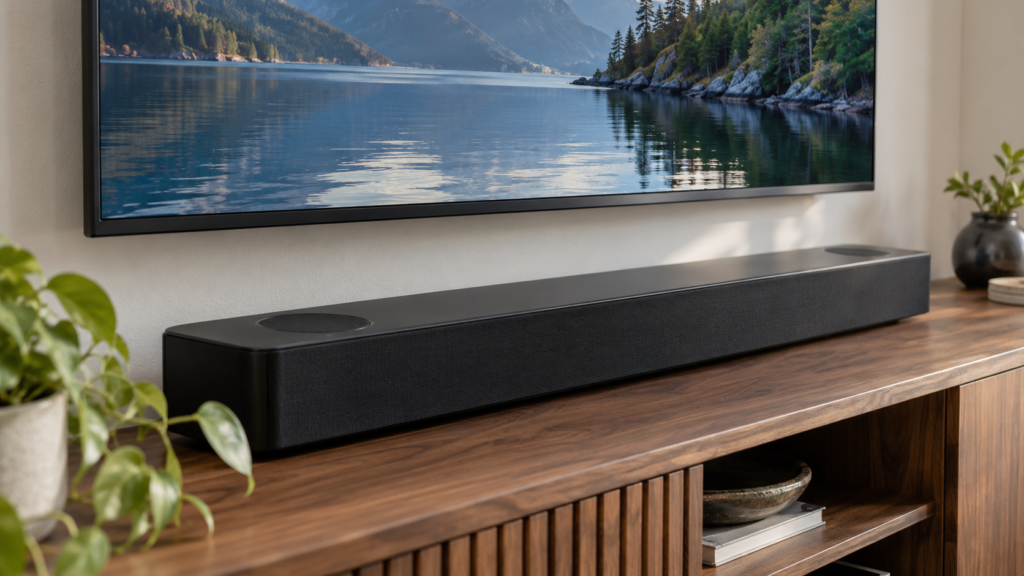
Centre it directly under the TV, either on the stand or mounted on the wall a few inches below the screen. Keep the front clear so sound is not blocked.
- On a stand: make sure it does not block the bottom of the screen or the TV’s remote sensor.
- On the wall: use the soundbar’s own wall bracket or one made for your model, screwed into studs. Leave room for the cables behind it.
- Height: mount the TV first, then the soundbar. Our guide on how high to mount a TV helps you pick the screen height.
- Wires: a wall-mounted TV and soundbar look best with the cables hidden. See how to hide TV wires without cutting the wall.
DIY or hire a pro?
Connecting a soundbar on a stand is an easy DIY job. Mounting it on the wall, hiding the cables or adding surround speakers is where a pro saves time.
DIY makes sense when:
- The soundbar sits on a stand and you have an ARC or optical port.
- You are comfortable in the TV’s settings menus.
Hire a pro when:
- You want the TV and soundbar on the wall with no visible cables.
- You are adding a subwoofer, rear speakers or an Atmos setup.
- Atmos, CEC or lip sync will not behave after you have tried the basics.
At Pixl Canada, soundbar installation is $50 and mounting a soundbar on the wall is $50. TV mounting starts at $80 for screens up to 60 inches, and hiding wires starts at $25. Surround systems start at $90 for 3 speakers. Our technicians are licensed, carry $5 million in liability insurance, and you pay after the job.
Want great sound without the settings headache? Book custom home theatre installation with Pixl Canada, or call or text (587) 899-7495. We are open 7 days a week and can come the same day when we have an opening. Mounting a Samsung Frame? Read our Samsung Frame TV wall mount guide.
Frequently asked questions
Why is my TV not playing sound through my soundbar?
Usually the TV’s sound output is still set to the TV speaker, or the cable is in a regular HDMI port instead of ARC. Also check that HDMI-CEC is on and the soundbar is on the right source.
Can I connect a soundbar to any TV?
Almost any TV with an HDMI ARC port, an optical output or Bluetooth will work. Very old TVs without these may need an analog connection, if the soundbar has one.
Do soundbars have to be plugged into the TV?
Not always. Many connect by Bluetooth or Wi-Fi. A wired HDMI or optical link is still more reliable and has less delay.
What setting should my TV be on for a soundbar?
Set the sound output to the soundbar, HDMI ARC or optical, and turn on HDMI-CEC. On eARC TVs, also turn on eARC mode. If you get lip sync delay, try PCM or Stereo audio.
Is optical or HDMI better for a soundbar?
HDMI ARC or eARC is better. It carries higher-quality formats including Dolby Atmos and lets the TV remote control the volume. Optical is a good backup for TVs without ARC.
Do I need a special HDMI cable for eARC?
Samsung recommends a High Speed HDMI cable with Ethernet or a Premium High Speed HDMI cable. If you get no sound over eARC, try a newer cable before anything else.
Thinking about a full surround system? See home theatre installation cost in Canada. See also home theatre installation cost and how to set up a home theatre. Written by the Pixl Canada install team: licensed technicians with $5 million liability insurance, installing TVs, security cameras, smart home devices and appliances across Canada.
Related articles