
Security cameras · 7 min read · updated oct 2026
Giving Police Your Security Camera Footage: Canadian Guide
By the Pixl Canada install team
Quick answer
In Canada, giving police your home security camera footage is normally voluntary. Police can ask, but they need a court order, such as a production order, to compel it. If a crime was captured, save the original, export the exact time range, keep a written log and hand over a copy, not your only version.
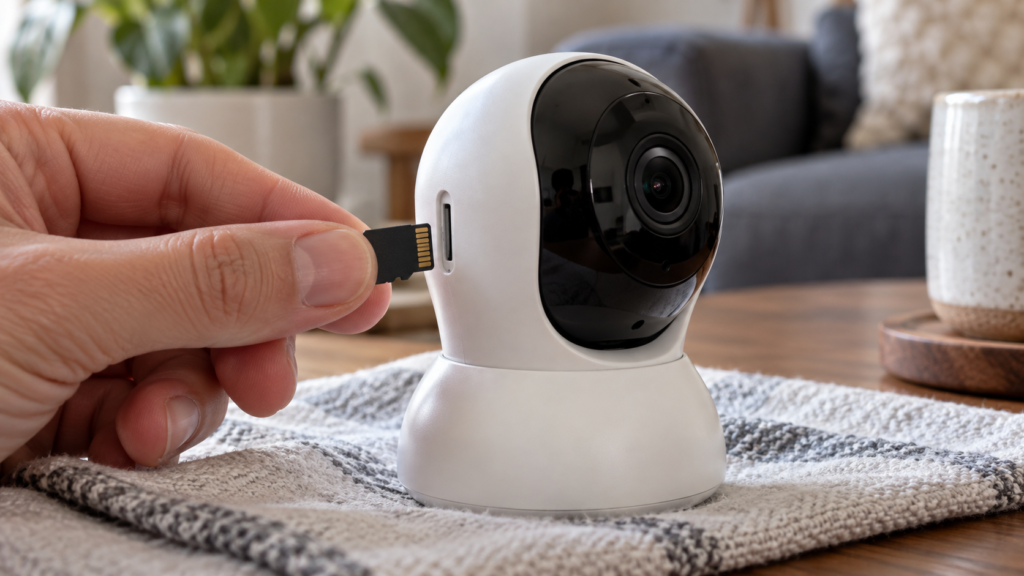
Want a system that records reliably and exports easily? WiFi camera installation starts at $200 for 1 or 2 cameras; wired systems get a free quote. See camera installation
On this page
- Do you have to give police your camera footage?
- What to do in the first hour after something happens
- How to save footage properly
- Think about privacy before you share or post
- Local storage or cloud: why it matters here
- Make your camera ready before you need it
- What makes footage useful to police
- What to say when police ask for your footage
- Insurance claims
Do you have to give police your camera footage?
Usually not unless police have a court order. A request is not a legal demand. If you want to help, you can share the clip voluntarily. If you are unsure, or the footage involves other people, you can ask police to put the request in writing or to obtain a production order.
| Situation | Do you have to hand it over? | What to do |
|---|---|---|
| Police knock on your door and ask | No, it is voluntary | Ask what incident, time range and camera they want |
| You joined a police camera registry | No, sharing is still your choice | Read the program terms; registering is not a promise to hand over footage |
| Police have a production order or warrant | Yes, within the terms of the order | Follow the order and get legal advice if the scope is unclear |
| Footage is stored with a camera company’s cloud service | The company may be asked instead of you | Check the service’s law-enforcement policy |
| Footage shows your neighbours or a child | Still voluntary | Share only the clip that matters to the incident |
The RCMP Gazette describes how registries work. In the Red Deer CAPTURE project, residents and businesses register where their outdoor cameras are, police can search the map after a crime, and the article says sharing video is voluntary. Police only access footage the owner provides, and owners can remove their information. See the RCMP article on voluntary security camera registries.
What to do in the first hour after something happens
- Call 911 if anyone is in danger. For a theft or break-in that is over, use your police non-emergency line or online reporting.
- Do not delete anything. Many cameras overwrite old clips automatically.
- Write down the time. Note when you noticed the incident, plus what the camera clock says now compared with your phone. A clock that is a few minutes off is common.
- Look at every camera, not only the one that saw the incident. A person may appear on several.
- Do not edit or crop the clip. Keep the original untouched.
How to save footage properly
- Export a slightly wider time range than the incident, for example a few minutes before and after.
- Use the official export tool in your recorder or app. It keeps the original timestamps and camera labels.
- Save to a USB drive or another local device and check that the clip plays on another computer.
- Keep the original recording on the system and give police a copy.
- Avoid messaging apps for the handover. They compress video and can remove information. A USB drive or the method the police ask for is better.
- Keep a short written log: incident date and time, camera names, who exported it, when, and who received a copy.
Ask the officer which format they prefer. Some recorders save in their own format, which needs a viewer program. The officer may ask for both the original file and a standard video file.
Want a system that records reliably and exports easily? WiFi camera installation starts at $200 for 1 or 2 cameras; wired systems get a free quote.
Think about privacy before you share or post
- Give police the clip, not your whole archive. Share only what relates to the incident.
- Be careful with social media. Posting footage can identify the wrong person, and it can complicate the case. Police generally prefer that you report first.
- Remember the people in the video. Other residents and visitors have privacy rights too. Private-sector privacy rules expect organizations to protect other people’s identities when releasing footage.
- Do not record audio. If your camera captured private conversations, that creates a separate legal problem. See our guide to security camera audio rules.
Local storage or cloud: why it matters here
When footage is on your own recorder, you control who sees it and when it is deleted. When footage sits with a camera company, it is subject to that company’s policies, subscription limits and legal process. For many homes, a mix works best. Our comparison, cloud storage vs local NVR, explains how to choose.
Make your camera ready before you need it
- Check the camera clock and time zone every few months.
- Test an export once so you know how it works.
- Keep enough storage for several days of recording.
- Cover the places where evidence is most likely: the front door, driveway, garage and side gate. See where to place security cameras.
- Use night vision that shows faces and licence plates at your usual distances.
If you want a system that records reliably and is easy to export from, we install and test it with you. WiFi camera installation starts at $200 for one or two cameras, before tax, and wired recorder systems get a free written quote. You pay after the job. See security camera installation.
What makes footage useful to police
Footage that proves little is common. These details decide whether a clip helps.
| Detail | Why it matters | How to improve it |
|---|---|---|
| Faces and licence plates | Wide views show a figure but not who it is | Add a camera aimed at the walkway or the driveway entrance at a closer distance |
| Night image | Glare from a porch light can wash out a face | Use even lighting and test at night |
| Correct clock | Police match your timeline with other cameras | Set automatic time sync and the right time zone |
| Frame rate and gaps | Motion-only recording can miss the key seconds | Use a pre-roll buffer or continuous recording where possible |
| Coverage of exits | Where a person came from and went matters | Cover side gates and the rear, not only the front door |
What to say when police ask for your footage
- “Which camera, date and time range do you need?” This keeps the request narrow.
- “I can give you a copy of that clip on a USB drive.” You keep the original.
- “Can you send the request in writing?” This is reasonable, and it helps your own records.
- “My cameras are linked to a cloud account.” Mention it if applicable so police know where the footage lives.
Insurance claims
An insurer may also ask for your footage after a theft or damage claim. Treat it the same way: export a copy, keep the original and log what you gave. If your policy offers a discount for cameras, see does a security camera lower home insurance in Canada.
Frequently asked questions
Can police take my camera or recorder?
Police need a legal basis, such as your agreement or a warrant. If you agree to help, it is usually easier to export a copy than to hand over the whole device.
Should I give police my doorbell footage if they ask?
If you are comfortable helping and the clip relates to an incident, sharing a copy is usually fine. It is your choice, and you can ask for a written request first.
What if my footage is in the cloud?
Police may contact the camera company. Check the company’s policy so you know how requests are handled, and save your own copy of anything you want to keep.
Does joining a camera registry mean I must share video?
No. In registries such as Red Deer’s CAPTURE project, sharing is voluntary. Read the terms of any program you join.
How do I prove the time on my footage is right?
Compare the camera’s clock with your phone and write down the difference. Include it in your log so the officer can adjust.
Can I post a thief's video online?
You can, but think carefully. Posting can lead to misidentification, harassment and legal risk, and it may affect a case. Reporting to police first is the safer approach.
This guide explains general practice and is not legal advice. Ask a lawyer if you are unsure about a request or an order.
Ready to book? Want a system that records reliably and exports easily? WiFi camera installation starts at $200 for 1 or 2 cameras; wired systems get a free quote.
Written by the Pixl Canada install team: licensed technicians with $5 million liability insurance, installing TVs, security cameras, smart home devices and appliances across Canada.
Related articles