
To clean a doorbell camera, brush off dust and cobwebs, then wipe the lens gently with a dry microfiber cloth, adding a little water to the cloth only for stubborn spots. Do not spray liquid on the device, and avoid glass cleaner, ammonia, bleach and paper towels. Take the battery out first if it is removable. Check the picture again after dark, because smudges show up worst in night vision.
PCBy the Pixl Canada install team. Updated . 4 min read.
- What to use and what to avoid
- Six steps in two minutes
- Why night vision looks worse
- When blur means something else
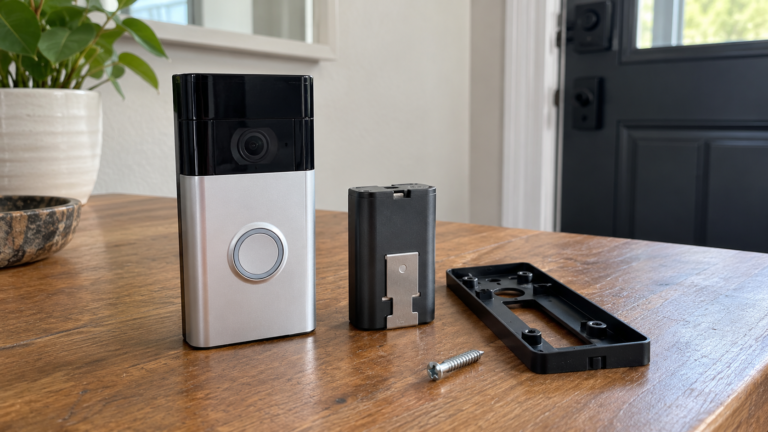
- Start dry: a soft brush, then a microfiber cloth.
- Use as little water as possible and never spray the device.
- Skip glass cleaner, ammonia, bleach and paper towels.
- Check the picture at night. Haze can also be factory film or moisture.
What should you use to clean a doorbell camera lens?
Ring’s community moderators recommend a soft microfiber cloth to wipe away dirt, and Asurion’s cleaning guide adds a soft brush for dust, pollen and cobwebs before wiping. There is no single official procedure for every brand, so check your doorbell’s manual.
| Use | Avoid |
|---|---|
| Soft microfiber cloth | Paper towels, which can scratch |
| Soft brush for dust and cobwebs | Glass cleaner, ammonia and bleach |
| A lightly dampened cloth, with water only for stubborn spots | Spraying liquid on the device |
| Dry wiping first | Soaking-wet wipes and aerosol sprays |
How do you clean a doorbell camera step by step?
- Remove the battery on battery models, or unplug a plug-in unit when it is safe. A hardwired doorbell usually does not need to come off the wall for surface cleaning. Switch off the breaker before touching wiring.
- Brush off loose dust and clear cobwebs from the lens and housing so grit does not scratch the lens.
- Wipe the lens gently with a dry microfiber cloth in small circles.
- For stubborn spots, lightly dampen a corner of the cloth with water and wipe again. Do not let water run into the seams.
- Dry the lens with a clean part of the cloth and refit the battery.
- Check the picture in the app, in daylight and again after dark.
Asurion notes that smears often show up most clearly in night vision, because infrared light reflects off a smudge.
What if the picture is still blurry or cloudy?
| Cause | What to do |
|---|---|
| Factory film still on the lens | Peel off the thin, clear film that protects the lens in shipping |
| Moisture inside the housing | Contact the maker’s support to review damage and warranty |
| Weak WiFi or low bandwidth | A blurry stream can be a network issue, not the lens. See mesh WiFi vs extender |
| Camera angle or glare | Reposition the doorbell with a wedge kit or adjust the angle |
If you are installing or moving a doorbell, read how to install a doorbell camera. Pixl installs a battery video doorbell for $99 and a wired doorbell on existing wiring for $149, before tax. See video doorbell installation.
Cleaning a doorbell camera: frequently asked questions
How do I clean my doorbell camera lens?
Brush off dust, then wipe with a dry microfiber cloth. Use a lightly dampened cloth for stubborn spots, and do not spray the device.
Can I use glass cleaner on a doorbell camera?
No. Skip glass cleaner, ammonia and bleach, which can damage the lens and housing.
How often should I clean a doorbell camera?
When the picture looks hazy or after storms, pollen season or road dust. Check it every few months.
Do I need to take the doorbell off the wall?
Usually not for surface cleaning. Remove the battery on battery models. Shut off the breaker before handling wiring.
Why does my doorbell camera look blurry at night?
Smudges, cobwebs or moisture reflect infrared light. Clean the lens and check again after dark.
Can Pixl install or reposition my doorbell?
Yes. A battery doorbell is $99 and a wired doorbell on existing wiring is $149, before tax. You pay after the job.
Need a doorbell installed or moved?
Battery $99, wired on existing wiring $149, before tax. You pay after the job.
How to install a doorbell camera
Wired vs battery doorbell
Smart home installation
Picture problems and fixes
Maintenance checklist
How to reset a camera or doorbell by brand
Sources and method. Asurion and Ring community moderator guidance. These are not an official procedure for every brand, so follow your manual. Pixl prices were checked in October 2026, in Canadian dollars, before tax.
About Pixl Canada. Pixl Canada is an installation company based in Edmonton, Alberta, serving cities across Canada with TV mounting, security cameras, appliance installation and smart home setup. Call or text (587) 899-7495. Open Monday to Saturday 8am to 8pm and Sunday 9am to 7pm.