
To connect a laptop to a TV, plug an HDMI cable from the laptop’s HDMI port (or a USB-C to HDMI adapter) into the TV, select that HDMI input on the TV, then press Windows key + P on Windows or use Displays in System Settings on a Mac to choose Duplicate or Extend. For a wireless connection, use Windows Cast (Windows key + K), a Mac’s Screen Mirroring (AirPlay), or Chromecast from Chrome. A cable is the most stable choice and carries both picture and sound.
PCBy the Pixl Canada install team. Updated . 6 min read.
- Cable vs wireless compared
- Windows and Mac steps
- No signal, no sound, and cut-off edges fixed
- Projector version linked
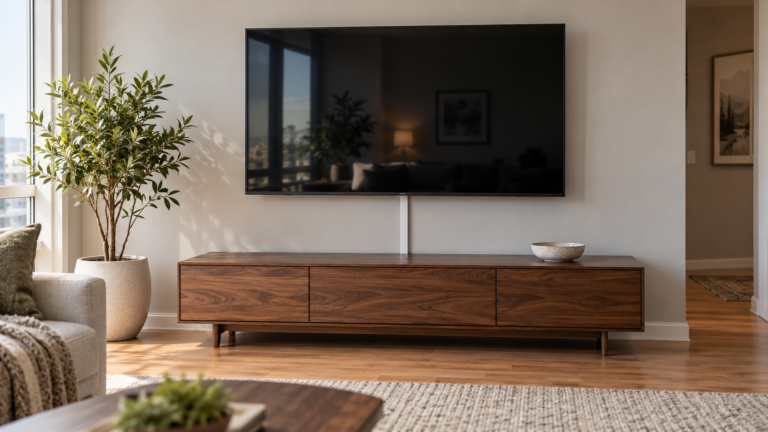
- HDMI cable: the simplest and steadiest way to connect a laptop to a TV.
- Windows: Windows key + P. Mac: System Settings, then Displays.
- No sound usually means the audio output is not set to the TV.
- Cut-off edges are a TV picture-size setting, not a laptop fault.
What are the ways to connect a laptop to a TV?
| Method | What you need | Best for |
|---|---|---|
| HDMI cable | A laptop HDMI port and an HDMI cable | Steady picture and sound |
| USB-C to HDMI | A USB-C port that supports video output, plus an adapter or cable | Thin laptops with no HDMI port |
| Wireless (Cast or AirPlay) | A TV that supports it, on the same WiFi | Quick sharing without cables |
| Streaming stick | A Chromecast, Fire TV or Roku in the TV | TVs with no wireless display support |
How do you connect a laptop to a TV with a cable?
- Plug the HDMI cable into the laptop (or into a USB-C to HDMI adapter).
- Plug the other end into a free TV HDMI port and note its number.
- Turn on the TV and select that HDMI input.
- On Windows, press Windows key + P and choose Duplicate or Extend. On a Mac, open System Settings, then Displays, and set mirroring or an extended display.
- Set the sound output to the TV in the laptop’s sound settings.
How do you connect a laptop to a TV wirelessly?
| Laptop | Steps |
|---|---|
| Windows | Press Windows key + K, pick the TV from the list. It needs a TV that supports wireless display |
| Mac | Open Control Center, choose Screen Mirroring, pick an AirPlay-compatible TV or Apple TV |
| Chromebook or Chrome | In Chrome, open the menu, choose Cast, and pick a Chromecast or Google TV |
Wireless depends on a good WiFi signal at the TV. If it lags, see how to connect a TV to WiFi.
What if the laptop will not show on the TV?
| Problem | Fix |
|---|---|
| No signal | Check the TV input, reseat both ends, try another HDMI port, press Windows key + P |
| No sound | Set the laptop’s sound output to the TV or HDMI device |
| Edges cut off or picture too big | On the TV, set Picture Size to Just Scan, Screen Fit or 1:1 |
| Blurry text | Set the laptop’s display resolution to the TV’s native resolution |
| USB-C does nothing | The port may not support video. Use the HDMI port or check the laptop’s specs |
| Wireless lags | Move the router closer, or use a cable |
For a projector instead of a TV, see how to connect a projector to a laptop. For the TV itself, Pixl mounts TVs from $79.99 labour in Calgary and Edmonton and hides wires from $25, before tax. See TV mounting service.
Connecting a laptop to a TV: frequently asked questions
How do I connect my laptop to my TV?
Use an HDMI cable (or a USB-C to HDMI adapter), select the TV input, then choose Duplicate or Extend in the laptop’s display settings.
How do I connect a laptop to a TV wirelessly?
On Windows press Windows key + K, on a Mac use Screen Mirroring, or cast from Chrome to a Chromecast or Google TV.
Why is there no sound on my TV from the laptop?
The audio output is still set to the laptop. Change it to the TV or HDMI device.
Why is the picture cut off?
The TV is zooming the picture. Set Picture Size to Just Scan, Screen Fit or 1:1.
Do all laptops have HDMI?
No. Many thin laptops only have USB-C, so you need a USB-C to HDMI adapter or cable.
Can Pixl mount my TV and hide the cable?
Yes. Text a photo of your wall to (587) 899-7495. No deposit, and you pay after the job.
TV on the wall, laptop cable out of sight
TV mounting labour from $79.99 in Calgary and Edmonton, before tax. No deposit, and you pay after the job.
Sources and method. General steps from Microsoft and Apple display documentation. Menu names vary by operating system version. Pixl prices were checked in October 2026, in Canadian dollars, before tax.
About Pixl Canada. Pixl Canada is an installation company based in Edmonton, Alberta, serving cities across Canada with TV mounting, security cameras, appliance installation and smart home setup. Call or text (587) 899-7495. Open Monday to Saturday 8am to 8pm and Sunday 9am to 7pm.