
A short-term rental needs a guest network, enough bandwidth for the busiest booking and a way to get the router back online without a visit. As a planning estimate, 4 guests with 2 streams of 4K video and 2 video calls need about 48 Mbps, so plan for roughly 75 Mbps with headroom; a 6-guest unit needs about 100 Mbps. Keep your own lock, thermostat and cameras on a separate device network from guests. Setup is a router or small mesh kit plus a guest network.
PCBy the Pixl Canada install team. Calculated October 27, 2026. 7 min read.
- Bandwidth needed by guest count, calculated
- Guest network and host network layout
- Backup power runtime for the router
- Hardware and cost by unit type
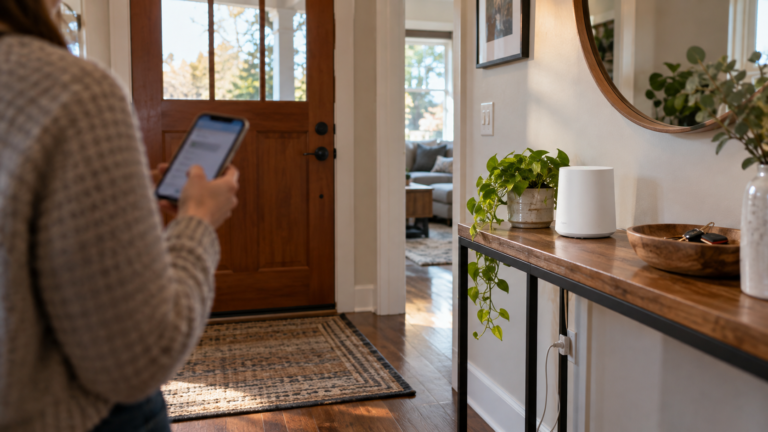
- Guests judge a rental on WiFi. A dead spot in the bedroom or a router that needs a reset can cost a review.
- Use a guest network with isolation for visitors and a separate network for your lock, thermostat and cameras.
- A small battery backup keeps a modem and router running for about 4 to 7 hours (calculated for a 100 Wh unit).
- Guests casting to a TV conflicts with isolation. Decide how the TV works before your first booking.
You host guests in a suite, condo, house or basement unit and want WiFi that works and stays separate from your own devices.
You rent long term and the tenant sets up their own internet. That is the tenant’s contract with the provider.
How much internet speed does a rental need?
Planning assumptions: 15 Mbps per 4K stream, 4 Mbps per video call and 10 Mbps for general browsing. Devices are 3 per guest plus 4 for the unit (TV, lock, thermostat and speaker). Headroom of 50 percent covers peaks.
| Guests | Busy moment | Devices | Speed needed | With 50% headroom |
|---|---|---|---|---|
| 2 | 1 stream, 1 call | 10 | 29 Mbps | 45 Mbps |
| 4 | 2 streams, 2 calls | 16 | 48 Mbps | 72 Mbps |
| 6 | 3 streams, 3 calls | 22 | 67 Mbps | 100 Mbps |
| 8 | 4 streams, 4 calls | 28 | 86 Mbps | 129 Mbps |
Most home plans cover this. The weak point is usually the WiFi in the far bedroom, not the plan. Check your provider’s terms for residential service used for rentals.
How should the networks be set up?
| Network | Devices | Rule |
|---|---|---|
| Guest | Guests’ phones and laptops | Isolated; name does not show the address or unit number; password on a card or QR code |
| Host devices | Smart lock, thermostat, cameras outside the unit | Separate from guests; password you keep |
| Host admin | Your router app and phone | Strong admin password; remote access if the router supports it |
Do not use your personal home WiFi password at the rental. See guest WiFi and camera network setup for the settings. If you use cameras, read Airbnb security camera rules in Canada first.
| Option | Result | Trade-off |
|---|---|---|
| TV on the guest network, isolation on | Guests stream in the TV’s own apps | Phones cannot cast to the TV |
| Guest network with isolation off (one booking at a time) | Casting works | Only that booking’s devices share the network; keep your own devices on a separate network |
| TV on the host network | Casting does not work for guests | Not suitable |
Ask guests to sign out of streaming apps at checkout, and check the TV between stays. For TV mounting and setup for rentals, see TV installation for Airbnb hosts.
What hardware and cost fit each unit?
| Unit | Hardware | Market estimate |
|---|---|---|
| Studio or 1-bed condo | One router in the main room | $220 to $570 |
| 2-bed condo or suite | Mesh 2-pack | $400 to $750 |
| House with basement suite | Mesh 3-pack | $550 to $1,150 |
These are market estimates, not a fixed Pixl price. See WiFi installation cost in Canada and how many nodes you need. Pixl sets up the router or mesh you buy and the smart lock, thermostat and doorbell on the same visit. See smart lock installation.
How long does a battery backup keep WiFi on?
A modem and router together draw roughly 12 to 20 W. Runtime = battery watt-hours × 0.85 ÷ load in watts (calculated).
| Battery | Load | Runtime |
|---|---|---|
| 100 Wh | 12 W | 7.1 hours |
| 100 Wh | 20 W | 4.2 hours |
| 200 Wh | 20 W | 8.5 hours |
A backup helps only if the provider’s outside equipment still has power. It keeps the WiFi your guests use running through short outages. Smart locks usually run on their own batteries, so check your lock’s datasheet for how it handles a lost connection.
What should you check between guests?
- Test the speed in the bedroom and the living room with a phone.
- Check the guest password on the card or QR code and change it if you rotate it.
- Sign out of streaming apps on the TV and restart it.
- Look at the router app for devices that should not be on the network.
- Leave a one-page guide with the network name, the password and how to restart the router.
What belongs on the guest WiFi card?
| Item | Why |
|---|---|
| Network name and password, with a QR code | Guests connect in seconds and do not message you |
| Where the router sits and how to restart it | Most outages clear with a power cycle: unplug for 30 seconds, plug back in |
| How to cast or sign in on the TV | Prevents the most common first-night question |
| How to reach you | For problems that a restart does not fix |
| A reminder to sign out of apps at checkout | Protects the next guest’s and the previous guest’s accounts |
Laminate the card and keep a copy in the rental’s guide. Update it whenever you change the network name or password.
Airbnb WiFi: frequently asked questions
How fast should WiFi be for an Airbnb?
About 75 Mbps for four guests and 100 Mbps for six, with headroom for peaks (calculated planning estimate).
Should guests use my main WiFi?
No. Use a separate guest network with isolation so visitors cannot reach your lock, cameras or admin settings.
Do I need a mesh system for a rental?
For a studio or small one-bedroom, one router is enough. A larger suite or a house with a basement unit does better with a 2-pack or 3-pack.
How often should I change the guest password?
Between stays if your router supports a quick change, or on a schedule you can keep. A QR code on a card makes it simple.
Can I restart the router remotely?
Some routers and mesh apps allow remote restart while the internet is up. If the internet is down, leave clear restart steps for guests.
Does Pixl set up WiFi for rentals?
Yes. Pixl installs and configures the router or mesh you buy and can set up the lock, thermostat, doorbell and TV. We reply with a fixed quote from photos before booking, and you pay after the job.
Get your rental’s WiFi set up
Send the layout, the number of beds and where the modem is. You pay after the job.
TV installation for Airbnb hosts
Smart lock installation
Guest WiFi and camera network setup
Smart home for Airbnb hosts
Rental unit turnover price sheet
Sources and method. Bandwidth = 15 Mbps × 4K streams + 4 Mbps × video calls + 10 Mbps browsing, calculated in Python. Example for 4 guests: 2 × 15 + 2 × 4 + 10 = 48 Mbps, × 1.5 = 72 Mbps. Devices = 3 per guest + 4. Runtime = Wh × 0.85 ÷ W. These are planning assumptions. Prices are market estimates, not a fixed Pixl price. Check your provider’s terms and your product’s datasheet.
About Pixl Canada. Pixl Canada is an installation company based in Edmonton, Alberta, serving cities across Canada with TV mounting, security cameras, appliance installation and smart home setup. Call or text (587) 899-7495. Open Monday to Saturday 8am to 8pm and Sunday 9am to 7pm.