
Set up three networks: one for your own phones and computers, one for guests and one for cameras and smart devices. Guests and cheap smart gadgets then cannot reach your laptops, printers or payment devices. Most home routers and mesh kits offer a guest network in minutes; a true separate camera or IoT network needs either a second SSID with isolation or a router that supports VLANs. This page shows which method fits, what can break and how much upload bandwidth cameras use.
PCBy the Pixl Canada install team. Calculated October 27, 2026. 7 min read.
- Which devices go on which network
- Four ways to separate networks, by router type
- What breaks when devices are isolated
- Camera upload bandwidth, calculated
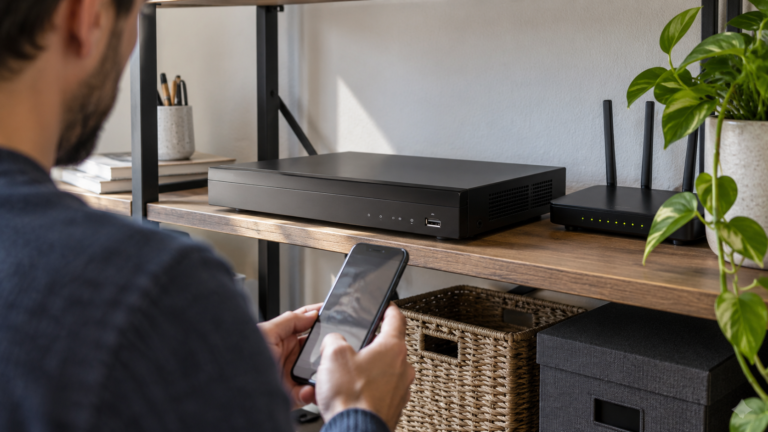
- A guest network keeps visitors off your devices. A separate IoT network does the same for cameras, plugs and speakers.
- Many smart devices only work on 2.4 GHz, so the device network must offer that band.
- Casting, AirPlay, printing and some local-control features can stop working across networks. Move one device and test before moving the rest.
- Six cameras that upload continuously at 4 Mbps each use 24 Mbps of upload, which can be more than a home plan offers.
You have cameras, a doorbell or a guest room, or you run a small business with customers on WiFi.
You have a handful of devices and no guests. One strong WiFi password and updated firmware may be enough.
Which devices belong on which network?
| Network | Devices | Rule |
|---|---|---|
| Main | Your phones, laptops, work computers, NAS, printer | Strong password; WPA3 or WPA2 as the router allows |
| Guest | Visitors’ phones and laptops | Isolated from the main network; share the password or a QR code |
| Cameras and smart devices (IoT) | Cameras, doorbell, plugs, bulbs, thermostat, speakers, smart TV | Isolated from the main network; 2.4 GHz available |
| Payment (business only) | Card terminals, point of sale | Own network; never on the guest network. Follow your payment provider’s rules |
Example household of 25 devices (planning example): 9 phones and laptops on main, 4 TVs and streaming boxes and 12 cameras, doorbells, plugs and speakers on the device network. The device network is where most of the weaker security sits, which is why it is worth separating.
How can you separate the networks?
| Method | Works on | Isolation | Effort |
|---|---|---|---|
| Guest network switch | Most home routers and mesh kits | Guests cannot reach the main network | Minutes |
| Use the guest network for IoT | Same as above | Same isolation, but local control may break | Minutes, then re-pair devices |
| Extra SSID with its own rules | Routers and access points with several networks | Good, with client isolation turned on | About an hour |
| VLANs | Business-style routers, switches and access points | Strongest; firewall rules between networks | Half a day with testing |
Pick the simplest method that matches your risk. A home with a few cameras is well served by a guest network for visitors and a second SSID for devices. A clinic or shop that takes cards should use VLANs. See small business WiFi setup.
What can break when devices are isolated?
| Feature | Why it can break | Fix |
|---|---|---|
| Casting and AirPlay to a TV | The phone cannot discover the TV | Keep the TV on the main network |
| Printing | Printer discovery stops across networks | Keep the printer on main |
| Camera app on the phone | Cloud cameras still work; local live view may not | Test the app on mobile data and on WiFi |
| Camera to recorder | WiFi cameras and recorder must reach each other | Put both on the device network |
| Smart home hubs and some local control | The hub and devices must see each other | Keep a hub and its devices together |
| Setup mode | Some devices pair only to the same network as the phone | Pair on the device network from a phone joined to it |
This is why the order of setup matters. Move one camera or plug first, check the app, then move the rest. For camera systems that stay offline, see security camera offline fixes.
How much upload bandwidth do cameras use?
Cloud cameras send video to the internet, so upload speed matters. The table assumes 4 Mbps per camera, a planning figure for a 2K stream. The real number depends on resolution, compression and whether the camera uploads continuously or only on motion. Check your camera’s datasheet.
| Cameras | Continuous upload | Note |
|---|---|---|
| 2 | 8 Mbps | Fits most plans |
| 4 | 16 Mbps | Compare with your plan’s upload speed |
| 6 | 24 Mbps | Can exceed a basic cable upload speed |
| 8 | 32 Mbps | A local recorder is a better fit |
A local recorder keeps video at home and sends only live view and alerts over the internet. See cloud storage vs local NVR.
In what order should you set it up?
- List your devices and note which use only 2.4 GHz.
- Change the router admin password, update the firmware and switch off WPS.
- Create the guest network and the device network with different names and passwords.
- Turn on client isolation on the guest network.
- Move one device, test its app and local features, then move the rest.
- Print or save a QR code for the guest network and keep the admin login in a safe place.
Pixl sets up guest and device networks on the router or mesh you own and reconnects TVs, cameras, doorbells and other devices. Pixl gives a fixed quote from photos before booking, and you pay after the job. Pixl does not run new network cable.
Guest and IoT network: frequently asked questions
Should smart home devices be on the guest network?
It works for many devices and is the simplest option. Test casting, local control and the camera app first, because isolation can break them.
Do I need VLANs at home?
Usually no. A guest network and a second isolated SSID are enough. VLANs suit businesses with payment devices or many cameras.
Why do my smart plugs not join the new network?
Many only support 2.4 GHz. Make sure the device network offers 2.4 GHz and that your phone is on it during setup.
Does a guest network slow my WiFi?
Not by itself. Guest traffic shares the same internet connection, so heavy use by visitors can use part of your speed unless the router limits it.
How often should I change the guest password?
Whenever you want to cut off past visitors. For a rental or a business, change it on a schedule you can keep.
Can cameras and the recorder be on a separate network?
Yes. Keep them together on the device network, and keep your phone able to reach the recorder through the router or the app.
Can Pixl set up a guest and camera network?
Yes, on the router or mesh you own. Send photos and what you want separated. We reply with a fixed quote before booking and you pay after the job.
Want guests and cameras on their own networks?
Text the router or mesh model and the devices you have. You pay after the job.
Small business WiFi setup
WiFi installation cost in Canada
Wired vs WiFi security cameras
Do you need a smart home hub?
Matter and Thread explained
Find and share your WiFi password
How to set up a router
Sources and method. Continuous upload = cameras × 4 Mbps (planning figure), calculated in Python: 2 × 4 = 8, 4 × 4 = 16, 6 × 4 = 24, 8 × 4 = 32 Mbps. The 25-device household is a planning example, not a survey. Feature behaviour across networks varies by router and device, so test each one. Check your product’s datasheet.
About Pixl Canada. Pixl Canada is an installation company based in Edmonton, Alberta, serving cities across Canada with TV mounting, security cameras, appliance installation and smart home setup. Call or text (587) 899-7495. Open Monday to Saturday 8am to 8pm and Sunday 9am to 7pm.