
Security camera installation with Pixl Canada starts at $200 for one or two WiFi cameras, before tax. Wired CCTV is a free custom quote, because the price depends on how many cameras you need, how far the cables run and which recorder you choose. Send a photo of the property and we tell you which option fits before you book.
PCBy the Pixl Canada install team. Updated . These are Pixl Canada’s own prices, checked October 24, 2026. This is not a survey of every Canadian installer.
- Pay after the system works on your phone
- Same-day service available when we have an opening
- Open 7 days: Mon-Sat 8am-8pm, Sun 9am-7pm
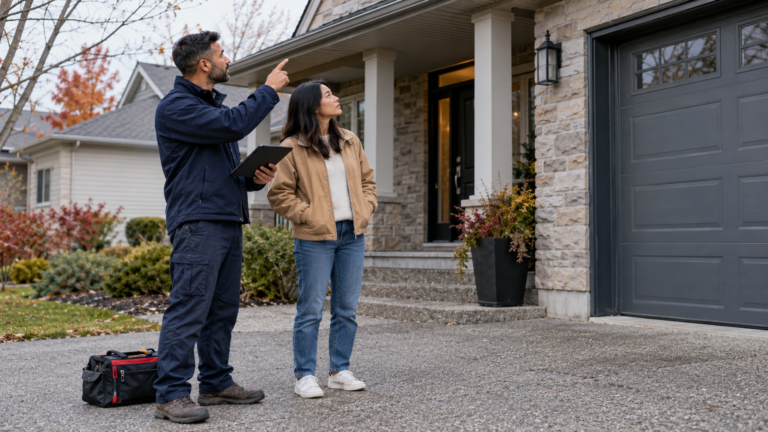
- WiFi installation starts at $200 for one or two cameras; wired CCTV is quoted free because cable routes decide the price.
- Five things move a wired quote: camera type, camera count and placement, cable route and walls, storage, and network and app setup.
- The first year costs the install, the equipment and any monthly plan multiplied by twelve.
- Compare quotes line by line: a labour-only price and a bundled price are not the same thing.
You want cameras installed by someone else, you want to know what a quote should contain, and you are happy to pay after the system works on your phone.
You want to install the cameras yourself. Our guide to how to install security cameras yourself covers the steps and the tools. If you only want to compare camera models, a product review site will serve you better.
How much does security camera installation cost?
WiFi camera installation starts at $200 for one or two cameras, before tax. Wired CCTV with a recorder is a free custom quote. A business system gets a free written quote after a walkthrough. These are Pixl Canada’s prices, in Canadian dollars.
| Installation | Pixl price | What changes the quote |
|---|---|---|
| One or two WiFi cameras | From $200 | Mounting height, power nearby, WiFi strength and how the cable is hidden |
| Wired CCTV with an NVR or DVR (home) | Free custom quote | Number of cameras, cable length and route, recorder and storage, wall construction |
| Business camera system | Free written quote, after a walkthrough | Entrances to cover, after-hours work, lift access, storage days, more than one site |
Equipment is listed separately in your quote. For a figure on your own property, ask for a free quote or text a photo of the doors, driveway and yard to (587) 899-7495.
Why is wired CCTV a free custom quote and not a price per camera?
Every property needs a different amount of cable, different camera positions and a different recorder. A bungalow with an open basement and a three-storey semi are not the same job. A per-camera price can hide the most important part of the work, which is getting power and data from each camera to the recorder.
A wired system may need Ethernet runs through an attic, a basement or an exterior wall, plus a recorder location and enough storage. A free custom quote shows each of those items. Our PoE camera system guide explains the parts and the cable limits.
What sets the price of a wired CCTV system?
Five things move the total: the type of camera, how many you need and where they go, the cable route and wall construction, how much video you store, and how much network and app setup the job needs. Each one is listed in a good quote.
| Factor | What it means | Ask your installer |
|---|---|---|
| 1. Camera type | WiFi, PoE or analogue, each with different cabling and recording | Which type, and why for this building? |
| 2. Number and placement | Each extra camera adds mounting, aiming, setup and testing | Which events must each camera capture? |
| 3. Cable route and walls | Finished ceilings, concrete, brick and long exterior runs need more planning | Are drilling, raceway and weather sealing included? |
| 4. Video storage | Resolution, frame rate, camera count and days kept decide the hard drive size | How many days does the recorder keep? |
| 5. Network and app setup | Remote viewing depends on your home network and a clean handoff | Are live view, playback and alerts tested? |
1. What type of camera are you installing?
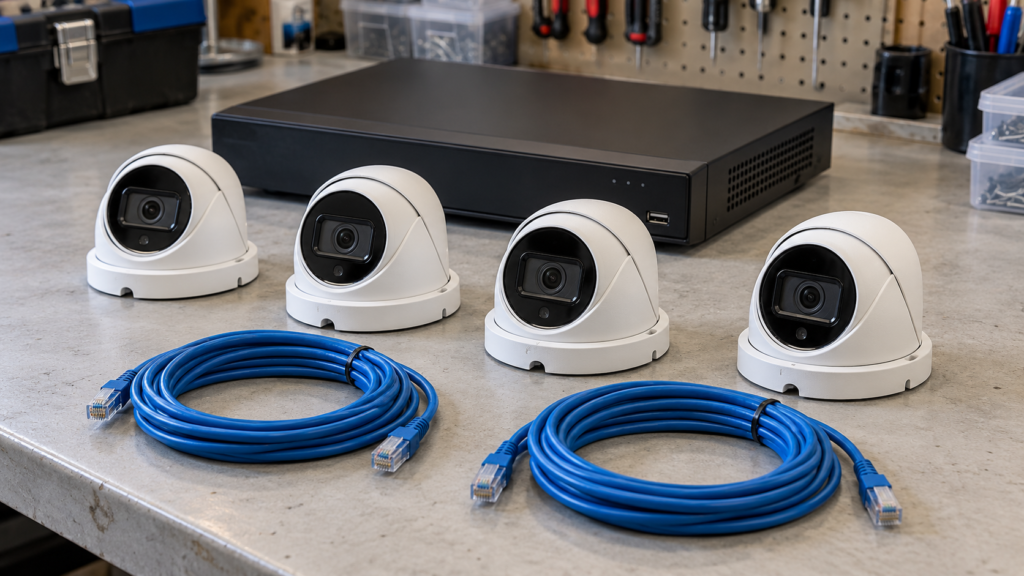
WiFi cameras need nearby power and a stable wireless signal. PoE cameras get power and data through one Ethernet cable and normally record to an NVR. Analogue CCTV cameras use a DVR and different cabling. The right choice depends on the building and on the recording you need, not only on the purchase price of the camera.
2. How many cameras do you need, and where do they go?
Each extra camera adds mounting, aiming, setup and testing. A reachable wall is simpler than a high soffit or a detached garage. Decide which events you need to capture, such as a face at the front door or a car on the driveway.
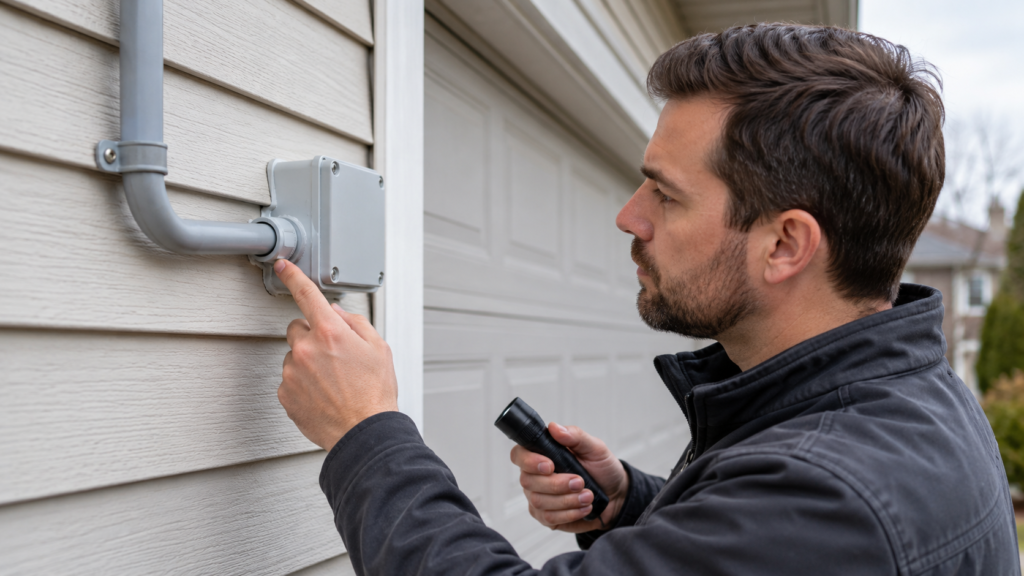
3. What is the cable route, and what are the walls made of?
Open basements and accessible attics simplify cable runs. Finished ceilings, concrete, brick and long exterior runs need more planning. Manufacturers such as Lorex list 328 feet (100 metres) as the longest Ethernet run between a camera and its recorder, so a far outbuilding can change the plan. Ask whether visible cable, raceway, drilling and weather sealing are included.
4. How much video do you want to store?
Resolution, frame rate, number of cameras and how long you keep the video decide the size of the hard drive. A local NVR or DVR has an upfront hardware cost. A cloud plan adds a recurring fee that the camera provider sets.
5. How much network and app setup does the job need?
Remote viewing depends on your home network. A weak WiFi signal or an overloaded router can make a camera unreliable even when it is mounted well. A complete handoff includes a live-view test, a playback test, notification settings and a walk-through of the app.
What does the first year of a camera system really cost?
The first year is the install, plus the equipment, plus any monthly plan multiplied by twelve. A cloud plan repeats every year, so add it up before you choose. Local recording on a wired NVR needs no plan to record.
| Cost line | Where the number comes from | Repeats every year? |
|---|---|---|
| Installation | Pixl: from $200 for one or two WiFi cameras, wired CCTV by free custom quote | No |
| Cameras, recorder and hard drive | Your own purchase, or listed separately in your Pixl quote | No |
| Cloud plan, if you use one | Set by the camera provider. Example: Ring lists CAD $59.99 a year for one device or CAD $149.99 a year for all devices at one location, before tax (ring.com/ca, checked October 24, 2026) | Yes |
| Local recording on an NVR | No plan needed to record. Reolink’s support site says a PoE camera and NVR can record and play back locally without internet; remote viewing needs internet | No |
Worked example, with no equipment price: a one-device cloud plan at CAD $59.99 a year adds $59.99 to year one and the same each year after. Five years of that plan comes to $299.95 before tax. That plan fee is the provider’s, not Pixl’s, and the figure is an example of the arithmetic to run on your own choice.
What is included in the installation, and what is quoted separately?
A Pixl install covers mounting and aiming each camera, connecting it, setting up the recorder on wired systems, and putting the app and motion alerts on your phone. Cameras, recorder, extra cable and parts are listed separately in your quote.
| Included | Quoted separately |
|---|---|
| Mounting and aiming each camera | The cameras, recorder and hard drive if we supply them |
| Connecting WiFi cameras to your network, or running and hiding the cable for wired ones | Extra cable and parts for long runs |
| Recorder and hard drive setup | Changes to a system you already own |
| Phone app with live video and playback | |
| A walk-through before we leave |
If you already bought cameras, we install the brand you choose, including Reolink, Lorex and Google Nest. Send the model names or a photo of the boxes before you book.
Is it cheaper to install security cameras yourself?
It can be, if you are comfortable working in an attic, drilling through an exterior wall and sealing the hole. WiFi cameras near a wall plug are the easiest to install yourself. Wired cable runs are the hard part, and many owners hire help for that and set up the rest.
| Factor | Doing it yourself | Hiring an installer |
|---|---|---|
| WiFi cameras near a plug | The easiest case for a DIY install | Quick job; from $200 for one or two cameras |
| Wired cable runs | Attic, wall and drilling work is the hard part | Route planned and priced in a free quote |
| Recorder and app setup | You configure storage, logins and alerts | Set up and tested on your phone before we leave |
| If something goes wrong | A second trip or a patched wall is on you | See the warranty periods on the Legal page |
The saving shrinks if a mistake means a second trip or a patched wall. Our guide to how to install security cameras yourself lists the tools and the steps. If you would rather not, tell us what you already have, and we price only the part you need.
How do I compare two camera quotes?
Put both quotes on the same footing, and use our nine questions to ask a camera installer. If one includes cameras and the other is labour only, the totals do not compare. A useful written quote lists each of the following.
| Line | What it should say |
|---|---|
| Cameras | Number and type, or the minimum specification |
| Recorder and storage | Recorder, hard drive size and how many days of video it stores |
| Cable work | Cable length, route and concealment method |
| Mounting | Mounting hardware and weather sealing |
| App setup | App setup, live view and playback testing |
| Price lines | Labour, supplied parts and tax, each on its own line |
| Warranty | Warranty responsibilities for labour and for equipment |
| Monthly fees | Any monthly fee and who sets it |
For a shop or office, use our camera quote and handover checklist. Businesses start with a free walkthrough and a written quote, and we do not publish a package price. See commercial CCTV installation for what the walkthrough covers.
How does Pixl quote and bill a camera install?
You send a photo or fill in the form, we confirm the quote, we install and test the system on your phone, and you pay after it works. Same-day service is available when we have an opening.
- Send the property. Send a photo of the property, or fill in the form (about 2 minutes).
- Get the quote. We plan the camera spots and the cable route, and send a free quote.
- Pick a time. Any day of the week. Same-day service is available when we have an opening.
- Install, test, pay. We install, test live video and playback on your phone, and then you pay by card, e-transfer or cash.
Our warranty table lists wired camera installation at 1 year on wiring and 1 year on parts, at no charge. Cameras we supply carry the manufacturer’s warranty: 1 year on parts, up to 3 years on labour. The full table is on the Legal page: warranty periods by service.
Security camera installation cost: questions
Does the installation price include the cameras?
Do not assume that it does. Confirm whether a proposal is labour only or includes the cameras, recorder, storage, cabling and mounting hardware. Pixl lists supplied equipment on its own lines in the written quote, so you can compare it with a quote that bundles everything.
Do security cameras need a monthly fee?
Not always. A local NVR or DVR records to a hard drive at home without a cloud subscription. Some WiFi camera brands charge for cloud storage or advanced alerts, and the camera provider sets that price. Ask any installer which monthly fees apply to the system they propose.
Can I get an exact price from a photo?
Photos are often enough for a first WiFi quote. A wired or business system may need a walkthrough so the installer can confirm cable routes, the recorder location and access. Text photos of the doors, driveway and the room for the recorder to (587) 899-7495.
Does it cost more for a business?
Business sites usually need more cameras, longer cable runs and more storage, so they start with a free walkthrough and a written quote. We do not publish a package price. Our commercial CCTV page explains what the walkthrough covers and what the quote includes.
Do I pay before the installation?
No. You pay after the system works on your phone, by card, e-transfer or cash. The quote comes first, and quotes for wired CCTV are free. Our warranty table on the Legal page lists wired camera installation at 1 year on wiring and 1 year on parts.
Can you install cameras I already bought?
Yes. We install the brand you choose, including Reolink, Lorex and Google Nest. Send the model names or a photo of the boxes, and we tell you what the job involves and whether any parts are missing, so you do not pay for something you already own.
Can you come today?
Same-day service is available when we have an opening. Call or text (587) 899-7495 with your city and the number of cameras, and we tell you if there is room today. If not, we offer the next available time. Hours are Monday to Saturday 8am to 8pm, Sunday 9am to 7pm.
Get a free quote for your property
Include your city, the number of cameras, whether you want WiFi or wired, and photos of the places to cover. Tell us if you already own the equipment. Book it, and pay after it works.
Keep reading
Camera system sizes and prices
How to choose a security camera
How many cameras do I need?
PoE camera system for a house
How to choose a camera installer
Cameras without internet or WiFi
Service and pricing page
Install a camera kit you bought
DIY vs professional installation
Alarm company vs camera installer
Sources and method. Pixl prices come from the Pixl Canada price list, checked October 24, 2026, in Canadian dollars before tax. Warranty periods come from the Warranty table on the Pixl Canada Legal page. The 100 metre (328 feet) Ethernet limit is the manufacturer figure published by Lorex: Lorex Help, Ethernet cable length. Ring plan prices were read on ring.com/ca on October 24, 2026 and are the provider’s to change.
About Pixl Canada. Pixl Canada is an installation company based in Edmonton, Alberta, serving cities across Canada with TV mounting, security cameras, appliance installation and smart home setup. Call or text (587) 899-7495.