
Security cameras · 8 min read · updated sep 2026
NVR vs DVR: Which Security Camera Recorder Should You Choose?
By the Pixl Canada install team
Quick answer
A DVR records analog cameras connected with coaxial cable, and the recorder does the video processing. An NVR records IP cameras over a network, usually with one Ethernet (PoE) cable per camera for power and data. For a new Canadian home or business, an NVR is the better choice. A DVR still makes sense if you already have good coax in the walls.
What is the difference between an NVR and a DVR?
The difference is where the video is processed and what kind of cameras you use. A DVR (digital video recorder) turns the analog signal from each camera into digital video. An NVR (network video recorder) receives video that the IP camera has already encoded.
As Reolink’s NVR vs DVR guide puts it, a DVR processes video at the recorder, while an NVR system encodes it at the camera. That one change affects almost everything else: cabling, image quality, audio and how easily you can add cameras later.
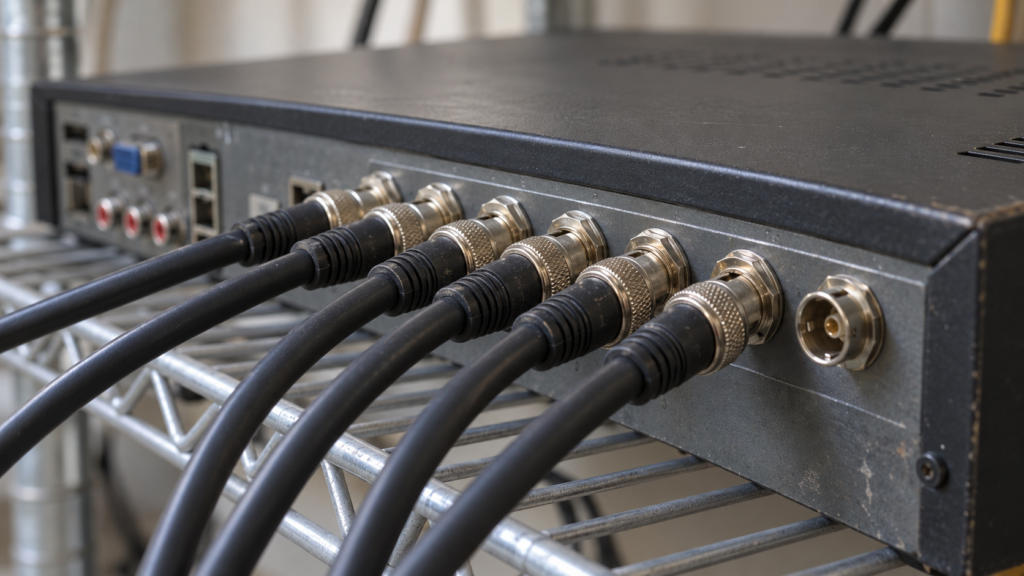
- DVR systems use analog cameras and coaxial cable (often RG59 “siamese” cable with a power pair attached).
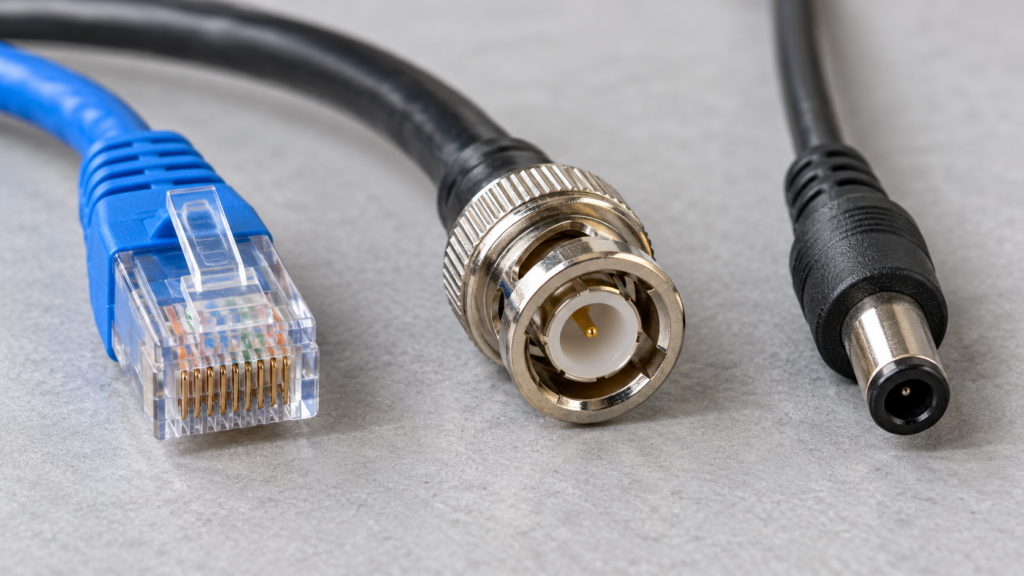
- NVR systems use IP cameras and network cable (Cat5e or Cat6), usually powered by PoE (Power over Ethernet).
Both record to a hard drive inside the recorder, and both can show live video on your phone through the brand’s app.
NVR vs DVR: side-by-side comparison
Here is how the two systems compare on the points people ask about most.
| Factor | DVR | NVR |
|---|---|---|
| Camera type | Analog (HD-TVI, AHD, HD-CVI, CVBS) | IP cameras |
| Cable | Coax for video, plus a power pair or separate power | One Ethernet cable (Cat5e/Cat6) with PoE |
| Where video is processed | At the recorder | At the camera |
| Typical image quality | Good, but usually lower than IP | Higher, up to 4K and beyond on many models |
| Audio | Needs a separate audio wire or a camera that supports audio over coax | Travels in the same cable; many cameras offer two-way talk |
| Cable run | About 300 ft for coax | About 300 ft per run, extendable with a PoE switch |
| Smart features | Basic motion detection on most models | Person and vehicle detection, more app features |
| Wireless cameras | No | Some NVRs also accept WiFi cameras |
| Best for | Upgrading a system with existing coax | New installs, homes and businesses planning to grow |
Cabling: Cat6 vs coax and power
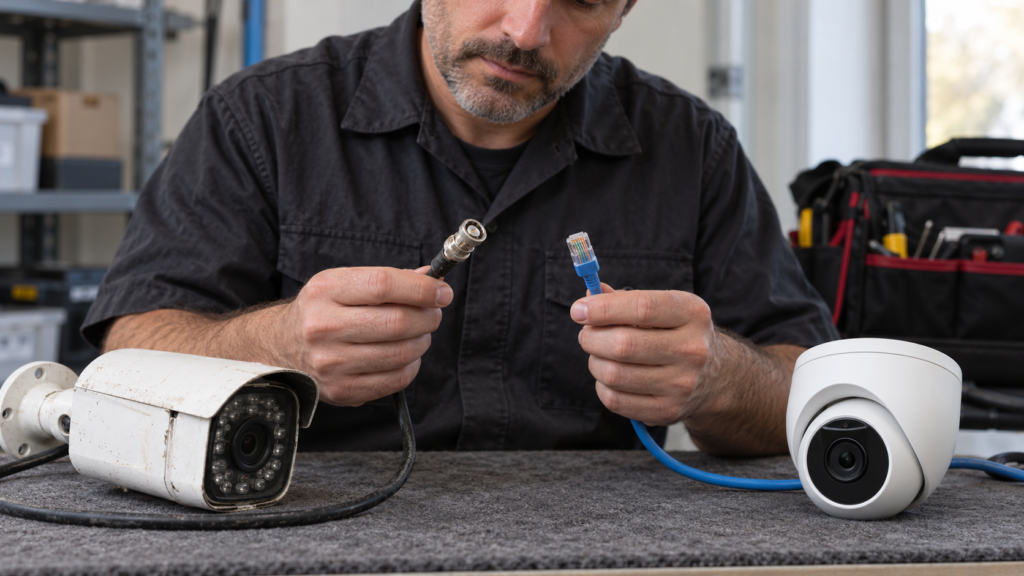
Cabling is the biggest practical difference. An NVR camera needs one network cable. A DVR camera needs coax for video and a way to get power, usually a combined siamese cable or a nearby outlet.
The Lorex Canada FAQ explains that DVR systems send video and power separately over siamese BNC cable, while NVR systems send both through one Ethernet cable using PoE. Lorex lists roughly 300 feet for both cable types, and notes that a PoE switch can extend an IP camera run by another 300 feet.
In practice, one cable per camera makes an NVR system cleaner to install. It also makes winter work easier, because there is no separate power adapter to hide outside. Our guide to PoE vs WiFi security cameras for Canadian winters explains why wired PoE cameras handle the cold better than battery models.
Want a wired NVR system planned for your property? The quote is free, and WiFi cameras start at $200 for 1 or 2.
Which has better image quality and audio?
An NVR system usually has better image quality and much simpler audio. IP cameras encode video in the camera, so there is less signal loss on the way to the recorder.
Modern analog HD formats (HD-TVI, AHD and HD-CVI) are far better than old CCTV, and some reach high resolutions. But at the same price, IP cameras tend to offer more resolution, better night modes and smarter detection. For reading a licence plate or a face at a distance, IP is usually the safer bet.
Audio is simpler on an NVR too. The sound travels in the same digital stream as the video, and many IP cameras have two-way talk. On a DVR, audio often needs an extra wire or a specific camera. Before you record sound, read our guide to security camera audio recording laws in Canada, because audio has stricter rules than video.
What is a hybrid or XVR recorder?
A hybrid recorder, often sold as an XVR, tribrid or pentabrid DVR, accepts several analog formats and usually a few IP cameras as well. It is a bridge between the two systems.
Hybrids suit a building that already has coax runs but needs one or two new cameras where running coax is hard. You keep the old cameras and add IP cameras on the network. The limit is that the number of IP channels is often small, so check the model’s spec sheet before you plan a big expansion.
How do I know if I have an NVR or a DVR?
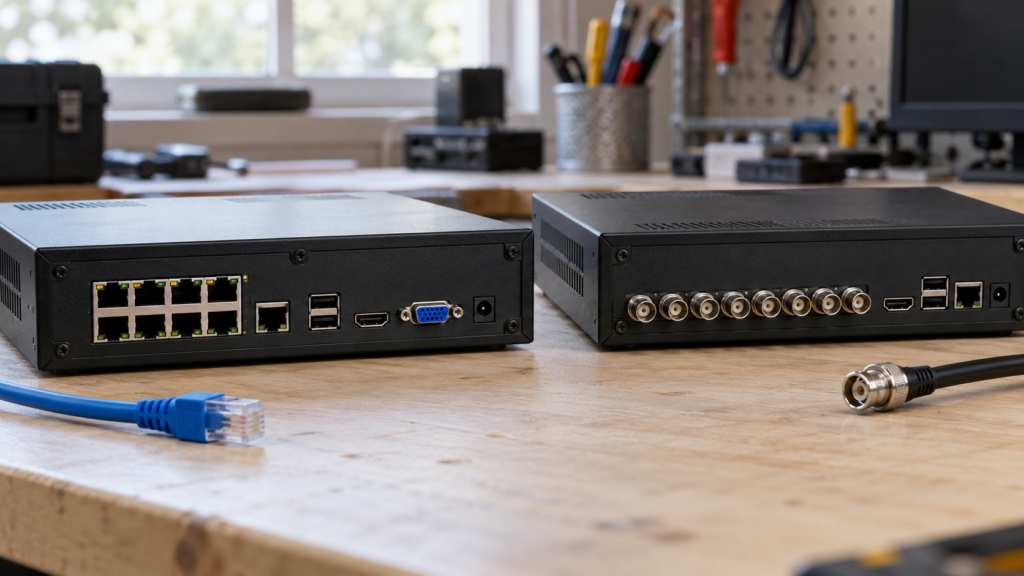
Look at the back of the recorder and at the camera cables. Round BNC connectors with coax cable mean a DVR. A row of Ethernet ports, or cameras plugged into a network switch, means an NVR.
The model label helps too. Many brands print “DVR” or “NVR” on the front or in the model number. If you see both BNC and Ethernet camera inputs, you likely have a hybrid.
Should I upgrade my old DVR system?
Upgrade if your cameras are failing, the picture is too blurry to be useful, or you need smart alerts. If the old coax is in good shape and the video is clear enough, a newer analog HD DVR and cameras can be a cheaper refresh.
Here are the three common paths:
- Keep the coax, replace the DVR and cameras. A new analog HD system reuses the cables in your walls. It is the least disruptive option.
- Go hybrid. Swap in a hybrid recorder, keep the working coax cameras and add IP cameras where you need more detail.
- Switch fully to an NVR. Run new Cat6 to each camera. It takes more labour but gives you the best image, audio and room to grow.
Some installers use Ethernet-over-coax adapters to run IP cameras on existing coax. They work, but add parts that can fail, so new Cat6 is usually the cleaner long-term fix.
Storage and remote viewing on an NVR or DVR
Both systems store video on an internal hard drive and overwrite the oldest footage when it fills up. Both can be viewed on your phone through the manufacturer’s app.
How long footage lasts depends on the drive size, the number of cameras, the resolution and whether you record 24/7 or only on motion. Higher resolution IP cameras use more space, so an NVR often needs a bigger drive for the same number of days. Lorex notes that the hard drives in most of its newer recorders can be expanded, so check your model’s bay count and maximum capacity.
Neither needs the internet to record. The internet is only needed for phone alerts and remote viewing. If you’re weighing a local recorder against cloud plans, see our comparison of cloud storage vs a local NVR.
Which should you choose for a Canadian home or business?
For most new installs, choose an NVR with PoE cameras. Choose a DVR only when you have good existing coax and want the lowest-disruption upgrade.
- New house or renovation: NVR. Run Cat6 while the walls are open.
- Older home with working coax: analog HD DVR or a hybrid recorder.
- Shop, restaurant or office: NVR, for sharper footage at tills and doors, smart alerts and room to add cameras. Our guide to choosing a business security camera system goes into detail.
- Renters or 1 to 2 cameras: WiFi cameras with local or cloud storage may be enough.
DIY or hire a pro?
Plugging a pre-wired kit into an NVR is manageable for a handy owner. The hard part is running cable through attics, walls and exterior siding, then sealing every entry point against Canadian weather.
DIY pros: saves on labour, and PoE kits are close to plug and play. DIY cons: ladder work in the cold, drilling through exterior walls, fishing cable, aiming cameras well and setting up the recorder and app securely.
Pixl installs WiFi cameras, wired NVR and DVR systems, and hybrid upgrades. WiFi camera installation starts at $200 for 1 or 2 cameras, before tax. Wired CCTV, NVR and DVR systems get a free custom quote after we see photos or do a walkthrough, because every building’s cable path is different. Our licensed technicians carry $5 million in general liability insurance, and you pay after the job is done.
Ready to upgrade or start fresh? Book a security camera installation with Pixl, see Pixl for businesses, or call or text (587) 899-7495.
Frequently asked questions
Which is best, DVR or NVR?
For a new system, an NVR is usually best. It gives sharper video, simpler audio and one cable per camera. A DVR is still a good value if you already have working coax cable in the walls.
Does an NVR work without internet?
Yes. An NVR records cameras over your local network, so it keeps recording during an internet outage. You only need the internet for phone alerts and remote viewing.
How do I know if I have an NVR or DVR?
Check the back of the recorder. BNC connectors with coax cable mean a DVR, while Ethernet ports for the cameras mean an NVR. A recorder with both is a hybrid.
What are the downsides of using an NVR system?
IP cameras can cost more than analog ones, and higher resolution video needs more hard drive space. If you’re replacing a DVR, you may also need to run new network cable to every camera.
Can I use IP cameras with a DVR?
Not with a standard DVR. A hybrid or XVR recorder can accept a limited number of IP cameras alongside analog ones, so check the model’s IP channel count.
Can I reuse my coax cable with an NVR?
Only with Ethernet-over-coax adapters, which add extra parts. Most installers recommend running new Cat6 cable for a full NVR upgrade, or keeping the coax with a new analog HD or hybrid recorder.
Also read what is CCTV and how it works. Written by the Pixl Canada install team: licensed technicians with $5 million liability insurance, installing TVs, security cameras, smart home devices and appliances across Canada.
Related articles