
Business installations · 8 min read · updated sep 2026
Business Security Camera System: A Guide for Canadian Owners
By the Pixl Canada install team

Quick answer
A business security camera system is a set of cameras, a recorder (usually an NVR), storage and a phone app that lets owners and managers watch live and review footage. Most small Canadian businesses do best with wired PoE cameras on an NVR, covering entrances, tills, stock rooms and parking, plus clear signage and a written privacy policy.
What does a business security camera system include?
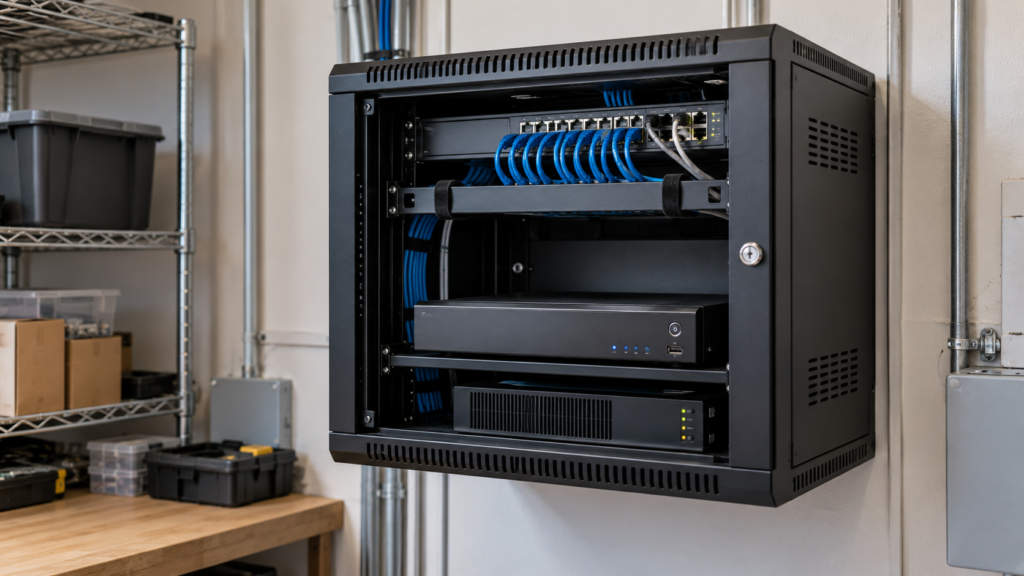
A typical system has four parts: cameras, a recorder, cabling and an app. The recorder stores the video, and the app lets authorized staff view it from anywhere.
- Cameras: indoor dome or turret cameras for sales floors and tills, and weatherproof bullet or turret cameras for doors, docks and parking.
- Recorder: an NVR (network video recorder) with a hard drive sized for your retention needs.
- Cabling and power: Cat6 network cable with PoE, so one cable carries power and video to each camera.
- Network and app: a secure connection so managers get alerts and can review clips on a phone or computer.
- Backup power: a UPS battery for the recorder and switch, so a short outage doesn’t stop recording.
Some businesses also add a monitor at the front counter. Customers who see themselves on screen tend to think twice.
How many cameras does a small business need?
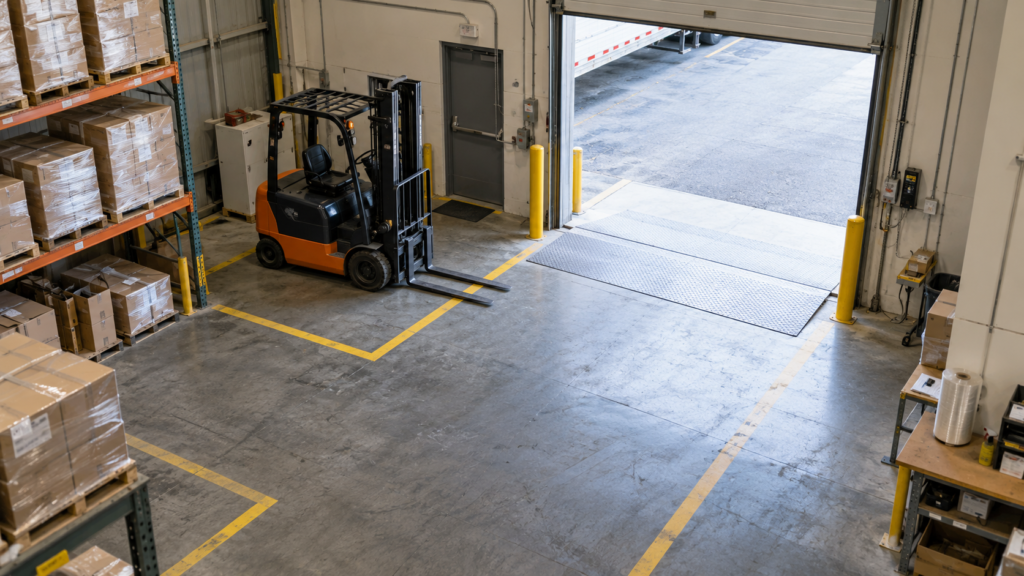
The right number comes from the areas you need to cover, not a package size. A small office may only need a few cameras, while a warehouse with docks and a yard can need many more.
A small salon or office might only need a camera at each door and one at reception. A restaurant usually adds the till, the back door and the parking lot. A warehouse can need many more for docks, aisles and the yard. The best way to plan is to walk the space and list each spot you want to see, then check that each camera has a clear view of faces or plates where it matters.
Where should cameras go in a business?
Start with the places where money, stock and people move. These are the spots that matter most when you need footage after an incident.
| Area | What to capture | Common in |
|---|---|---|
| Front entrance | Clear faces of everyone coming in and out | All businesses |
| POS / till | Cash drawer, counter and transactions | Retail, restaurants, salons |
| Back and staff doors | Deliveries, after-hours access | Restaurants, retail, warehouses |
| Stock room | Shelves, high-value items, the door | Retail, restaurants |
| Loading dock | Trucks, pallets, dock doors | Warehouses, larger retail |
| Parking lot | Vehicles, plates at the entry, lighting | Most businesses with a lot |
| Sales floor or dining room | General overview, slip-and-fall incidents | Retail, restaurants |
Never point cameras into washrooms, change rooms or staff areas where people expect privacy. Keep till cameras aimed at the cash drawer and counter, not tight on keypads where customers enter PINs.
Get a free walkthrough and a written quote for your business camera system. You pay after the job.
Wired PoE and NVR vs WiFi cameras for business
Wired PoE cameras on an NVR are the better choice for most businesses. WiFi cameras are fine for a very small space or a temporary setup.
Wired systems don’t depend on a busy guest or staff WiFi network, they record 24/7 without battery swaps, and they handle Canadian winters better outside. They also keep footage on site, so you’re not paying a cloud plan for every camera. Our guide to NVR vs DVR recorders explains why IP cameras on an NVR are the usual pick for new installs, and PoE vs WiFi cameras for Canadian winters covers cold-weather performance.
WiFi cameras win on speed of setup and suit a pop-up shop or a single-room office. They struggle through concrete, steel racking and long distances, which is common in warehouses and strip malls.
How long should a business keep camera footage?
Keep footage only as long as you need it for security, then let it overwrite. Many businesses set their recorder to keep a few weeks, which gives time to notice an incident and pull the footage.
The Office of the Privacy Commissioner of Canada says recordings should be kept only as long as necessary to fulfil the purpose of the surveillance, and destroyed when no longer required. Save and export clips you need for police or insurance, and let the rest roll over.
Retention sets your hard drive size. More cameras, higher resolution and 24/7 recording all need more space. If you’re weighing local storage against cloud plans, see cloud storage vs a local NVR.
Remote access for owners and managers
Give each manager their own login in the app, with only the permissions they need. Turn on two-step authentication, change the default recorder password and keep firmware updated. Shared logins make it hard to know who viewed or exported footage.
Privacy rules for businesses with cameras in Canada
Canadian businesses can use cameras for security, but they must be open about it, limit what they record and protect the footage. Signs at the entrance are the starting point.
The Privacy Commissioner of Canada’s guidelines for overt video surveillance in the private sector recommend that businesses:
- Post a clear notice about cameras before people enter the monitored area, with a contact for questions.
- Avoid areas where people have a heightened expectation of privacy.
- Store recordings securely and limit access to a small number of authorized people.
- Keep footage only as long as needed, then destroy it.
- Write a policy covering purpose, camera locations, who can view footage, retention and how requests are handled.
Employees are a separate question. The OPC’s page on privacy in the workplace from the Privacy Commissioner of Canada says monitoring should be necessary, proportional and the least invasive option, and that staff should be told the purpose and extent of it. Footage collected for security shouldn’t quietly become a tool for tracking attendance or performance. Alberta, BC and Quebec have their own private-sector privacy laws, so check with your provincial privacy commissioner if you’re unsure.
For the full picture, including audio recording and cameras facing public areas, read our guide to security camera laws in Canada.
Do you need a licensed installer in BC or Quebec?
In some provinces, yes. BC and Quebec regulate security installers, so a business there should check that its installer holds the right provincial licence.
An unlicensed installer can leave you with gaps in coverage, insurance questions and no one accountable if something goes wrong. Our guide on how to spot an unlicensed security installer explains what to ask for before anyone starts drilling.
DIY or hire a pro?
A very small shop with two WiFi cameras can often DIY. Anything with long cable runs, ceilings, exterior walls or multiple managers is usually worth a professional install.
DIY pros: lower upfront labour, and you choose your own schedule. DIY cons: ladder and ceiling work during business hours, fishing cable through drop ceilings and firewalls, blind spots, and getting recorder security and user permissions right.
Pixl quotes every business system after a free walkthrough, because no two layouts are the same. Here’s how it works:
- Walkthrough: we visit or review photos, and map entrances, tills, stock rooms, docks and parking with you.
- Written quote: you get a clear, itemized quote for cameras, recorder, storage and labour. No pressure.
- Install: we run cable, mount and aim cameras, and set up the NVR, often around your opening hours. We’re open 7 days a week.
- Handover: we set up the app and manager logins, and show you how to find and export footage.
Our licensed technicians carry $5 million in general liability insurance, and you pay after the job is done. Book a free walkthrough through Pixl for businesses, see our security camera installation service, or call or text (587) 899-7495.

Frequently asked questions
What is the best security camera system for a small business?
For most small businesses, wired PoE cameras on an NVR are the best fit. They record 24/7, don’t rely on WiFi and keep footage on site. WiFi cameras can work for a single small room.
Do I need signs if my business has cameras?
The Privacy Commissioner of Canada recommends posting a clear notice before people enter a monitored area, with a contact for questions. Signs also help deter theft.
Can I use cameras to watch my employees?
Only for specific, reasonable purposes, and employees should be told about it. The OPC says monitoring should be necessary, proportional and the least invasive option available.
How long should I keep security footage?
Keep it only as long as you need it for security. A few weeks is common, and you can export any clips needed for police or insurance.
Can I view my business cameras from my phone?
Yes. Most NVR systems have an app for live view, alerts and playback. Give each manager their own login and turn on two-step authentication.
How much does a business security camera system cost?
It depends on the number of cameras, cable runs, storage and the building itself. Pixl gives every business a free written quote after a walkthrough, so you know the full cost before work starts.
Related camera guides: what is CCTV, Quebec’s Law 25 and your security camera system, retail store camera placement, security cameras at work and employee privacy, do you need a security camera sign and landlord camera rules. Written by the Pixl Canada install team: licensed technicians with $5 million liability insurance, installing TVs, security cameras, smart home devices and appliances across Canada.
Related articles
Ready to compare proposals? Use the business camera quote and handover checklist and our installation cost guide.